Command-line arguments in Python
In Python, we can pass arguments to the Python script while running it on the terminal. These arguments are referred to as command-line arguments.
Syntax
python main.py argument1 argument2
In order to access these arguments, we need to import the sys library:
import sys
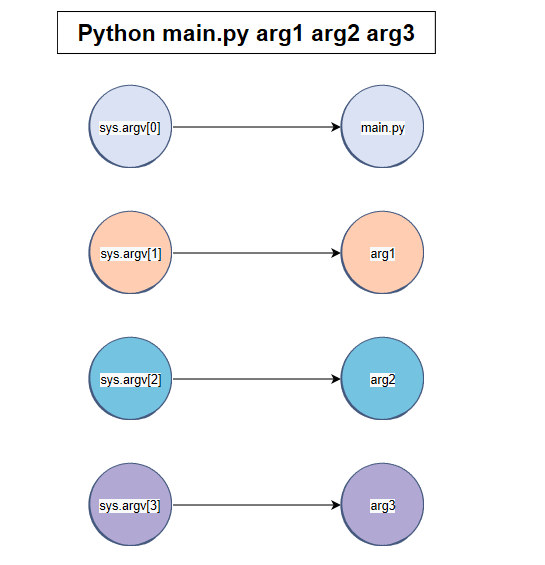
The sys.argv contains the list of command-line arguments.
len(sys.argv) is the number of total command-line arguments.
Code
In the code below, press the run button and then try running this script:
python main.py chocolate strawberry 34
# necessary library to ensure command is read in terminal.
import sys

#sys.argv contains arguments which are input in the terminal.
print ('Number of arguments:',len(sys.argv))

# Arguments are printed as a list
print ('Arguments:', str(sys.argv))

print(sys.argv[0]) #will print main.py
The len(sys.argv) function returns the number of arguments. In our case, it returns 4 because we have passed four arguments:
main.py- chocolate
- strawberry
- 34
Without the
syslibrary, this will give an error.
Moreover, since this is a list, all these items can be accessed using list indices. For example, sys.argv[0] is main.py, sys.argv[1] is chocolate, and so on.
Free Resources