
The values of each pixel in the NumPy array image can be obtained by printing the data returned by the asarray() or array() functions.
Convert a PIL image to NumPy array
Key takeaways:
Converting a PIL image to NumPy array helps in image processing and numerical analysis.
Use
pip install Pillow numpyto get Pillow for image handling and NumPy for numerical operations.Use
Image.open('filename')from Pillow to load your image into a PIL.Use
np.array(image)ornp.asarray(image)to convert the PIL image to a NumPy array for numerical manipulation.
When working with Python, we may encounter scenarios where we have to process images and perform tasks. The Python Imaging Library (PIL) by Fredrik Lundh is used when working with images. On the other hand, NumPy helps in numerical computation and supports n-dimensional arrays.
In image processing tasks, we usually convert the images into NumPy arrays because this allows for faster and more efficient operations on large arrays and datasets. In this Answer, we’ll learn how to convert a PIL image to a NumPy array.
Install PIL and NumPy
To get started, we need to install PIL and NumPy in our system. For that, we can use the following command:
pip install Pillow numpy
Command to install PIL and numpy
Note: Pillow is the newer version of PIL.
Once the libraries are installed successfully, we can move to the next steps.
Load the images via the Pillow library
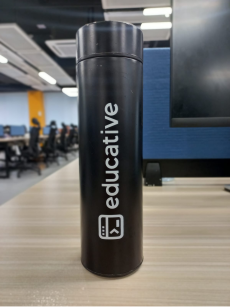
We’ll use the following image and convert it into a NumPy array.
Bottle image
Now that we have installed the PIL library, we can load the image into our program. For that, we can use the following code:
from PIL import Image

img = Image.open("bottle.jpeg")

print(img)
Code to load an image
Code explanation
Line 1: We import
Imagemodule from thePILlibrary.Line 3: We open the image using the
Image.open()function and pass the file name of the image as a parameter.Line 5: We print the image, which shows that the image is a JPEG image.
Method 1: Using np.array() to convert PIL images to NumPy array
Till now, we have installed the required libraries and loaded the image in our program. Now, we’ll convert the image to a NumPy array using the following code:
from PIL import Image
import numpy as np

img = Image.open("bottle.jpeg")
numpy_array = np.array(img)
print(numpy_array.shape)
Code to convert image into a NumPy array
Code explanation
Line 2: We import
numpylibrary asnp.Line 5: We convert the image loaded in the
imgvariable to a NumPy array using thenp.array()function.Line 6: We print out the
shapeof the NumPy array.
Method 2: Using np.asarray() to convert PIL images to NumPy array
In the code above, we can also use the np.asarray() function instead of the np.array() function. The main difference between both of the functions is that using np.array(), a copy of the original array is created, and the changes made to the original array are not reflected in the copy array. On the other hand, np.asarray() reflects all changes made to the original array in place. However, since the input is an image here and not an array, both methods will act the same way.
from PIL import Image
import numpy as np

img = Image.open("bottle.jpeg")
numpy_array = np.asarray(img)
print(numpy_array.shape)
Code to convert image into a NumPy array
The NumPy array is dimensioned according to the image’s height, width, and color channels. In our case, the NumPy array’s dimension is (1600, 1200, 3), which corresponds to (the height, width, and channels) of the image.
Let’s quickly assess your understanding of converting a PIL image to a NumPy array by the following quiz:
1
What is the primary function used to open an image file with Pillow?
A)
Image.load()
B)
Image.read()
C)
Image.open()
D)
None of them
Question 1 of 30 attempted
Conclusion
Once the image has been converted to a NumPy array, we can leverage the power of the NumPy functions to perform various image processing tasks, such as filtering, blurring, and rotating an image.
Frequently asked questions
Haven’t found what you were looking for? Contact Us
How can we get the value of each pixel of the NumPy array image?
How do we convert back the PIL image from the converted NumPy array?
How do we add text on image in Python PIL?
How do we add a border to an image using Pillow in Python?
How do we rotate an image in Python PIL?
Free Resources
Copyright ©2026 Educative, Inc. All rights reserved