Deploying Solidity contract on Ethereum
Solidity is a high-level programming language for writing smart contracts on blockchain platforms. Ethereum is the most popular and widely used implementation. Ethereum serves as the underlying blockchain network where Solidity smart contracts are deployed and executed.
What is a Solidity contract?
A Solidity contract is a collection of code, including data and functions, that defines its rules and logic. Once deployed, the contract resides at a specific address on the Ethereum blockchain.


Deploying a Solidity contract
Deploying a Solidity contract on Ethereum involves the following steps:
Selecting the development environment
Writing the Solidity contract
Deploying the contract on the Ethereum blockchain
Interacting with the deployed contract
Selecting the development environment
Before writing a smart contract, it’s important to select a development environment that aligns with our requirements. Several options for this purpose include Remix, Visual Studio Code, and IntelliJ IDEA.
Writing the Solidity contract
After selecting the development environment, our next step is to write the Solidity contract code.
In the code below, we create an example contract helloWorld with a message variable and getter/setter functions for it.
// SPDX-License-Identifier: MITpragma solidity ^0.5.0;contract HelloWorld {string public message;constructor (string memory myMessage) public {message = myMessage;}function setMessage(string memory newMessage) public {message = newMessage;}function getMessage() public view returns (string memory) {return message;}}
Deploying the contract on the Ethereum blockchain
Remix is a web-based IDE specifically designed for writing, testing, and deploying smart contracts directly from our browser. We will use the Remix IDE to deploy our code on Ethereum. We’ll also need to have the
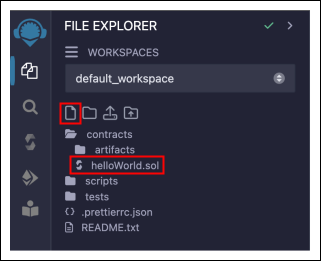
Go to the Remix web-based IDE and create a Solidity contract file in the “FILE EXPLORER” panel. We create the
helloWorld.solfile for our contract.

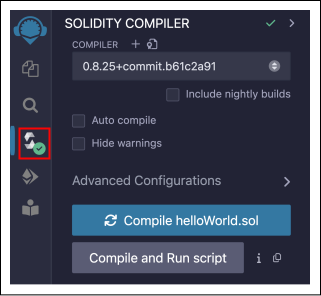
To compile the code, select the source file and go to the “SOLIDITY COMPILER” panel. Make sure to select an appropriate compiler version for the file and click “Compile fileName.sol.” After compiling the code, our contract is ready to be deployed.

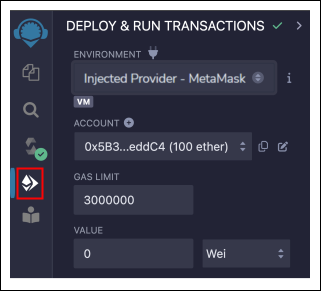
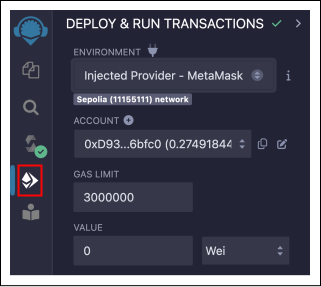
Go to the “DEPLOY & RUN TRANSACTIONS” panel and select the blockchain in which the contract needs to be deployed in the “ENVIRONMENT” field. We’ll select the “Inject Provider - MetaMask” so Remix can read data from our Metamask account and deploy it to any blockchain it’s connected to.

Now, go to
MetaMask https://metamask.io/
Note: It's recommended to use an Ethereum account with no real Ether balance on mainnets to ensure that we do not make any costly mistakes. We are using the Sepolia test network as its a safe environment for learning and testing.

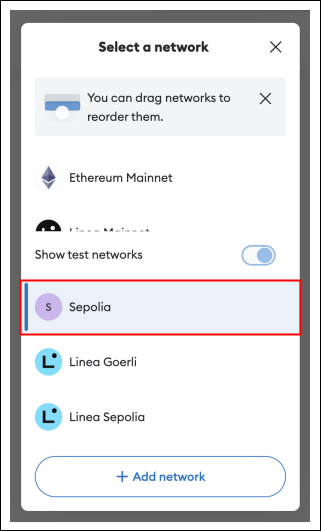
We’ll need some test ETH to deploy our contract, which can be obtained from a
faucet https://www.alchemy.com/faucets/ethereum-sepolia

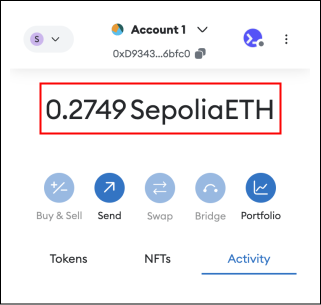
The “DEPLOY & RUN TRANSACTIONS” panel should now display the “Sepolia (11155111) network” in the “ENVIRONMENT” field and our current account and its balance in the “ACCOUNT” field.

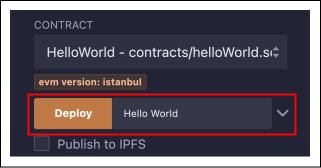
Now, we are ready to deploy our contract. Select the
helloWorld.solin the “CONTRACT” field, provide the input string for themessagevariable, for example, “Hello World” and click the “Deploy” button. MetaMask will ask us to confirm the transaction for creating the contract on the blockchain, which costs some amount of test ETH. Click the “Confirm” button.

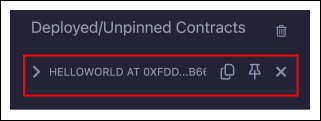
Once the transaction is successful, the “Deployed/Unpinned Contracts” section shows the address of our contract on the Sepolia test network.

Interacting with the deployed contract
Once our contract is deployed, we can interact with it in the “Deployed/Unpinned Contracts” field.

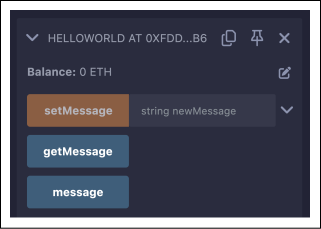
Click the “getMessage” button, and it will execute the
getMessage()function of our contract. The function will retrieve the current value of themessagevariable, and the retrieved value will be displayed below the button.

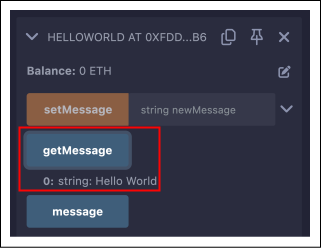
Click the “message” button, and it will retrieve the current value of the
messagevariable without calling any function, and the retrieved value will be displayed below the button.

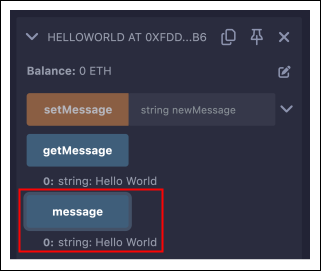
Set a new value for the
messagevariable by passing the value and clicking the “setMessage” button. It will execute thesetMessage()function of the contract to set a new value for themessagevariable.

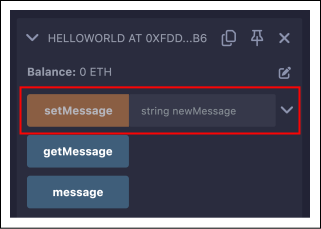
Note: Every time we interact with a function that changes the state of the contract (like setting a new message), we'll need to pay gas fees to miners for processing and validating our transaction on the Ethereum network.
Conclusion
Understanding how to deploy› Solidity contracts on Ethereum is essential for anyone looking to leverage the power of blockchain technology. With tools like Remix and MetaMask, the deployment process becomes accessible, allowing developers to create decentralized applications with predefined rules and logic. As we continue to explore the potential of blockchain technology, understanding how to deploy Solidity contracts will remain a fundamental skill for developers.
Free Resources