How to apply style to parent if it has a child with CSS
Introduction
In this answer, we will learn how to apply style to a parent class that has a child class with CSS.
It’s easy to apply style to a child element, but if you want to apply style to a parent class that already has child elements, you can use the CSS selector child combinator (>), which is placed between two CSS selectors.
For example,
div > p selects all <p> elements where the parent is a <div> element.
Syntax
selector1 > selector2{
  style code
}
selector1 is the parent element and selector2 is the child element.
Explanation
In the example above:
-
In lines 9–12, we use the child combinator (
>) to define a child stylediv2. -
In lines 20–28, the parent
divis using the.div1style and the childdivis using the.div2style. You can see in the “Output” tab that the style of.div1is modified by the style of.div2. -
The
divelement in lines 30–32 doesn’t reflect the style of the.div2class because it has no parent element. -
The
divelement in lines 36–40 is a child but it doesn’t reflect the style of the.div2class. It is because the.div1style is not applied on the parentdivin lines 32–42.
Note: The style can also be applied in a CSS file which will then have to be linked to the HTML file. However, this applies to immediate children. For nested children, we’ll have to use the descendant combinator.
Browser Compatibility
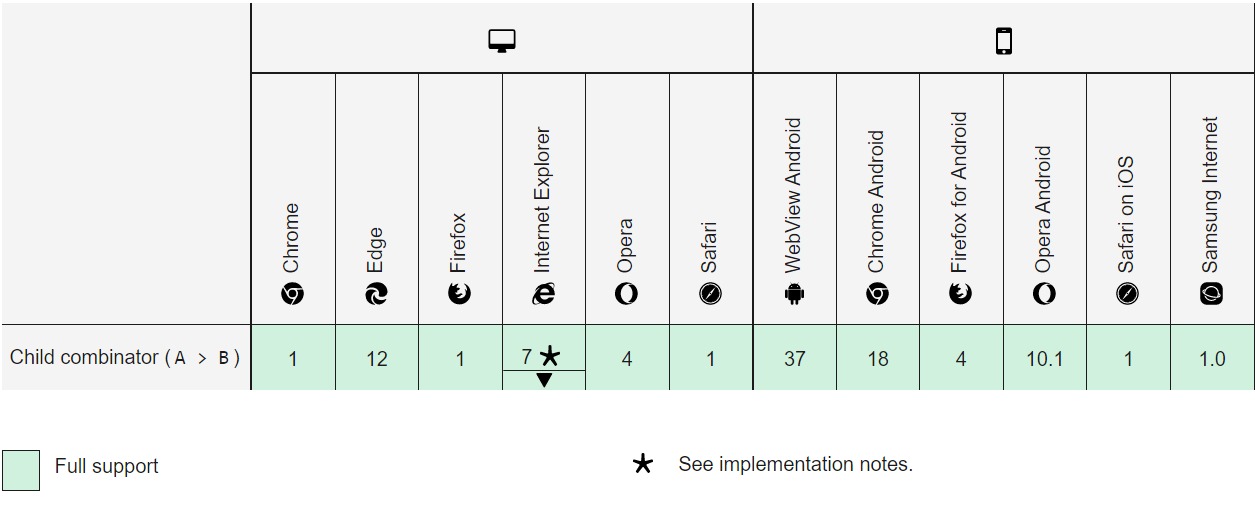
7*: Before Internet Explorer 10, the combinator only works in standards mode.
Free Resources