How to check an element's visibility in JavaScript
Overview
We can do the following to check an element's visibility in the viewport:
Code
Explanation
Line 5: We create a div element with an ID, top_ele. This element is completely visible in the viewport.
Line 6: We add multiple line break elements. We will have an element below the visible area.
Line 7: We create a div element with an ID, bottom_ele. This element is not visible in the viewport.
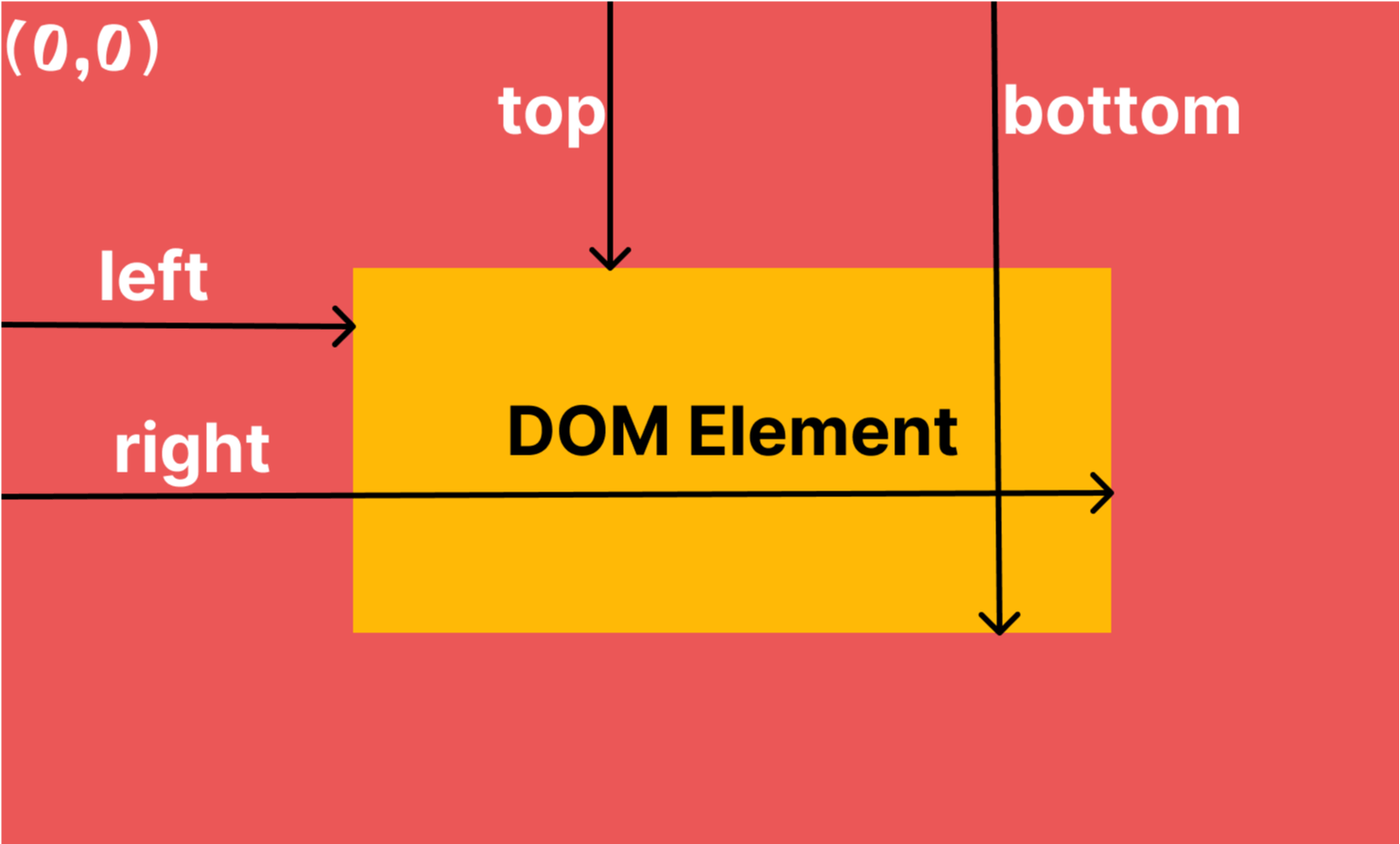
Lines 10–25: We create a function, isElementInViewPort. This function returns true if the element is completely visible in the viewport. Otherwise, it returns false. The function allows us to do the following things:
- We get the bounding rect of the element by using the
getBoundingClientRectmethod. - We check if the element's top and left are greater than
0. - We check if the element's right and bottom are less than the width and height of the visible window area.
- If all the above conditions are
true, then we returntrue.
Line 26 and 27: We get the element with the top_ele ID and check if that element is visible in the viewport. The isElementInViewPort method returns true because the element is visible in the viewport.
Line 29 and 30: We get the element with the bottom_ele ID and check if that element is visible in the viewport. The isElementInViewPort method returns false because that element is not visible in the viewport.