How to convert an image to grayscale with CSS
Overview
Cascading Style Sheet (CSS) is used to design user interfaces in a visually appealing way.
CSS3 is the latest version that was shipped, and it has a lot of great abilities to make this job easier.
Using CSS, you can produce the black and white version of a colored image.
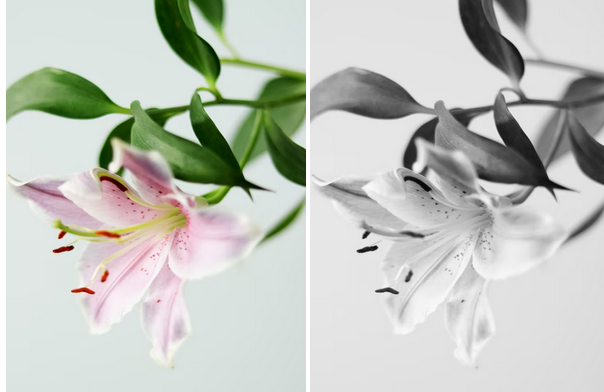
In the picture below, two variations of the same image are shown. The second image from left to right is the black and white version of the first.
Code
Below is the code used for converting an image to grayscale:
Explanation
-
A free image from
Unsplash https://unsplash.com/ <img>tags, and their height and width were specified. -
The image with the
.imgclass name was given thefilterstyle with agrayscale(100%)value, and the other one was left normal. -
This
grayscale(100%)value is responsible for changing the colored image to black and white. Thegrayscalevalue in CSS reduces the color content of an image, with 100% being the most reduced. To get different gray shades of an image, you will want to keep tampering with the100%value until you get what you want.