How to convert from HTTP to HTTPS
In the ever-evolving landscape of the internet, website security is a top priority. One crucial step toward ensuring our website’s and its users’ safety is the transition from HTTP to HTTPS. This transition encrypts the data exchanged between a user’s browser and your website, safeguarding it from potential threats. In this Answer, we’ll outline the essential steps to convert from HTTP to HTTPS.
Note: To understand the difference between HTTP and HTTPS, see this Answer on SSL encryption.
Acquire an SSL/TLS certificate
The first and foremost step in transitioning to HTTPS is obtaining a Secure Sockets Layer (SSL) or Transport Layer Security (TLS) certificate. Several certificate authorities provide these certificates; some are even free. Options like Let's Encrypt offer an accessible and widely used solution.

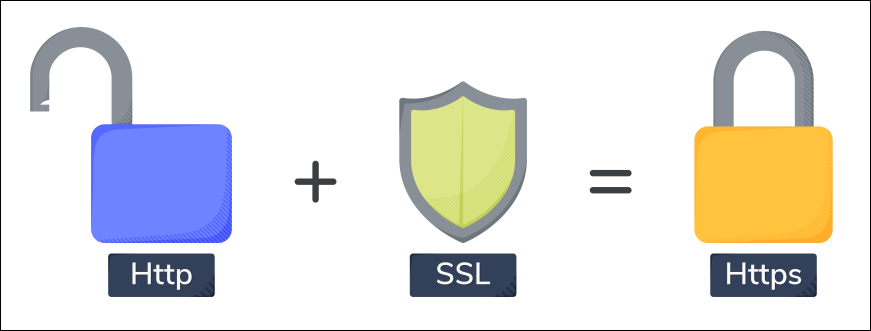
Choose the Right SSL/TLS certificate type
The SSL/TLS certificates come in various types, such as single, multi-domain, or wildcard certificates. Select the type that aligns with your website’s structure and requirements. A single-domain certificate may suffice for a basic website, but consider a multi-domain or wildcard certificate for more complex setups.
Install the SSL/TLS certificate on a server
After obtaining the certificate, it needs to be installed on a web server. The installation process varies depending on the server type. Popular servers like Apache, Nginx, and IIS have specific SSL/TLS certificate installation instructions. Refer to the documentation provided by the server to ensure a smooth installation process.
Update internal links and resources
To prevent mixed content issues, where some elements load over HTTP and others over HTTPS, update all internal links and resources to use the https:// protocol. This includes images, stylesheets, scripts, and any other assets loaded on our web pages. Failing to update these links may result in browsers displaying security warnings to users.
Update external links to HTTPS
Similarly, update any external links within the website to use HTTPS instead of HTTP. This ensures a secure connection throughout the user’s browsing experience. Check with third-party services and resources the website relies on to confirm their support for HTTPS.
Set Up 301 redirects
Implement 301 redirects on the server to automatically redirect HTTP traffic to the new HTTPS URLs. This helps maintain SEO rankings and ensures a seamless user experience. The exact method for setting up redirects depends on the server configuration.
Update search engine console and analytics settings
Inform search engines about the transition by updating the website’s address in their webmaster tools or search console. Additionally, adjust settings in the analytics platform to accurately track the HTTPS version of the site.
Example to convert HTTP to HTTPS
The following code provides an example of converting an HTTP request to an HTTPS request:
from urllib.parse import urlparse, urlunparsedef convert_http_to_https(url):parsed_url = urlparse(url)# Check if the URL already has 'https' schemeif parsed_url.scheme == 'http':# Replace 'http' with 'https' in the schemeupdated_url = parsed_url._replace(scheme='https')return urlunparse(updated_url)else:# URL is already using 'https'return url# Example usage:http_url = 'http://www.example.com/path/to/resource'https_url = convert_http_to_https(http_url)print(f'Original URL: {http_url}')print(f'Converted URL: {https_url}')
Explanation
Line 1: Import the
urlparseandurlunparsefunctions from theurllib.parsemodule. These functions are used for URL parsing and manipulation.Line 2: Define a function named
convert_http_to_httpsthat takes a URL as input.Line 3: Use the
urlparsefunction to parse the input URL and store the result in the variableparsed_url.Lines 4–6: Start an
ifstatement to check if the scheme of the parsed URL ishttp.Lines 7–10: If the URL has an
'http'scheme, create a new URL with the'http'scheme replaced by'https'. The._replacemethod is used to create a new named tuple with the specified field updated.Lines 11–12: Return the modified URL using the
urlunparsefunction, which takes a named tuple (in this case,updated_url) and constructs a URL string.Lines 16–17: If the scheme is not
'http', indicating that it's already'https', proceed to the else block.Lines 19–20: Return the original URL because it already has an
'https'scheme.
Conclusion
By following the steps above, we can successfully convert our website from HTTP to HTTPS, enhancing its security and providing a safer online experience for the users. Regularly check for security updates and certificate expirations to maintain a secure and reliable web presence.
Free Resources