How to create a Machine Learning model using Teachable Machine
We can create Machine Learning models in a few simple steps using the Teachable Machine user interfaces.
Click here for a review of some common Machine Learning terminologies.
Step by step
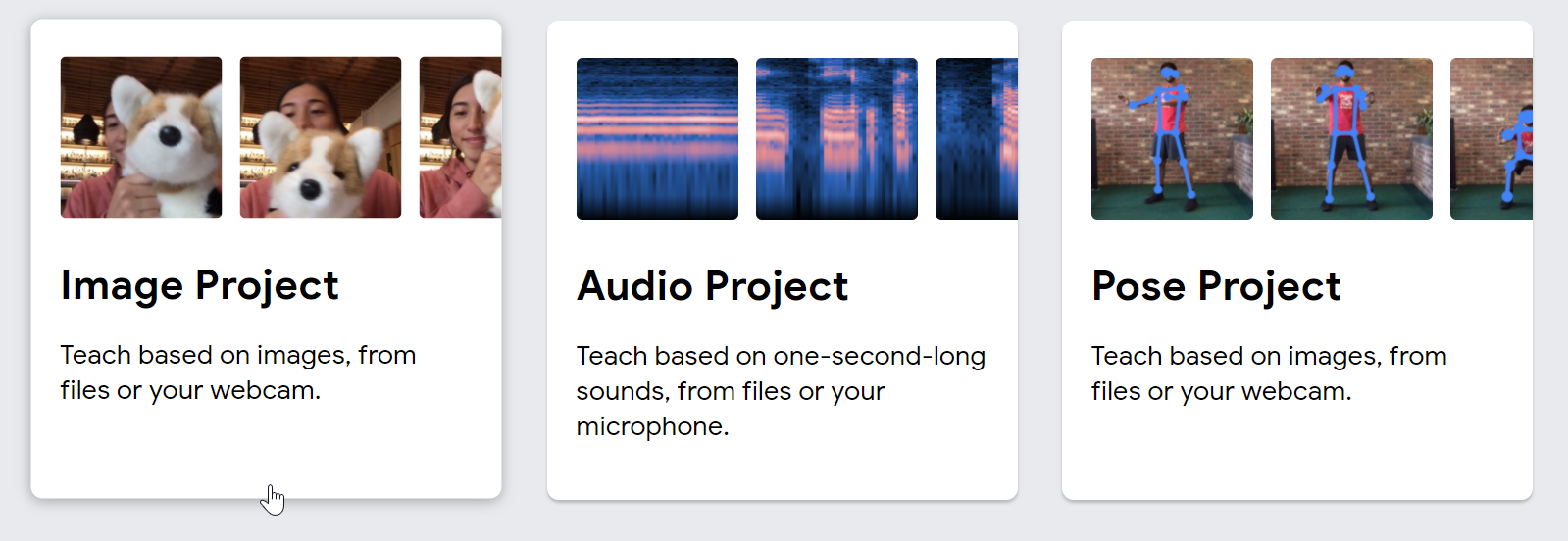
- To get started, go to this link. You can select either an image, sound, or pose project. Let’s select an image project.
- Next, we need to define the classifications by selecting examples (the images and labels). We can use a webcam to take the snaps, or we can upload the images.
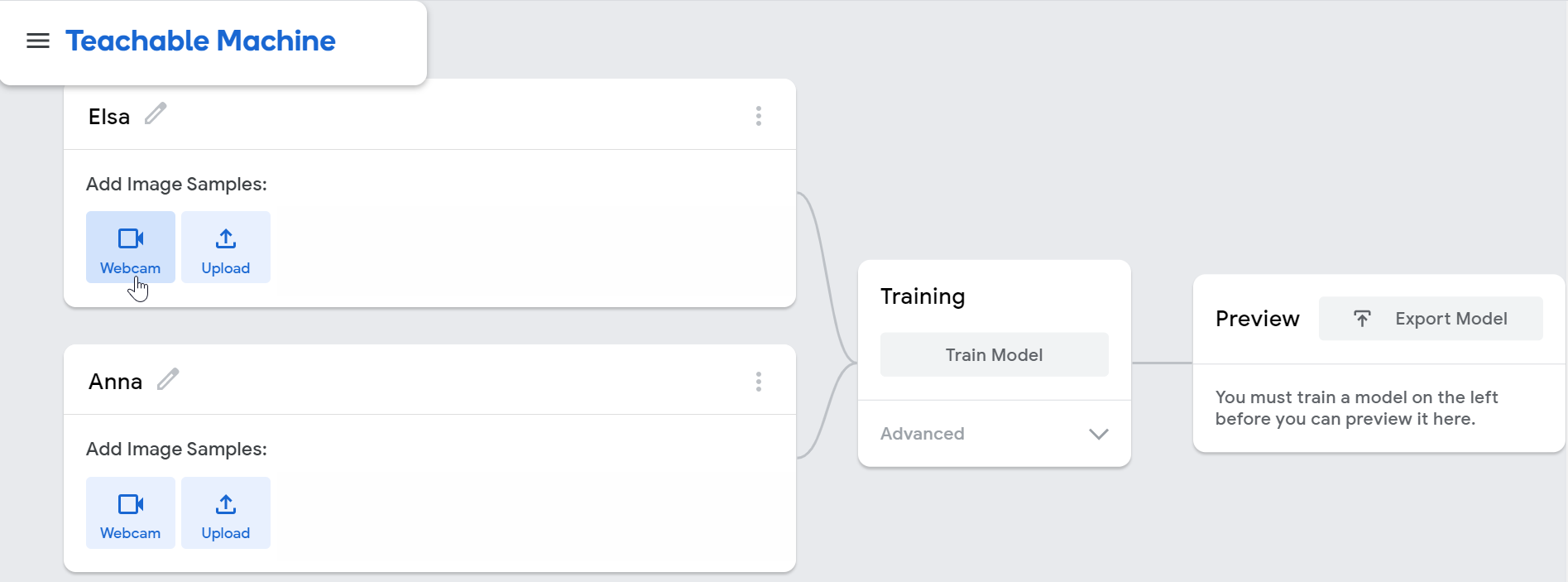
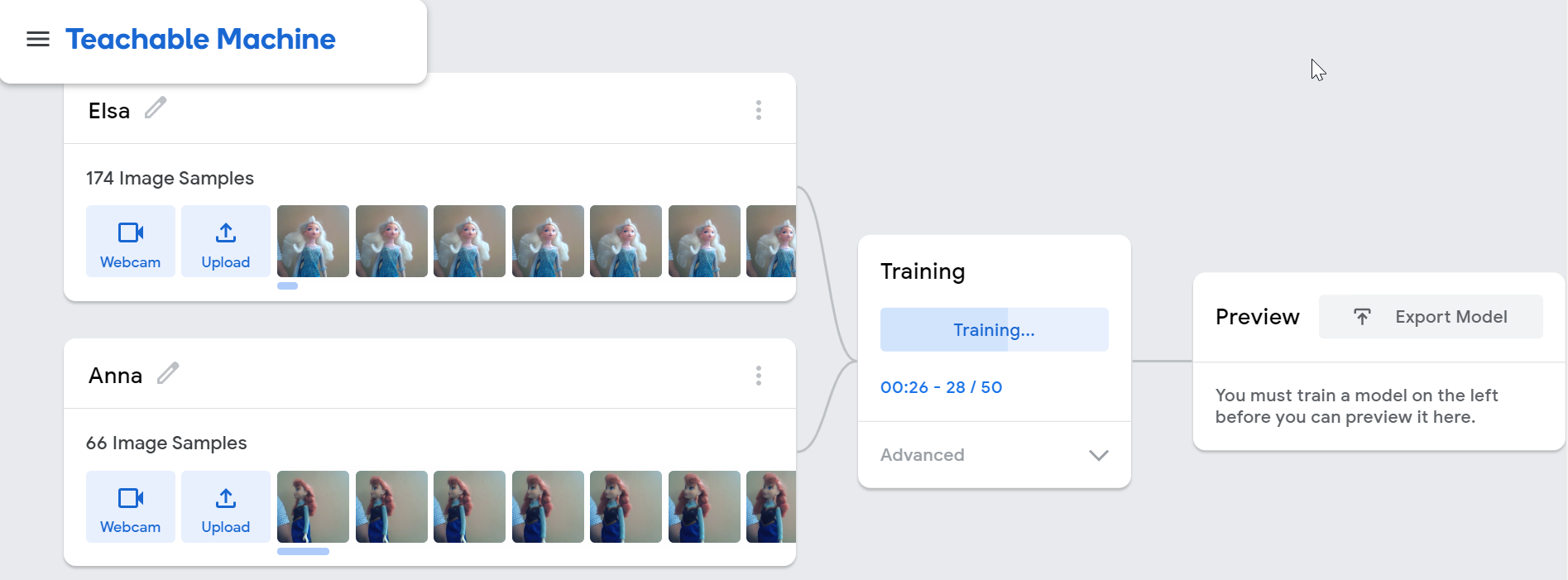
- We will start the training once the examples are loaded – this will create the
modelfor us.
- After the training is complete, you can test the model with live data. Once you are satisfied, export the model to use it in an application.
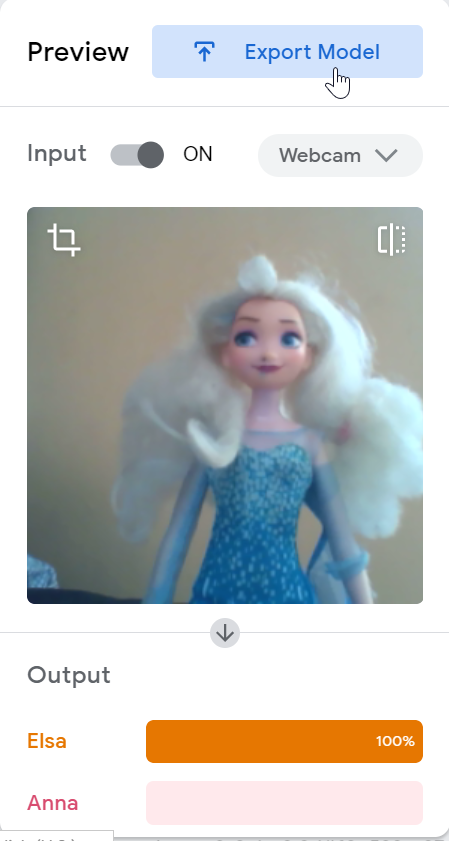
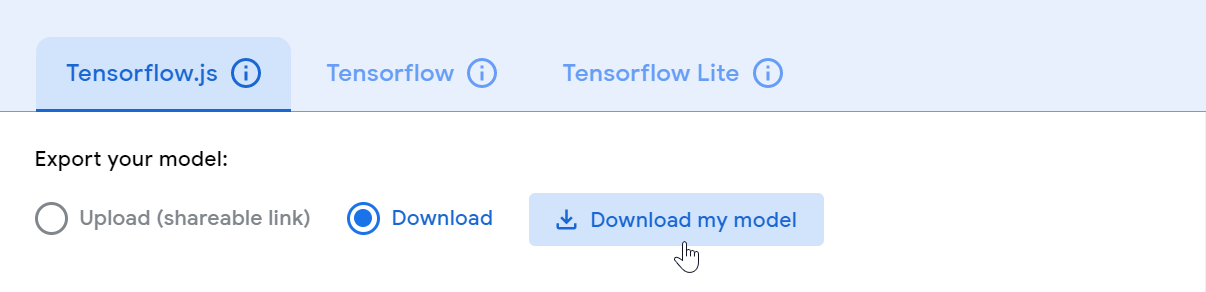
- Finally, we can download the model to use it in an app, upload the model to the cloud to consume it using a URL, or save the project to google drive.
What’s next?
You can use a library like ml5.js to use the model and perform image classifications in the browser. Below is a code snippet that shows how to use the model to classify the stream of images using the webcam:
// Create a classifier object
classifier = ml5.imageClassifier("./model/model.json", () => {
      navigator.mediaDevices
        .getUserMedia({ video: true, audio: false })
        .then((stream) => {
          videoRef.current.srcObject = stream;
          videoRef.current.play();
        });
    });

// Start image classification
classifier.classify(videoRef.current, (error, results) => {
  if (error) {
     console.error(error);
     return;
  }
  setResult(results);
});
The returned results array consists of the image classification information with the confidence of matching.
Feel free to check out the princes-finder project to understand the full usage of ml5.js with a model created using the Teachable Machine.
That’s all for now. I hope this shot provides a quick overview of Machine Learning in the browser – thanks for reading!
Feel free to connect with me. You can @ me on Twitter(@tapasadhikary) or follow!
Free Resources
- undefined by undefined