How to create a superuser in Django
Overview
We do not create a separate “Admin” page or provide an authentication feature because Django provides an “Admin” panel for its users. Furthermore, we must migrate to our project before using this feature; otherwise, we will not be able to create a database of superusers.
Simple steps to follow
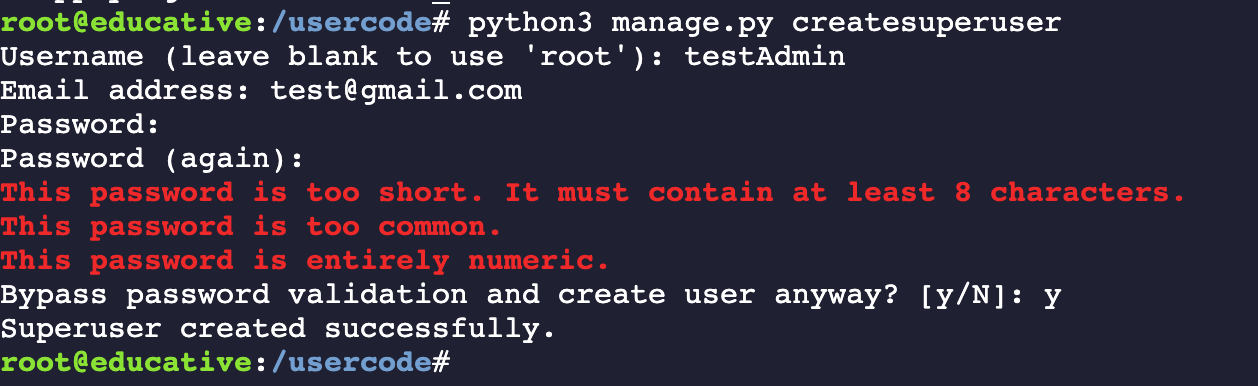
We can create a superuser by writing the following command:
python3 manage.py createsuperuser
We then write the following credentials step by step. We can fill these credentials according to our preferences:
-
Username:
testAdminUser -
Email address:
test@gmail.com -
Password: ********
-
Password (again): ********
Note: After filling a row, press “Enter” to fill the other information.
Now the superuser will be created if we have entered all fields correctly.
Django’s “Hello World” application
A sample “Hello World” Django application is given below. We can follow the given steps to test our knowledge:
- Start the terminal by clicking on the “Run” button.
- Type
python3 manage.py createsuperuserin the given terminal and press “Enter”. - The system will ask for credentials, after which a superuser will be created.
- To run the server, we type the command
python3 manage.py runserver 0.0.0.0:8000and press “Enter”.
from django.db import models

# Create your models here.
-
Now we can find our application by clicking on the link below the “Run” button.
-
To see the login page for the Django “Admin” site, we need to append
/admin/at the end of our base URL. For example, if the application is running athttp://127.0.0.1:8000, we can access the admin panel athttp://127.0.0.1:8000/admin/.
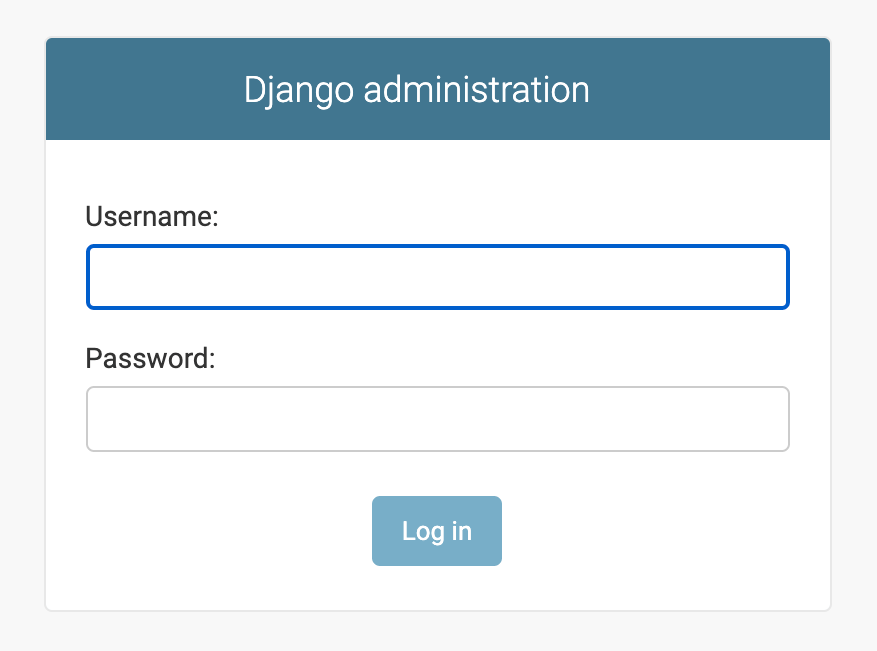
- Now we can type our username and password, then press the “Log in” button.
Free Resources