How to create an Arweave wallet
Arweave is a platform that uses blockchain technology to provide a secure and permanent way to store data. This means that the data is stored in a decentralized manner, so it can’t be censored or controlled by a single authority. Instead, the data is stored on a network of nodes and can be accessed by a key, similar to a wallet address, without needing any central service to manage it.
Creating an Arweave Wallet
To create an arweave wallet on the Google Chrome browser, perform the following steps:
Step 1: Open
Chrome Web-Store Extension Section https://chromewebstore.google.com/search/Arconnect?pli=1 Step 2: Search for “ArConnect” in the search bar.

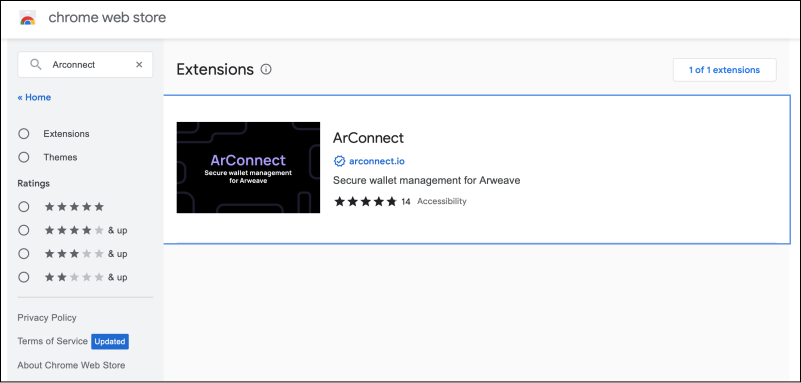
-
Step 3: Click “ArConnect”.
-
Step 4: Tap the “Add to Chrome” button.


- Step 5: To create a wallet click here. We are required to do this to get some currency into our wallet to make transctions. We will see a page similar to this:


-
Step 6: Follow each of the three steps to the letter stated on this page.
-
Step 7: Click the “ArConnect” extension, and it will lead to a page asking you to create a password to encrypt your keyfiles.
-
Step 8: Enter a password of your choice and click the “Create” button, which will take you to the load wallet page.
-
Step 9: Click the “Load Wallet(S)” button and load the keyfile that you downloaded in Step 6.
-
Step 10: Navigate to the ArConnect extension and click it to get the information about your account and the balance available in your wallet.

Congratulations, you now have an arweave wallet with some Ar tokens.
Free Resources