How to create an Azure architecture diagram
The Azure architecture diagram is a blueprint that assists in designing and implementing app solutions on Microsoft Azure. The architecture diagram is used to present the systems that use Azure as a cloud provider.
Create an Azure architecture diagram
For this Answer, we will use Visio. On Visio, you can create an Azure diagram from scratch or from a template.
From scratch
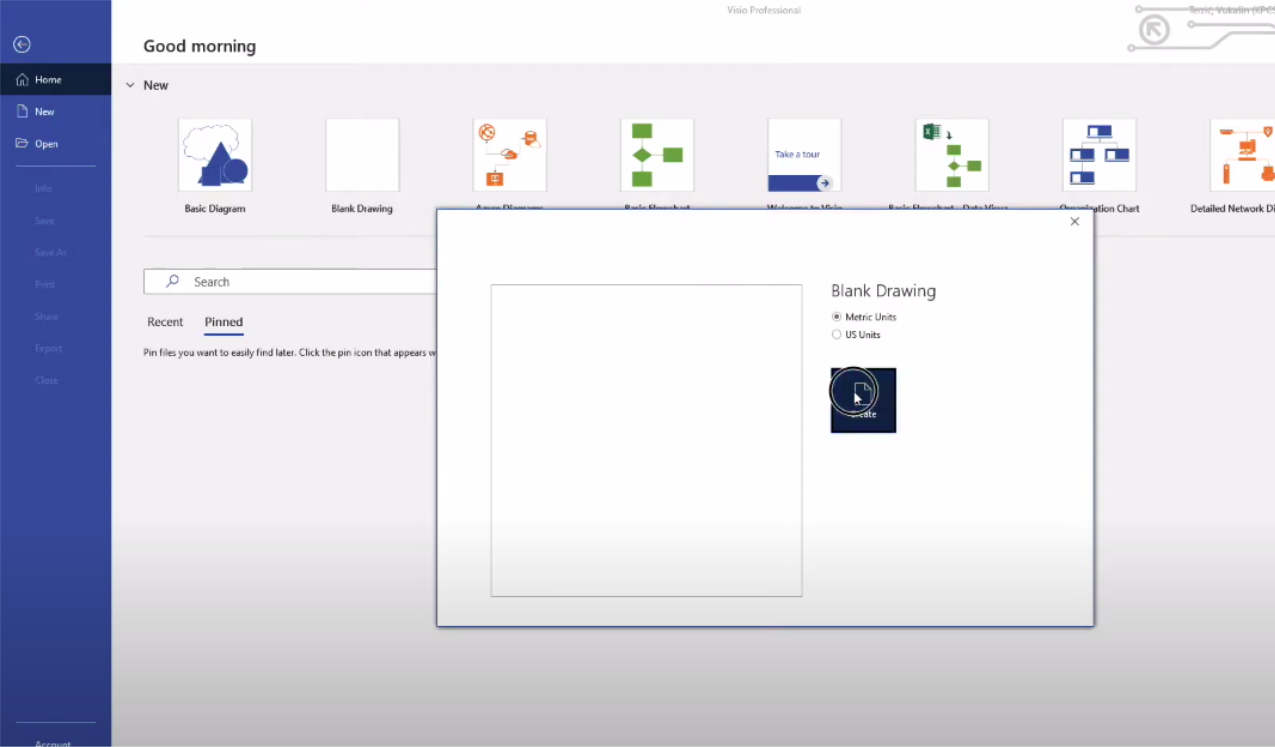
Open Visio and select a blank drawing.

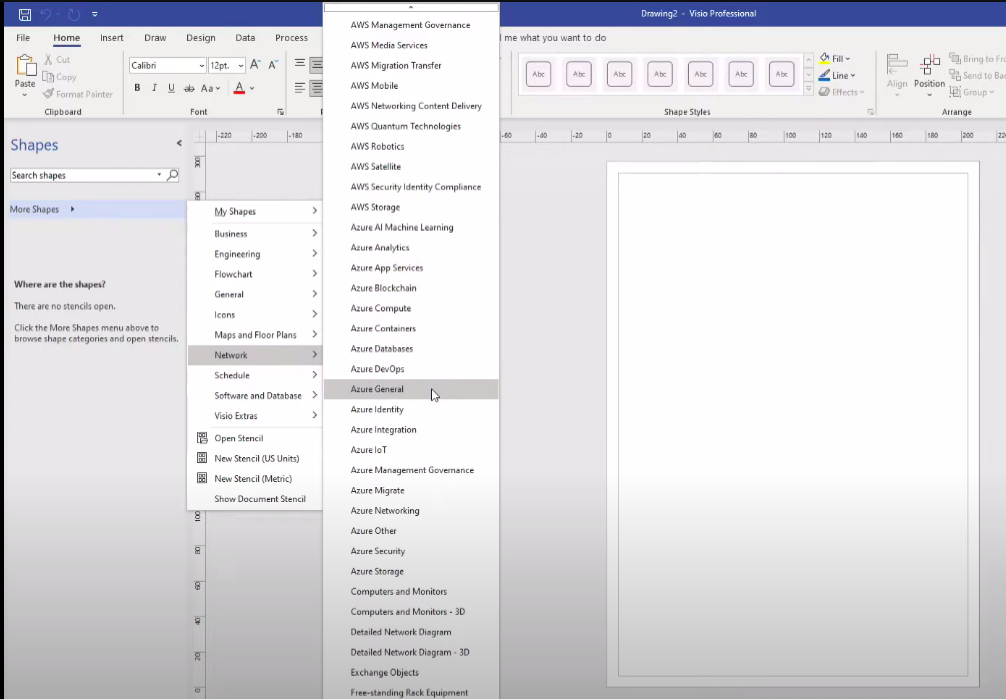
Click on More Shapes > Network > Azure General. This will bring Azure icons in the shape column.

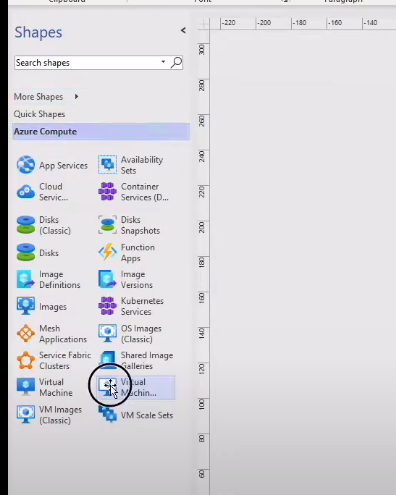
Now select the icon you want to add to your architecture diagram and drag it to the page.

From a template
Go back to the home page and select new.

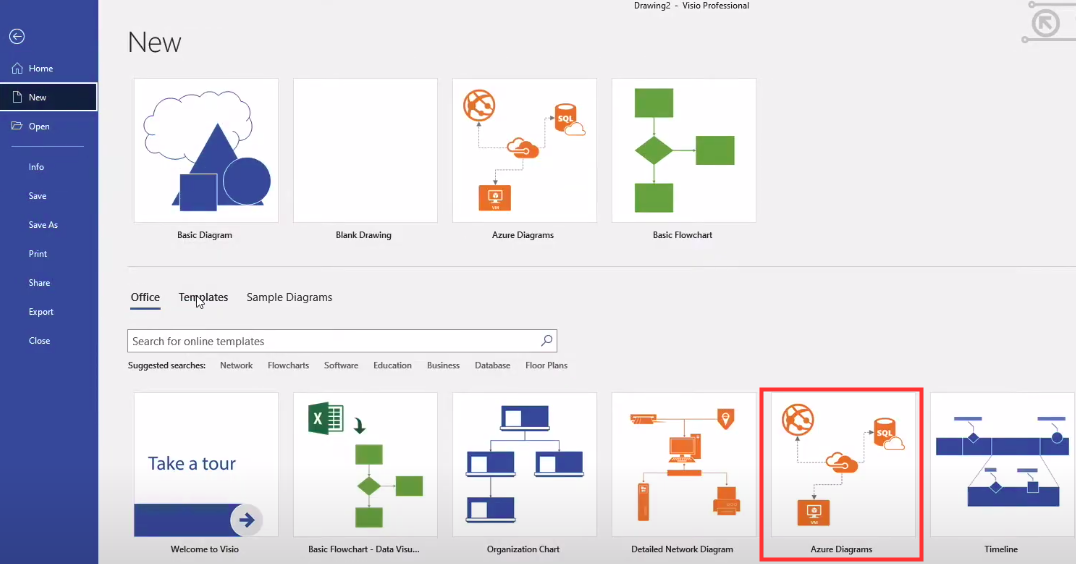
From the new window, select Azure diagram and the following window opens.

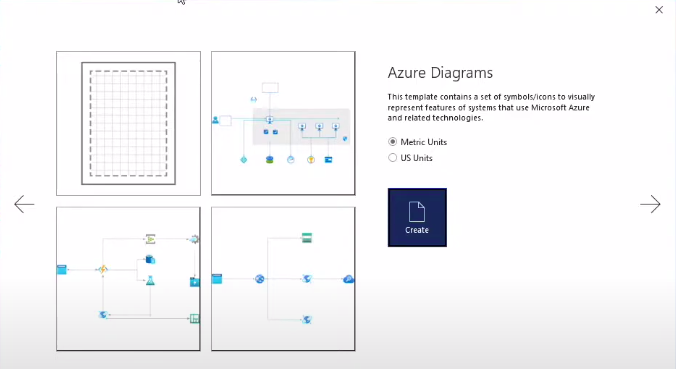
Now select a template, click on the create icon, and the editor opens. Now you can add changes according to your architecture.


Free Resources