How to draw a contour plot in matplotlib
What are contour plots?
To visualize the relationship between three variables, we generally need a three-dimensional graph. A contour plot is a 2D diagram that uses circles (often colored) to represent the third axis. Any point on the circle has the same value in the third axis.
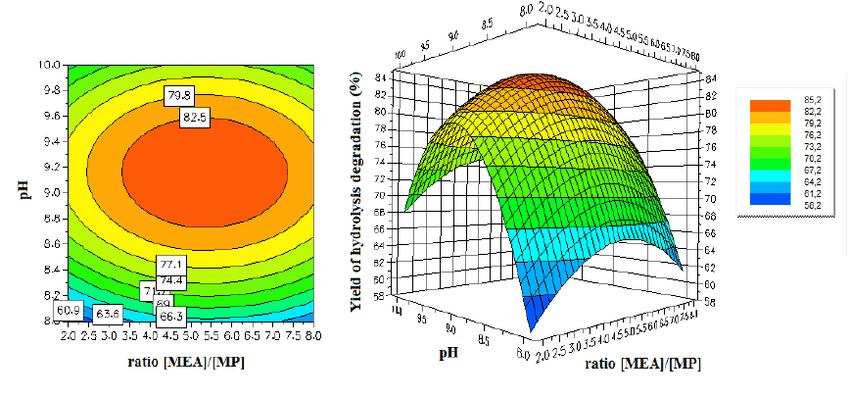
Matplotlib makes it fairly simple to draw contour plots.
Steps
1. Import libraries
We don’t need to import the entire matplotlib module, pyplot should be enough. Also, import numpy for any mathematics needed for the plot.
from matplotlib import pyplot as pltimport numpy as np #For mathematics, and making arrays
2. Create a panel
width_of_panel = 4height_of_panel = 3d = 1000plt.figure(figsize=(width_of_panel, height_of_panel), dpi=d)
3. Introduce the data
This usually comprises of two independent-variable arrays and a dependent variable array (the contour).
x = np.arange(0, 25, 1)y = np.arange(0, 25, 1)x, y = np.meshgrid(x, y)z = np.sin(x/3) + np.cos(y/4)
4. Draw the contour plot
plt.contour(x, y, z)
5. Make the contour plot
Now, let’s combine all of this to make a simple contour plot.
import matplotlib.pyplot as pltimport numpy as npwidth_of_panel = 4height_of_panel = 3d = 1000plt.figure(figsize=(width_of_panel, height_of_panel), dpi=d)x = np.arange(0, 25, 1)y = np.arange(0, 25, 1)x, y = np.meshgrid(x, y)z = np.sin(x/3) + np.cos(y/4)#np.sin(x * np.pi / 2) + np.cos(y * np.pi / 3)plt.contour(x, y, z)
6. Fill in the contour plot
To make a filled contour plot, just replace contour with contourf.
import matplotlib.pyplot as pltimport numpy as npwidth_of_panel = 4height_of_panel = 3d = 1000plt.figure(figsize=(width_of_panel, height_of_panel), dpi=d)x = np.arange(0, 25, 1)y = np.arange(0, 25, 1)x, y = np.meshgrid(x, y)z = np.sin(x/3) + np.cos(y/4)#np.sin(x * np.pi / 2) + np.cos(y * np.pi / 3)plt.contourf(x, y, z)
Free Resources
Copyright ©2026 Educative, Inc. All rights reserved