How to get the size of all tables in the database
MySQL
MySQL has the feature to provide useful metadata about the database. In the other databases, this information is referred to as a catalog. But in the official documentation of MySQL, the metadata is referred to as tables.
INFORMATION_SCHEMAS
Everything can be found in INFORMATION_SCHEMAS such as:
- Columns
- Tables
- Views
- User_privilieges
At this point, we are only interested in tables metadata, which we can use to extract the size of various tables.
There are around 20 columns in the information_schema.TABLES table. But in order to determine the disk amount which is used by tables we only focus on two columns:
DATA_LENGTH: TheDATA_LENGTHis the size in bytes of all data in the table.INDEX_LENGTH: TheINDEX_LENGTHis the size in bytes of the index file for the table.
Example
To calculate the size of a table, we have to create the table first.
create database test;use test;create table department(dname varchar(25) not null,id varchar(9) not null,date date default null,primary key(id));insert into department value('Headquarters', '111111101', '2016-05-11');insert into department value('Administration', '111111100', '2016-05-11');select * from department;
Output
Executing this query will generate the following output:

Calculate the size of the table
Now in order to calculate the size of the table, we have to run the following query.
SELECTTABLE_NAME AS 'Table',ROUND((DATA_LENGTH + INDEX_LENGTH)/ 1024 ) AS 'Size (KB)'FROMinformation_schema.TABLESWHERETABLE_SCHEMA = "test"ORDER BY(DATA_LENGTH + INDEX_LENGTH)DESC;
Explanation
In this example, we are using the test database, and we are also combining the DATA_LENGTH and INDEX_LENGTH, which are in bytes, and dividing it by 1024 to convert them into Kilobytes.
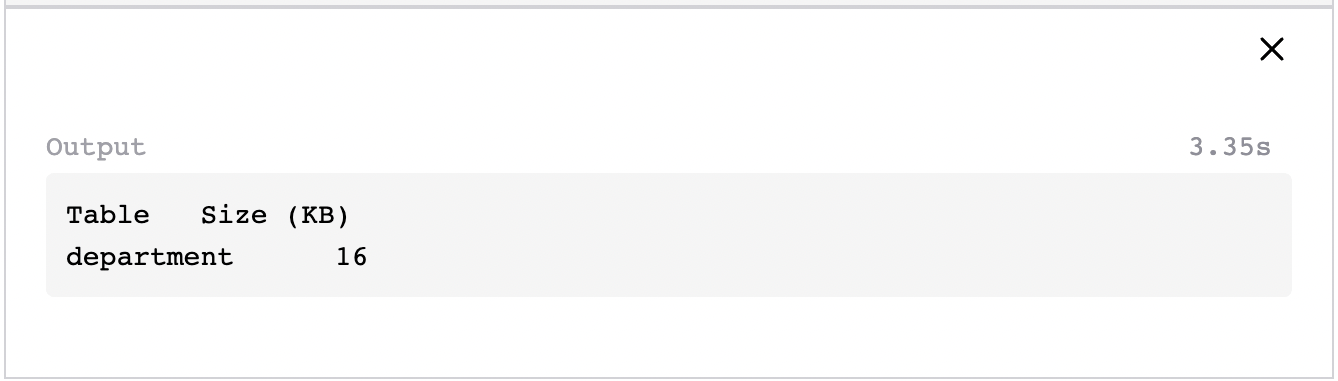
Output
So, the query will produce the following output: