How to implement a "Read More" link in React
React.js has a component-based architecture that offers a flexible environment for manipulating components to improve user interactivity. This provides a separation of concerns and allows to display data dynamically according to the requirements.
The basic concept behind "Read More"
The "Read More" link is basically used to keep the user interface less overwhelming for the user. The convention is to display the important information on the main page and give a "Read More" link with it for users who wish to know more about the corresponding topic.
We can implement the "Read More" link in React through two different approaches.
Through state management
Through React Routing
Let's use the "Read More" link on the following webpage using both approaches one by one.

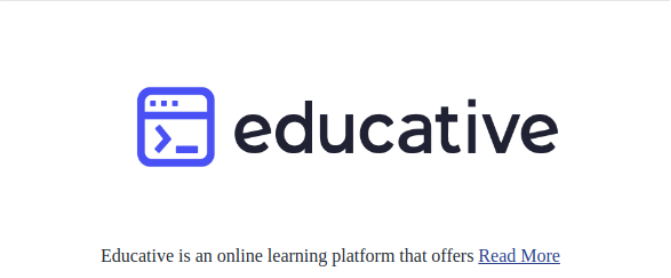
Through state management
We use React useState hook to render the "Read More" component to the parent component, Info.js.
In this example, the readMore state variable is used to set the state to true when the "Read More" button is clicked. Once the state is set to true, the ReadMore.js component is rendered in the main file.


Let's code the "Read More" link using the state management approach to achieve the output shown above.
const ReadMore = () => {
    return (
        <div>
           <br/>
            <label>Educative.io is an online learning platform that offers interactive and practical information on technical topics.
                  It improves user productivity by providing various courses and answers for the commonly encountered queries, and
                  provides an efficient learning experience. View Educative Answers at  <href> https://www.educative.io/answers</href>
            </label>
        </div>
    )
}

export default ReadMore;
Code explanation
Lines 2–3: Import useState and "Read More" components.
Line 7: Declare a
useStatehook withreadMorestate variable and setReadMore function to change the state.Line 14: Create a "Read More" link using
hreftag and set the state to true when the link is clicked.Line 15: If the
readMorestate is set to true then render theReadMorecomponent.
Through React-Router
We use React-Routing to dynamically change the route and open the webpage corresponding to the path defined in Link.
In this example, A Link for "Read More" is created that dynamically changes the URL to /ReadMore which displays the ReadMore component on the webpage.


Let's code the "Read More" link using the React-Router approach to achieve the output shown above.
import { BrowserRouter as Router, Routes, Route } from "react-router-dom";

import Info from './Info';
import ReadMore from './ReadMore';

const App = () => {

return(
    <Router>
      <Routes>
        <Route path = "/" element = {<Info/>}/>
        <Route path = "/ReadMore" element = {<ReadMore/>}  />

      </Routes>
    </Router>
)
}

export default App;Code explanation
App.js:
Line 1: Import
BrowserRoutercomponents from thereact-router-domlibrary.Lines 2–3: Import
InfoandReadMorecomponents to the parent component.Line 11: Create a route with a default path for
Infocomponents. '/' is a default path that displays theInfo.jscomponent as the default interface for the application.Line 12: Create a route with a defined path for
ReadMorecomponents. '/ReadMore' is the route that displays theReadMore.jscomponent when the link inInfo.jsis clicked.
Info.js:
Line 2: Import
Linkcomponent from thereact-router-domlibrary.Line 11: Create a link that takes the user to
/ReadMoreURL where theReadMore.jscomponent is displayed.
Common query
Which approach should be used to prevent component rendering or overriding?
Free Resources