How to import CSV and text files in R
Import CSV files in R
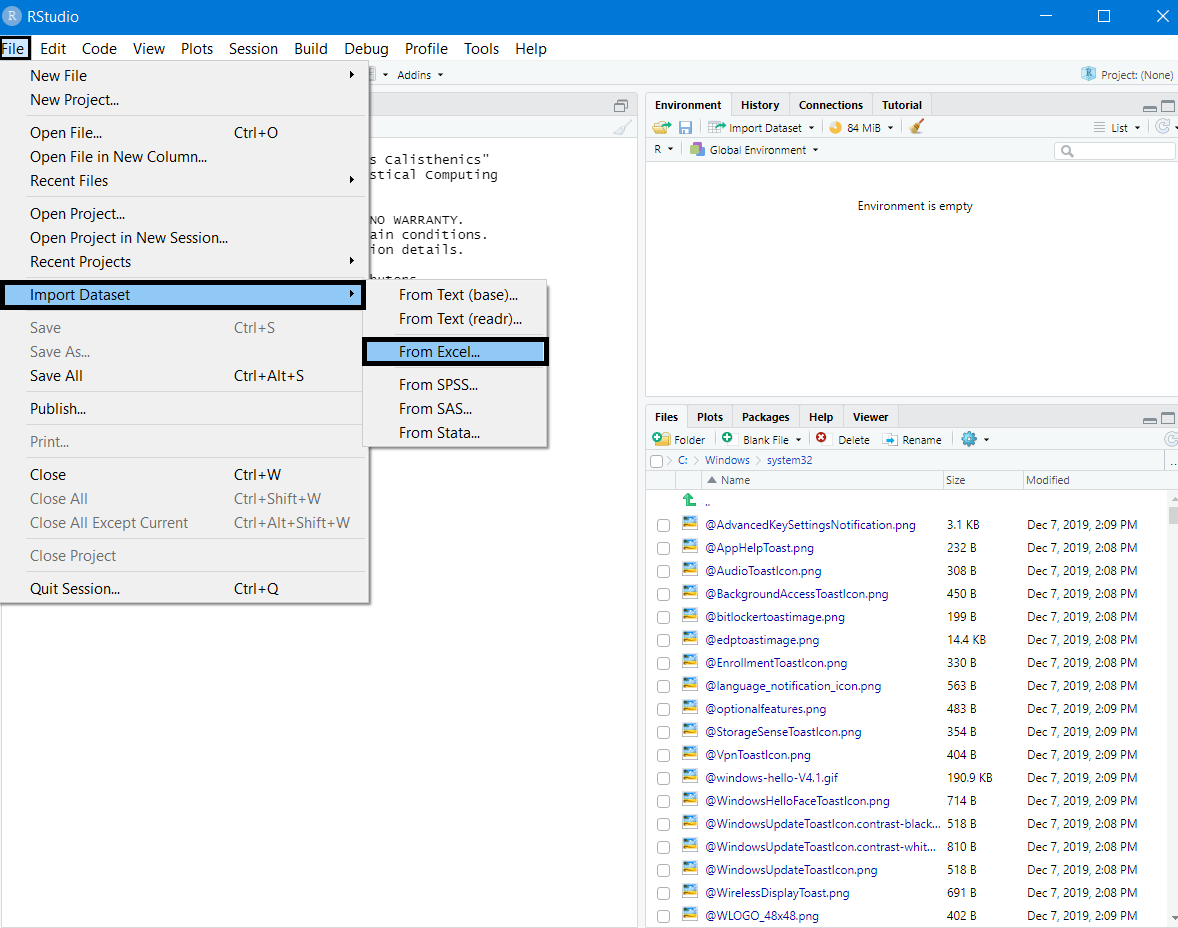
To load an excel based dataset file, navigate to "File" -> "Import Dataset" -> "From Excel":
The read function
We can also use the read.csv or the read_csv functions to load the file in RStudio.
Step 1
- To use the
readfunctions, we need to install thetidyversepackage if not already installed on our system:
packages.install("tidyverse")
- After installation, we can load the library:
library("tidyverse")
Step 2
- Use the
setwd()function to specify the project’s working directory, if not already done. The working directory on our system contains the data files of the project we're working on:
setwd('C:/Users/it/Desktop/Folder_Name')Step 3
- Use the
read.csv()or theread_csv()with the file name passed as the argument:
data <- read.csv('File_Name.csv')
data <- read_csv('File_Name.csv')- We can also pass the complete file path and the file name as an argument to the
read.csv()andread_csv()functions to import the CSV file.
data <- read.csv('File Path/File_Name.csv')
data <- read_csv('File Path/File_Name.csv')
- If we pass the complete file path into the read functions, there is no need to set the working directory using the
setwd()function.
The fread() function
We can load the data.table library to make use of the fread() function to read the CSV files.
The fread() function is more efficient in speed and memory consumption than the read_csv() function.
Step 1
- To use the
fread()function, we need to install thedata.tablepackage if not already installed on our system:
install.packages('data.table')
After Installation, we load the data.table library:
library(data.table)
Step 2
After we load the library, we can now call the fread() function:
data <- fread('File Path/File_Name.csv')Import text files in R
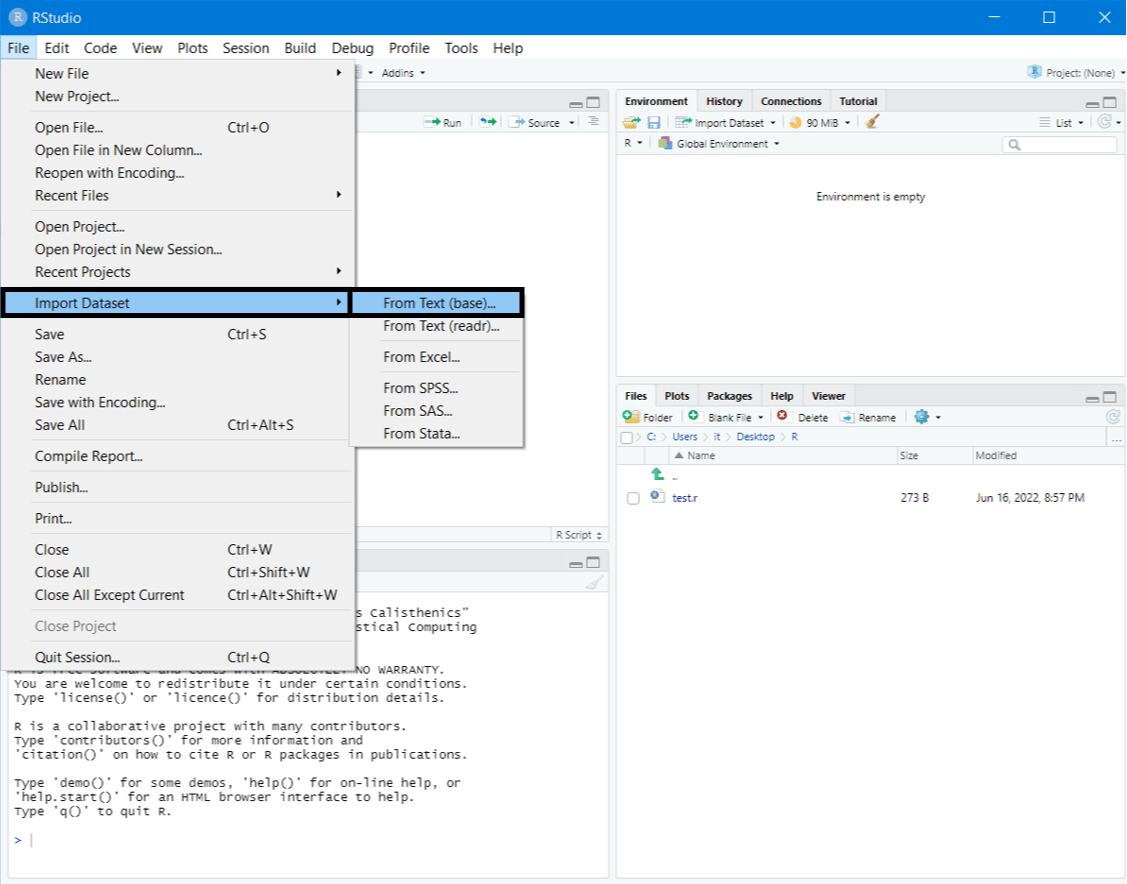
One way of importing text data into R Studio is to navigate to "File" -> "Import Dataset" -> "From Text":
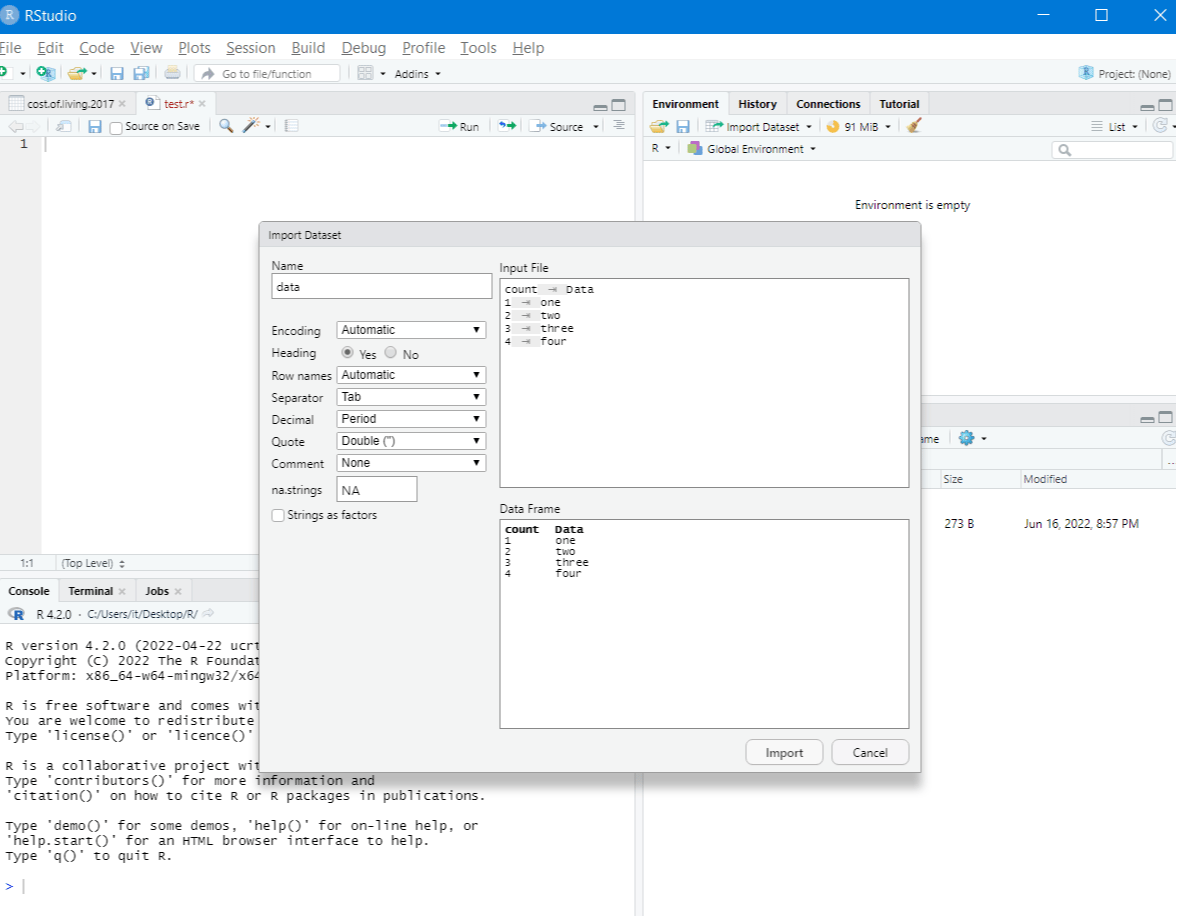
After selecting the desired file, a panel will open where we can choose various data attributes, such as the encoding and separators, and import the data:
The read function
Similar to read.csv(), we can also use the read function for text files using the read.delim() variant:
data <- read.delim("File Path/File_Name.txt",sep = "\t", header=FALSE)
Import text from URL
We can directly use data from the web and load it in R studio without ever having to download the data in our local directory using the read.table() function. Only the data set URL has to be passed as an argument to the function:
textFile_url <- 'http://courses.washington.edu/b517/Datasets/MRI.txt'data <- read.table(textFile_url, header = TRUE)head(data)
The file.choose() Method
A comparatively easier way to load files into R would be to use the file.chose() passed as an argument to the read functions:
data <- read.csv(file.choose())
data <- read.delim(file.choose())