How to pin files to IPFS using Pinata
IPFS
IPFS stands for Interplanetary File System. This file system was designed to build the next generation of the internet. A lot of Web3 projects are built on IPFS. We can easily participate in IFPS by downloading it via the
Decentralization: IPFS stores
content content can be anything: files, web pages, even metadata
Content addressing: IPFS assigns addresses to files based on their content. IPFS gives every content a unique cryptographic hash and stores it at an address that includes the hash. Content addressing promotes security, as malicious participants cannot provide the user with harmful content because the assigned hash will confirm it.
Participation: IPFS only works if people (with computers) participate in it. Files will only be available to users if there are running computers with IPFS that have stored them. Content is automatically shared with other users for some time after downloading. After that, the user can wish to pin content and share it until they unpin.
Pinata
Pinata is a platform that allows pinning content to IPFS via interface or API. Both methods require an account on Pinata.
Pinning content via the Pinata Pinmanager
We can easily pin content by following the below steps:
Log in to Pinata and go to the Pinmanager.
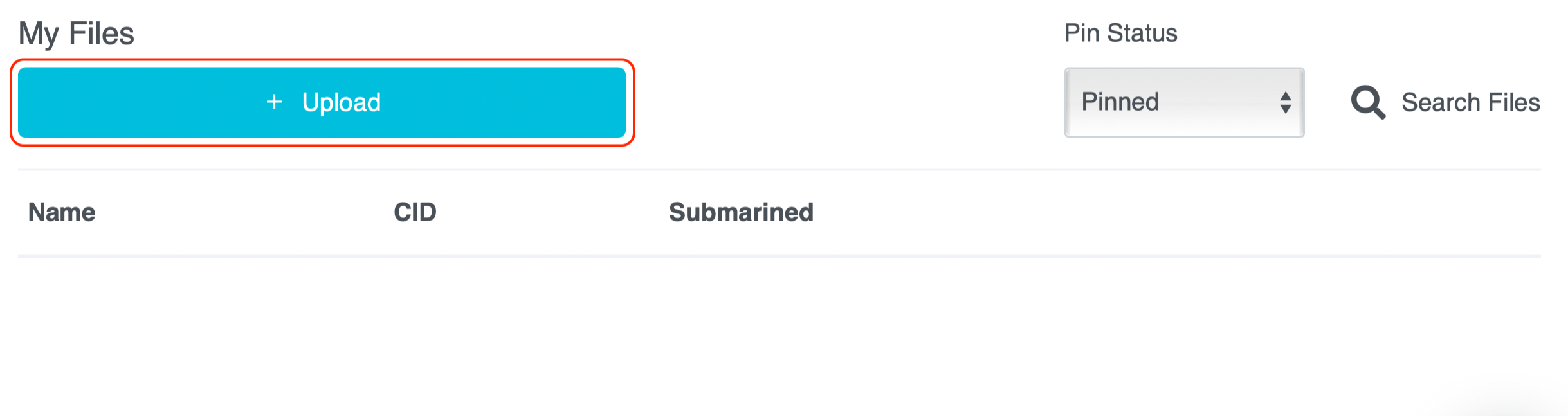
Click the “Upload” button.
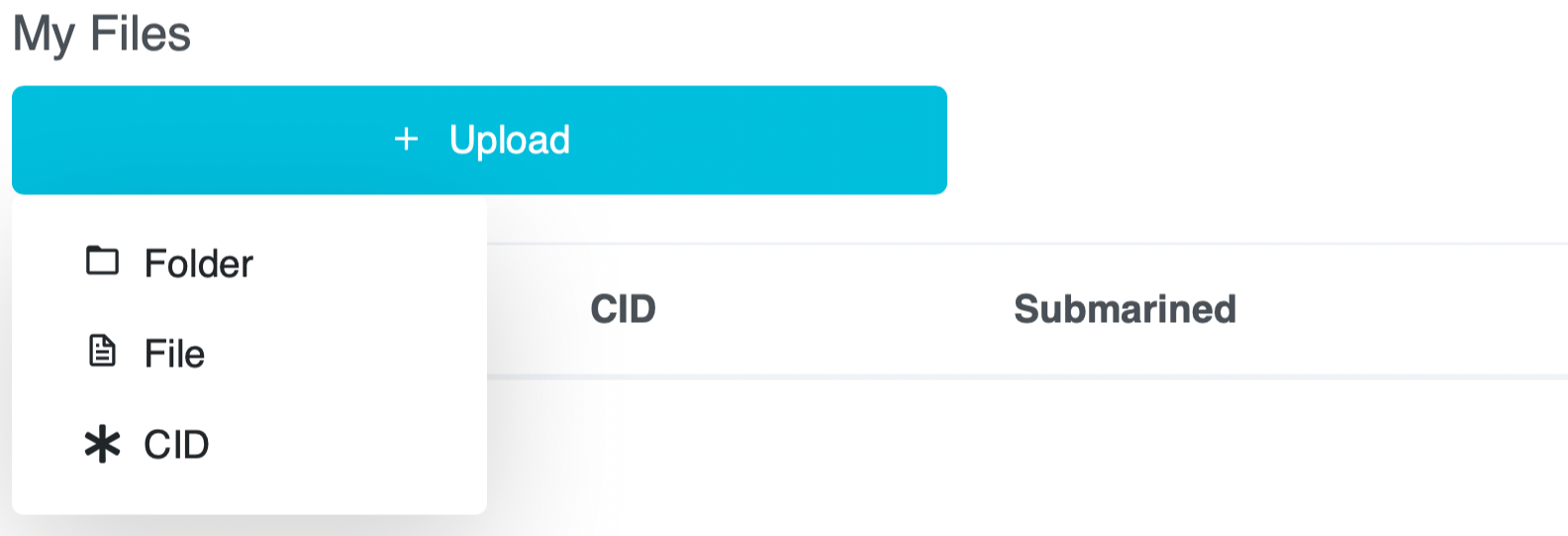
Choose what you want to upload: Folder, File, or CID.
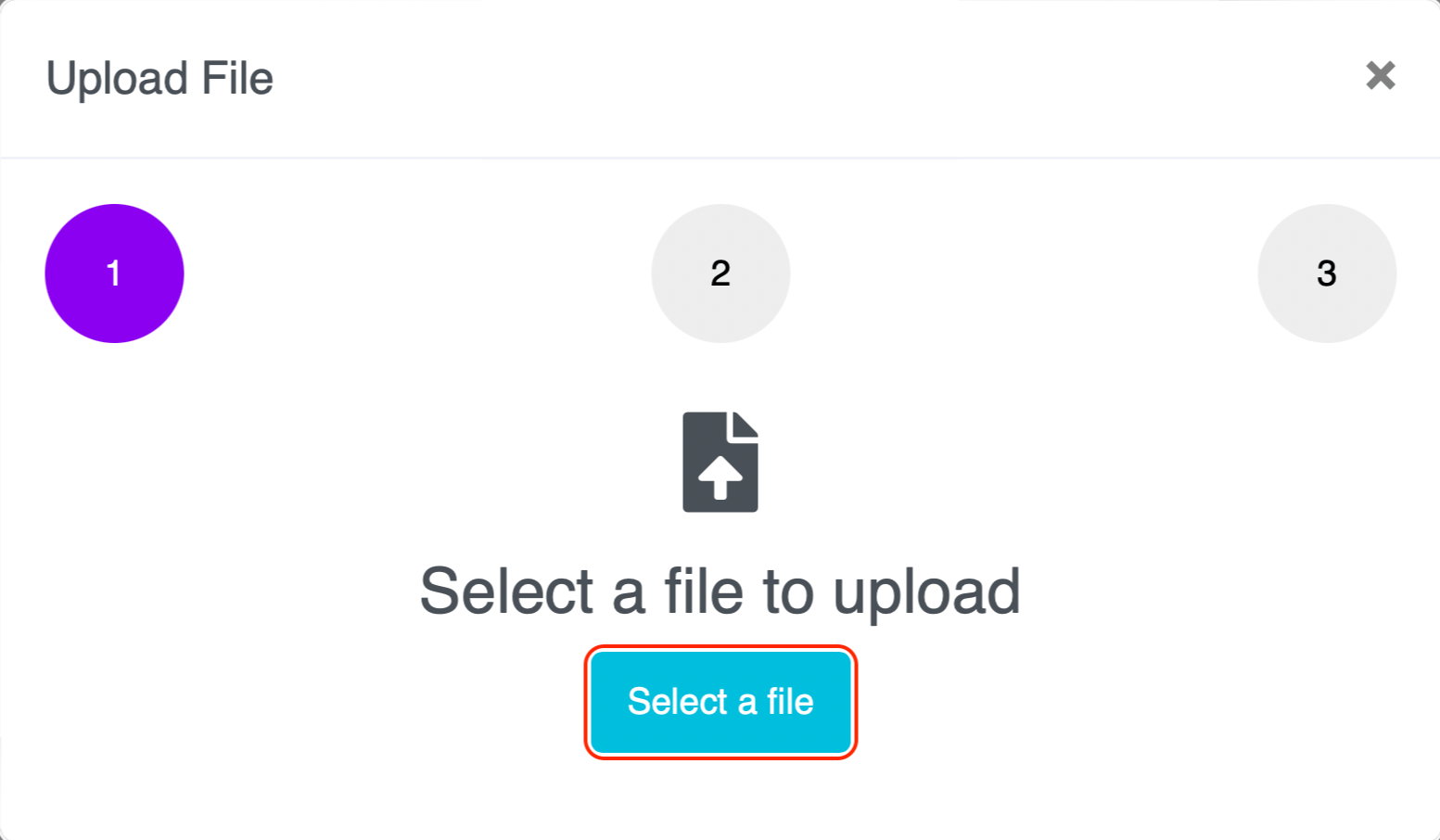
Click "Select a file" (highlighted in the image below) and select content from your computer.
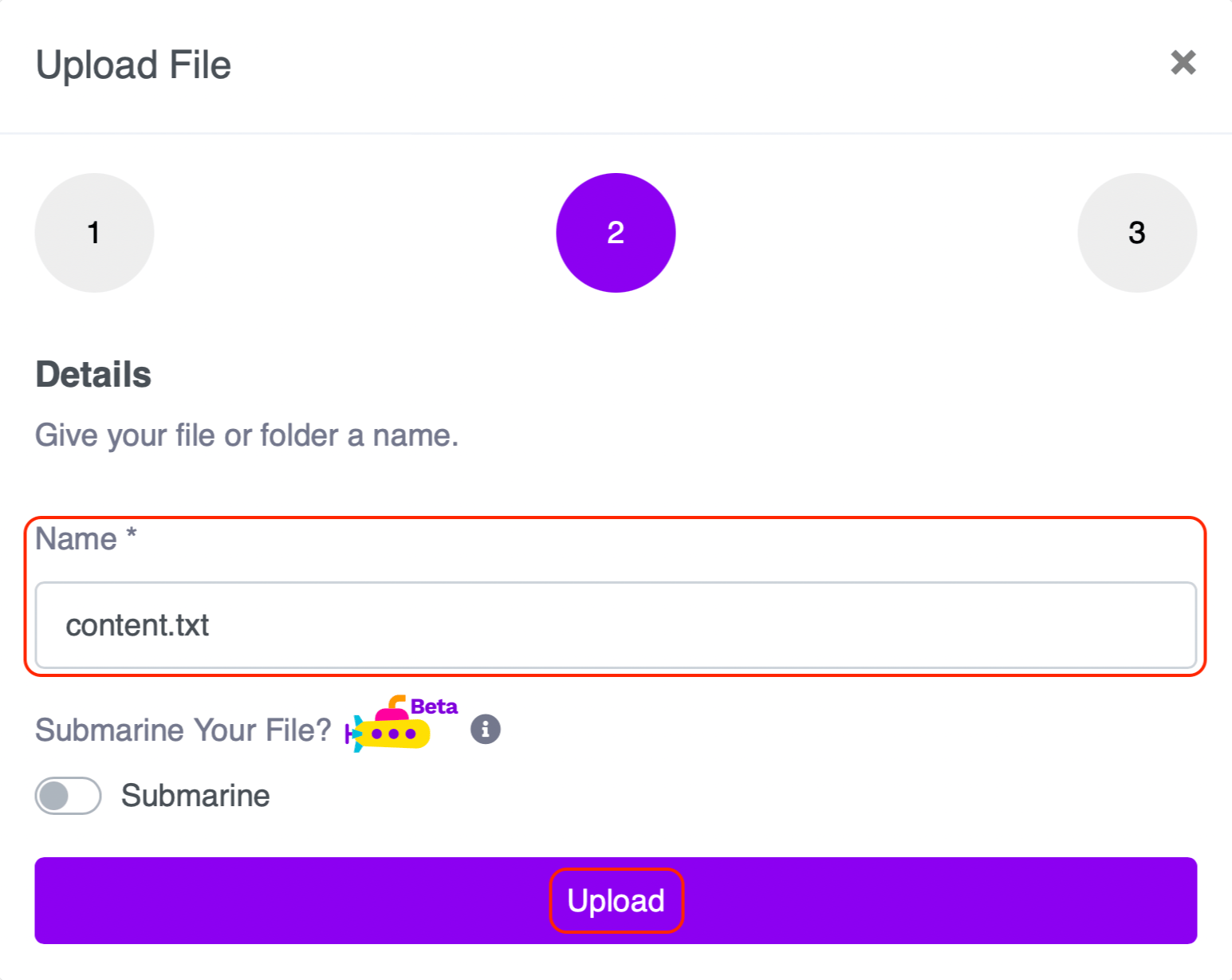
Change the name to a name of your choice under “Name” and click the “Upload” button.
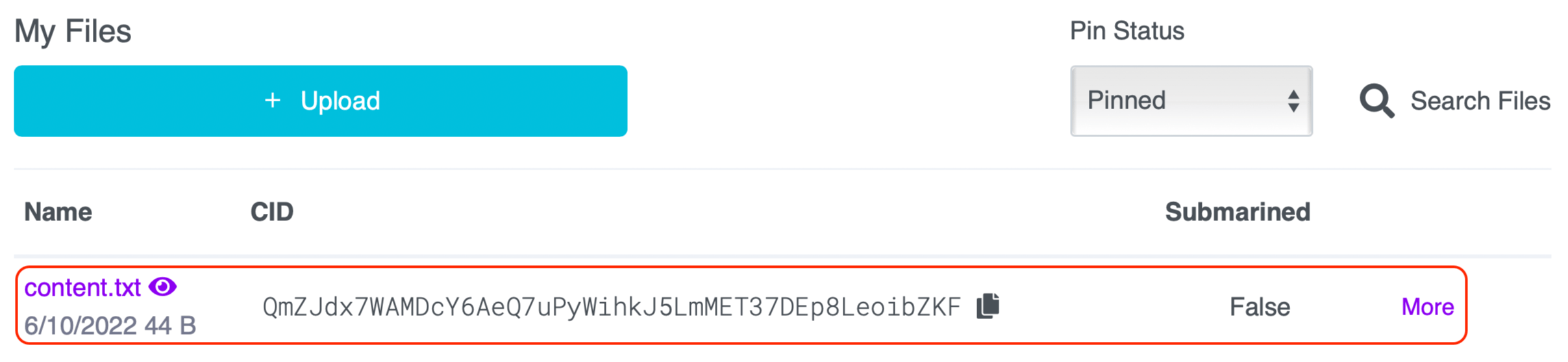
You will see your content in the list on the Pinmanager.
Pinning content via the Pinata API
Pinata allows IPFS actions like pinning and unpinning content via the Pinata API. Accessing the Pinata API requires Pinata API keys that a user can generate.
Generating Pinata API keys
We can generate Pinata API keys by following the steps below:
Visit the Pinata API keys page.
We can also access this page from the Pinmanager.
Click the profile icon on the top right and click the “API Keys” button.
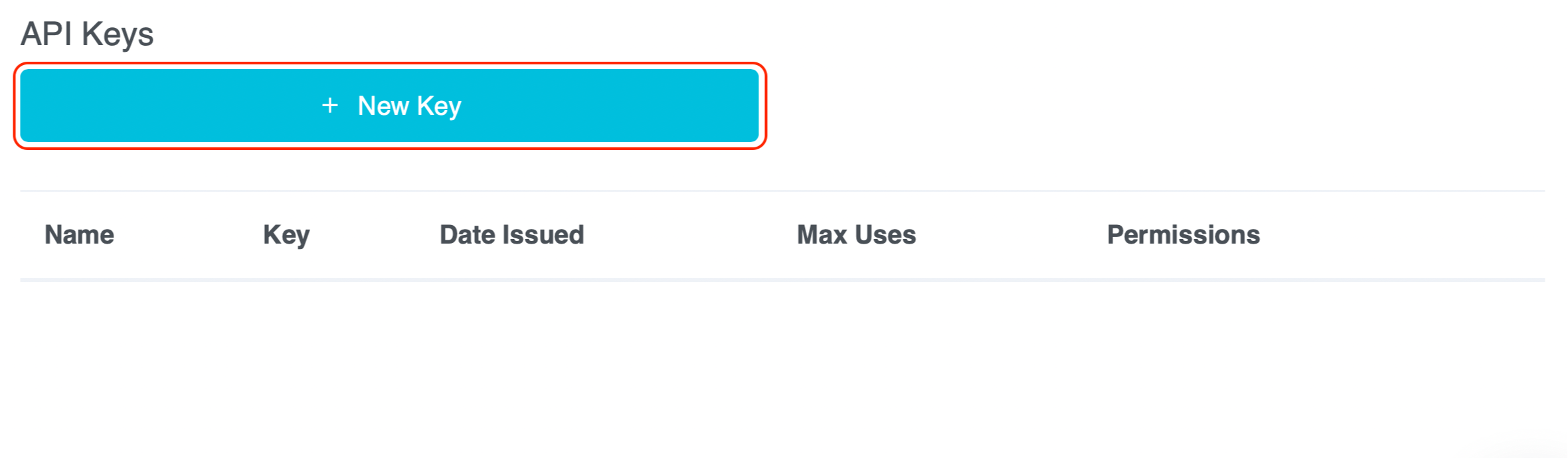
Once on the Pinata API keys page, click the “New Key” button (highlighted below).
Select options based on the requirements and click the “Create Key” button.
A prompt will show your new key.
Note: Copy this information somewhere. We can use the “Copy All” button on the bottom left of the box.
Click “Done” when you are finished viewing the new key.
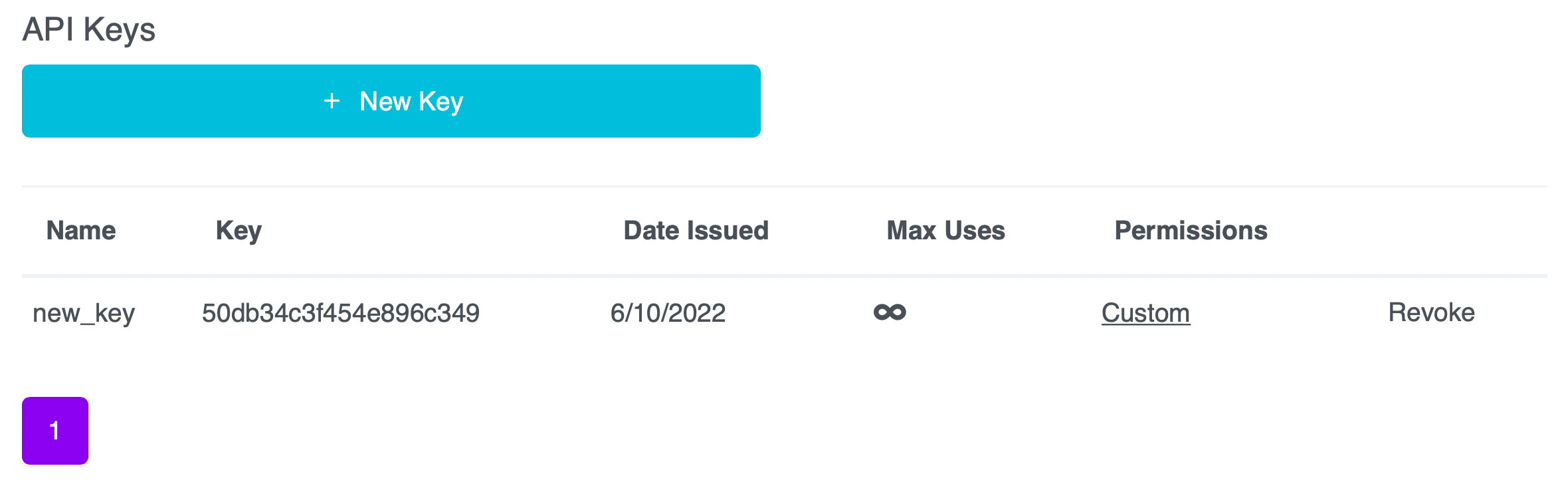
This new key will now appear in the list of keys on the API keys page.
Pinata use cases
Pinata helps creators keep their content online. Pinata has many customers, from software developers to NFT illustrators, and Pinata helps them keep their content online. Here are a couple of use cases for Pinata:
NFT minting: Pinata is popularly used to mint NFTs. Pinata provides a means to confirm the authenticity of NFTs using content addressing.
Hosting web pages: Web developers can host web pages using Pinata. Since Pinata pins the page on IPFS, it will be hard to censor and become more accessible with its popularity.
Free Resources