Key takeaways:
Flutter supports multiple methods for setting backgrounds, including scaffoldBackgroundColor for global background settings, BoxDecoration for container-specific customization, and the Container widget's color property for simple color assignments.
Use DecorationImage within BoxDecoration to add background images. Adjust properties like fit using BoxFit.cover to control image scaling and placement.
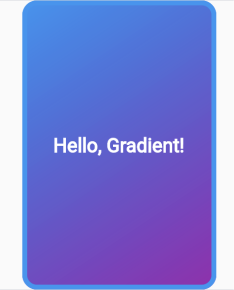
Implement smooth transitions between colors using gradients like LinearGradient, RadialGradient, or SweepGradient with the BoxDecoration class for eye-catching designs.
While scaffoldBackgroundColor aligns with Material design principles, BoxDecoration offers flexibility for non-Material design applications with border and color customization.
Flutter enables layering child widgets on top of background colors or images, making it easy to create complex and dynamic layouts.
Flutter is an open-source framework and user-interface software development kit created by Google. Flutter is used to build natively compiled, multi-platform applications for Android, iOS, Linux, macOS, Windows, and the web from a single codebase. Flutter uses the Dart programming language, so any Flutter application will use Dart to create the various components of the application. A background in Flutter is the canvas against which the application performs its actions.
Types of background
There are three ways to set backgrounds in Flutter.
Change background color: There are three methods of setting the background color in Flutter.
Method 1: Set the background color for All Scaffolds by setting scaffoldBackgroundColor in ThemeData.
Method 2: Use a decoration such as a BoxDecoration in the Container object.
Method 3: Add the child widgets to the Container object.
Add background image: There is one method of setting the background image in Flutter. Use the DecorationImage and BoxDecoration classes.
Add gradient: Another option is setting a gradient background, which provides a smooth transition between multiple colors. Flutter offers different types of gradients, such as LinearGradient, RadialGradient, and SweepGradient, that can be applied using the BoxDecoration class in the Container widget.
Background color
Let's discuss each method one by one:
1. Using scaffoldBackgroundColor
The first way to set the background color is to use scaffoldBackgroundColor in ThemeData as follows: