How to use download() in Laravel
Downloading files from a website is a necessary feature almost all sites tend to have.
The download() method pushes files from your server to the browser for users to get on their devices.
Note: By default, your file should be placed in the
storage/appdirectory.
Syntax
return Storage::download('file.jpg', $name, $headers);;
You would call the download() method on the Storage facade, which helps to interact with the application disk.
Parameters
The download() method receives three parameters, which are:
-
File path, for example:
Storage/upload/file.jpg -
File name
-
Array of headers
The first parameter is required, while the other two are optional.
Example
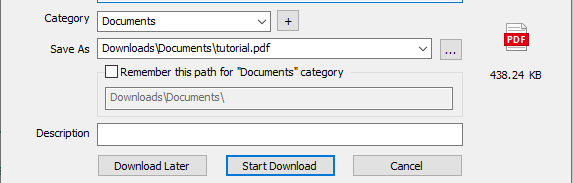
Let’s assume you have a tutorial.pdf file in your default disk directory (storage/app) and want to download it.
For test purposes, we will be doing this from the web.php, which is in our Route directory, like so:
Route::get('/documemt', function () {
      return Storage::download('tutorial.pdf');
  });
In the above code, when we visit the /document URL on our application, it returns the tutorial.pdf file for download.
Output
The browser receives the tutorial.pdf file for download: