How to use React setInterval() method
What is setInterval()?
In React development, the setInterval() method serves as a dynamic mechanism to execute a specified function at regular intervals, offering a versatile solution for various scenarios. This capability is invaluable for orchestrating periodic updates, crafting animations demanding continuous refreshes, or even fetching data at consistent intervals to maintain real-time relevance. Mastering the effective utilization of setInterval() can significantly elevate the dynamic behavior of React applications, providing developers with a powerful tool to introduce seamless and timely interactions within their user interfaces.
Syntax and parameters
The setInterval() function takes two arguments: a callback function to be executed and the time interval (in milliseconds) at which the function should be called.
setInterval(callback, interval);
callback: This is a function that will be executed repeatedly at regular intervals. The function specified here defines the task or set of instructions you want to perform periodically.
Example:
const updateCounter = () => {console.log("Updating counter!");};setInterval(updateCounter, 1000);
In this example, the updateCounter function will be called every 100 milliseconds (1 second).
interval: This is the time duration, in milliseconds, between each execution of the callback function. It determines how frequently the specified function will be invoked.
Example:
setInterval(() => {console.log("Performing a task every 500 milliseconds!");}, 500);
In this case, the callback function will be executed every 500 milliseconds.

Code example for setInterval() method
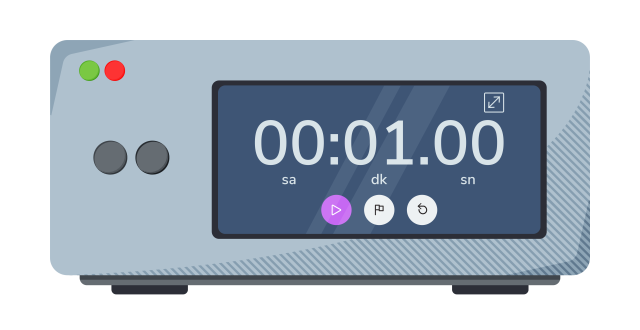
Let’s create a more detailed React component that uses setInterval() to update a counter every second. Additionally, we’ll include a button to start and stop the interval dynamically.
Code explanation
Line 1: This line imports the necessary modules from the
reactlibrary.useStateanduseEffectare React hooks used for managing state and side effects, respectively.Lines 4–5: Initializes two state variables,
timerandisRunning, using theuseStatehook.timerrepresents the current time in seconds, andisRunningis a boolean indicating whether thetimeris currently running.Lines 7–18: Uses the
useEffecthook to manage the side effect of starting and stopping thetimer. The effect runs when the component mounts or whenisRunningchanges. Inside the effect:If
isRunningis true, it sets up a recurring interval usingsetIntervalthat increments thetimerstate every 1000 milliseconds (1 second).If
isRunningbecomes false, it clears the interval usingclearInterval. The cleanup function returned byuseEffectclears the interval when the component is unmounted or whenisRunningchanges.
Lines 20–22: Defines a function
toggleTimerthat toggles the value ofisRunningusing the functional form ofsetState.Lines 24–27: Defines a function
resetTimerthat sets thetimerstate back to 0 and stop thetimerby settingisRunningto false.Lines 29–64: The return statement renders the JSX for the component:
Displays the current
timervalue in an<h1>element.Creates a
<div>element containing two buttons with styles forpadding,fontSize,cursor,backgroundColor,text color,border, andborderRadius.The
backgroundColorof the buttons changes based on theisRunningstate, creating visual feedback.The button labels
StartorPauseare dynamic, based on theisRunningstate.The
onClickprop of each button is set to call the corresponding functions (toggleTimerandresetTimer) when clicked.
Conclusion
The setInterval() method in React is a versatile tool for introducing dynamic and interactive elements to your applications. Its ability to repeatedly execute functions at specified intervals makes it indispensable for scenarios requiring continuous updates, animations, or data refreshes. While powerful, developers must use setInterval() judiciously, considering performance implications and potential memory leaks. Additionally, cleaning up intervals to prevent resource issues is a crucial practice. When employed thoughtfully, setInterval() enhances the overall user experience by enabling real-time features and dynamic content updates in React applications.
Free Resources