How to work with histograms using matplotlib
A histogram is a diagram that has bars that indicate the frequency distribution of a set of data. The data in this set must be continuous.
Why use a histogram?
A histogram has multiple uses for continuous data sets. Since it can be used to plot the distribution, it can be used to see trends in the data.
In addition to trends, it can also be used to figure out the skewness of the plot, the outliers and more.
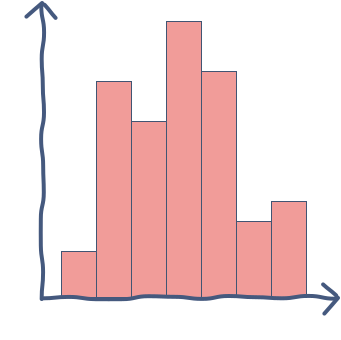
How to plot histograms
To create histograms using matplotlib we must follow a series of steps.
Before running the code below, let’s understand it:
-
As shown in lines 1 and 2, you must import the relevant libraries
-
On line 4 you simply create a list of random numbers
-
On line 6 you call the
plot.hist()command which creates the plot itself -
On line 8 you label the y-axis of the plot
-
Line 9 displays the plot
Run the code below to see the histogram:
import matplotlib.pyplot as plotimport numpy as npmyList = np.random.normal(size = 1000)plot.hist(myList, bins=20, align = 'mid')plot.ylabel('Probability')plot.show()
plot.hist() functionality
The plot.hist() method takes in multiple arguments. Let’s look at a few important ones below:
- The first argument is the data set which is to be plotted
Following are the optional arguments which may or may not be given:
-
bins: This defines the number of intervals in the histogram -
range: This defines the range within which the number of bins should exist -
align: This takes in three possible values; left, mid, right and decides the position of the histogram in the image -
log: Set to true, this will return the log values of the scale for the histogram
Free Resources