Olympics logo in Python
The Olympic Games, commonly called the Olympics, is an ancient international athletic competition that offers multiple sports events between athletes and is held every fourth year. It has an official logo for its recognition.
Official Olympics logo
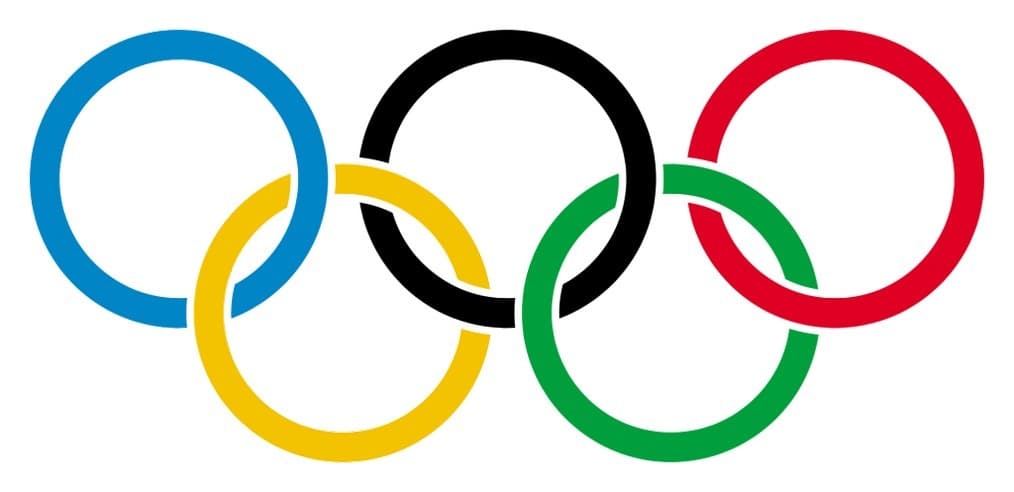
Designing Olympics logo in Python
The Olympics logo can be designed using various graphics libraries in Python. Here, we are using the pyplot API for matplotlib library in Python.
matplotlib is a data visualization and graph plotting library which is used to create 2D shapes and graphs.
Example
import matplotlib.pyplot as pltradius = 0.5thickness = 6.0figure, axes = plt.subplots()blue_ring = plt.Circle(( -1.0 , 0.4 ), radius , fill=False, lw=thickness, color="blue")black_ring = plt.Circle(( 0.2 , 0.4 ), radius , fill=False, lw=thickness, color="black")red_ring = plt.Circle(( 1.4 , 0.4 ), radius , fill=False, lw=thickness, color="red")yellow_ring = plt.Circle(( -0.4 , -0.1 ), radius , fill=False, lw=thickness, color="orange")green_ring = plt.Circle(( 0.8 , -0.1 ), radius , fill=False, lw=thickness, color="green")plt.xlim(-2.5, 2.5)plt.ylim(-1.5, 1.5)axes.set_aspect(1)axes.add_artist(blue_ring)axes.add_artist(black_ring)axes.add_artist(red_ring)axes.add_artist(yellow_ring)axes.add_artist(green_ring)plt.title('Olympics Logo')figure.savefig('output/logo.png')
Explanation
The logo consists of five rings interlaced with each other in five different colors. The blue, black, and red rings are interlaced from left to right at the top, and the yellow and green rings are at the bottom. To create rings using code, we drew five different colored rings and adjust them according to the dimensions of the logo.
-
Line 3: The
radiusvariable contains the radius of the ring. It is set as 0.5. -
Line 4: The
thicknessvariable contains the line thickness or line width of the ring. It is set as 6.0. -
Line 5:
subplots()function is used to create subplots. The linefigure, axes = plt.subplots()returnsfigureandaxesobjects. -
Line 6:
Circle()function creates a circle. It can contain a different number of parameters according to usage. Here, it contains five parameters and returns the circle object. Let’s understand all parameters one by one.-
First parameter
( -1.0 , 0.4 )is coordinate axes of the circle. The first value corresponds tox-axisand the second one corresponds toy-axis. -
Second parameter is the radius of the circle defined in
radiusvariable. -
Third parameter
fill=Falseleaves the circle unfilled in the shape of a ring. Changing the value toTruemakes a color-filled circle. -
Fourth parameter is
lwwhich defines the line width (thickness) of the circle boundary. It is set with thethicknessvariable. -
Fifth parameter sets the value of the color of the circle.
-
The same
Circle()function creates circles of different colors in lines 7-10.
-
-
Line 12:
xlim()function sets the limits on thex-axisof current axes.plt.xlim(-2.5, 2.5)means thatx-axisis stretched from-2.5to2.5. -
Line 13:
ylim()function sets the limits on they-axisof current axes.plt.ylim(-1.5, 1.5)means thaty-axisis stretched from-1.5to1.5. -
Line 15:
axes.set_aspect(1)sets the aspect ratio of axis scaling. We have set1aspect ratio. -
Lines 16–20: In these five lines, we are adding five color circle objects created on lines 6-10 into
Artistby usingadd_artist()function and passing the object into it.Artistis a base class that’s rendered into the canvas. -
Line 22:
plt.title('Olympics Logo')is setting the title. -
Line 23: Saving the figure by using
savefig()function offigure.
Free Resources