Webpack vs. Browserify

- Webpack is a module bundler with a major focus on compiling
frontend assets like scripts, stylesheets, and images
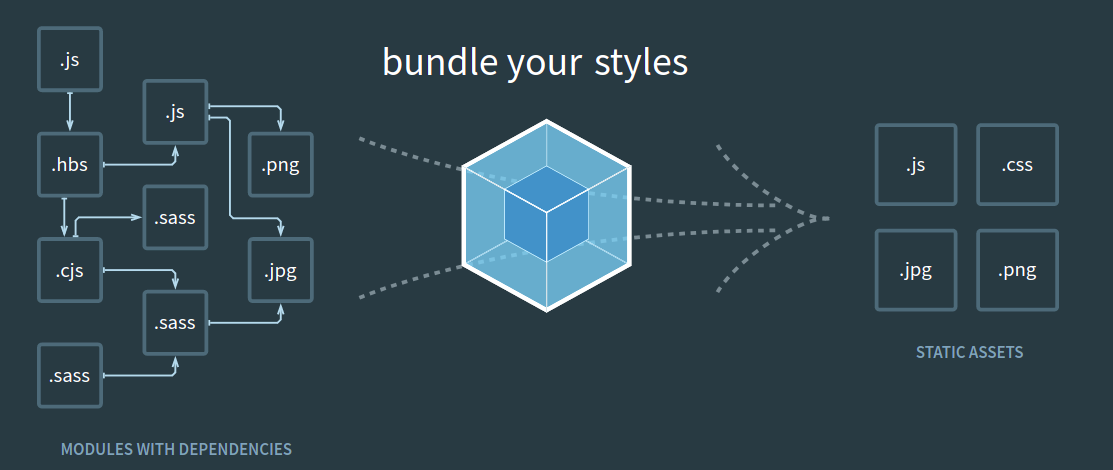
-
Webpack is more flexible than Browserify because it uses a Javascript config file to define bundling workflows.
-
Webpack offers features like code splitting and lazy loading out of the box.
-
Webpack easily integrates with other NodeJS libraries and frameworks without further configuration.
-
Webpack uses loaders to integrate other languages like .scss and .coffee into the Javascript build system. A .coffee loader will look like this:
{
  module: {
    loaders: [{ test: /\.coffee$/, loader: "coffee-loader" }];
  }
}
- Webpack has a wider community than Browserify, with over 58K Github stars.
- Browserify is a tool that creates browser-compatible Javascript from a single Javascript file. The Javascript file can import npm modules and other files using require statements. Browserify combines all imported code into one file.

-
Browserify is less flexible than Webpack. It uses tools such as Gulp and Grunt to define bundling workflows.
-
Browserify requires plugins like split-require to perform code splitting.
-
Browserify may require further configuration to work with npm packages. An example is the deamify transform required to use JQuery.
-
Browserify uses transforms to integrate with other languages. A Browserify .coffee transform may be defined as:
browserify -t coffeeify main.coffee > bundle.js
- Browserify has a smaller community than Webpack, with over 13K Github stars.