What is a C++ vector?
Vectors, like one-dimensional arrays, store elements in a contiguous manner, i.e., the elements are stored in memory side by side. The difference lies in that vectors are dynamic; hence their size can change on demand.
How are vectors different?
Imagine it this way: you have a series of boxes connected together. Once all these boxes are used up, you would usually transfer all your things to a new, larger box. But not with vectors!
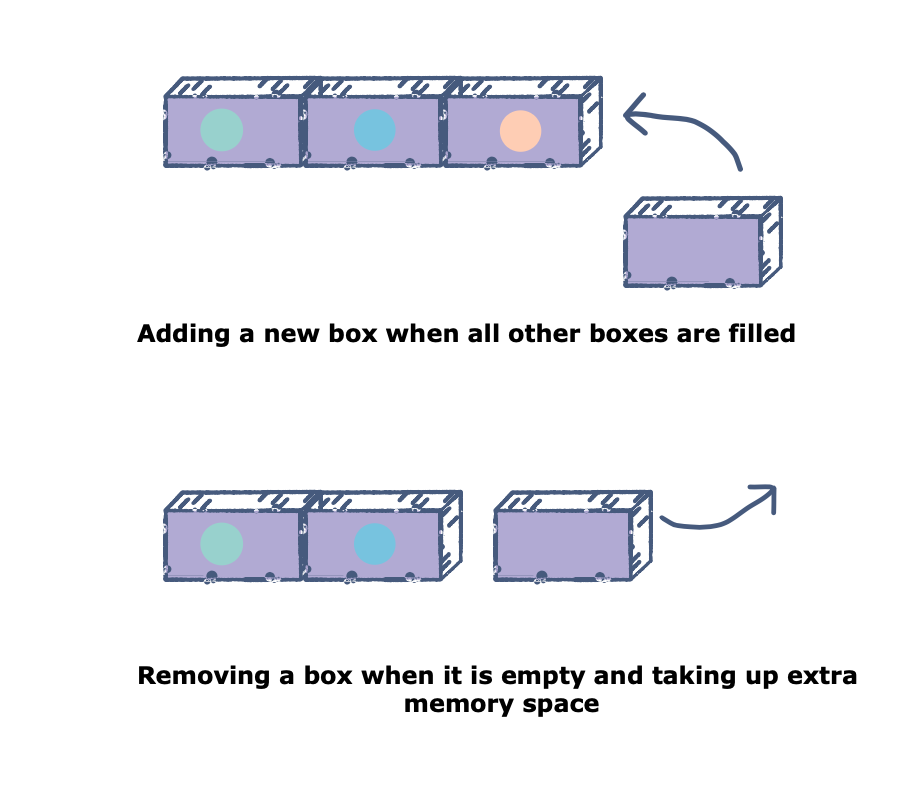
With vectors, you can simply glue together another box and add your things in that. In a similar manner, if you’ve taken things out of some boxes and no longer need them, you can simply remove them altogether and avoid wasting space, as opposed to transferring your things to a new smaller box.
- Elements are put in a vector at the end.
- It only takes constant time to remove elements from the end of a vector, making operations fast.
- Vectors can also be made multi-dimensional, which can increase the amount of data you can add to the structure.
Basic operations of a vector:
- resize: Changes the size of a vector, by the input given to the function
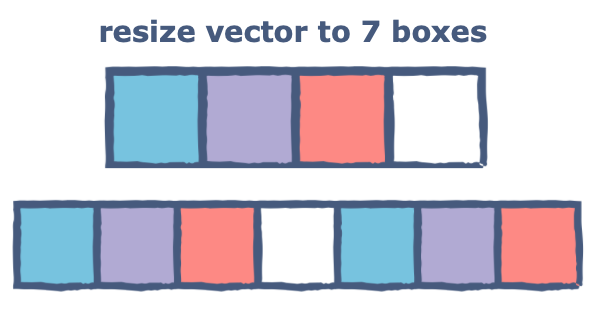
#include <iostream>#include <vector>using namespace std;int main() {vector<int> numbers;numbers.resize(7);cout<<numbers.size()<<endl;numbers.resize(4);cout<<numbers.size();}
- push_back: Adds an element to the end of the vector
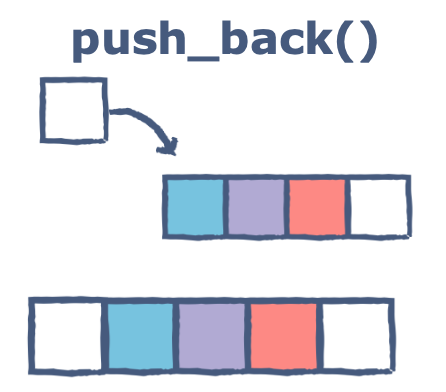
#include <iostream>#include <vector>#include <string>using namespace std;int main() {//Initialized a vectorvector<string> colours;colours.push_back("white");colours.push_back("red");colours.push_back("purple");colours.push_back("blue");//Adding the white boxcolours.push_back("white");//Printing the last elementcout<<colours[4]<<endl;}
- pop_back: Returns and removes the last element of the vector
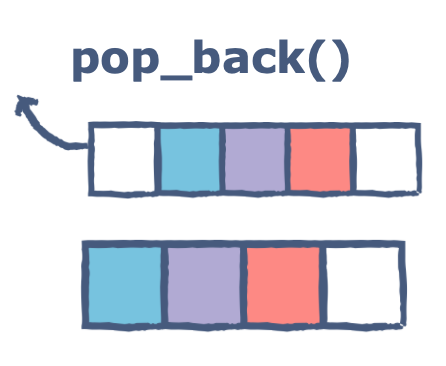
#include <iostream>#include <vector>#include <string>using namespace std;int main() {// your code goes here//Initialized a vectorvector<string> colours;colours.push_back("white");colours.push_back("red");colours.push_back("purple");colours.push_back("blue");colours.push_back("white");//Removing the last elementcolours.pop_back();//The last element should be the blue boxcout<<colours[3]<<endl;}
- front: Returns a pointer to the first element of a vector
- back: Returns a pointer to the last element of a vector
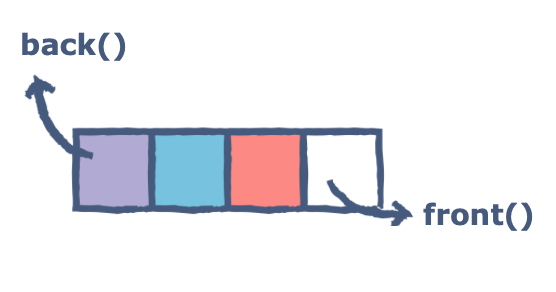
#include <iostream>#include <vector>#include <string>using namespace std;int main() {// your code goes here//Initialized a vectorvector<string> colours;colours.push_back("white");colours.push_back("red");colours.push_back("blue");colours.push_back("purple");//The answer should be whitecout<<colours.front()<<endl;//The answer should be purplecout<<colours.back()<<endl;}
Free Resources
Copyright ©2026 Educative, Inc. All rights reserved