What is force pull?
What is force pull?
Force pull is used to overwrite local files with updated files.
The git fetch command downloads the latest from remote without trying to merge or rebase anything.
The git reset command resets the master branch to what you just fetched. Any local commits that haven’t been pushed are lost.
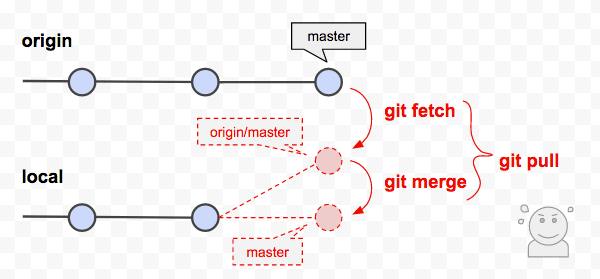
Process of force pull
To force pull, first run the following fetch command to update all origin/
git fetch --all
Next, backup your current branch, as shown below:
git checkout -b backup-master
Now, we can merge it with the following command:
git reset --hard origin/master
