What is Install/Uninstall Testing?
Installation testing
Whenever a user installs software, it is the first time they can properly interact with the software. This is why installation testing is vital.
This process entails checking that the entire software with all necessary components is installed inside the system. It also verifies that the application gives the expected results without any bugs or unexpected behavior when the end-user installs the software for the first time. For installation testing, companies often launch a
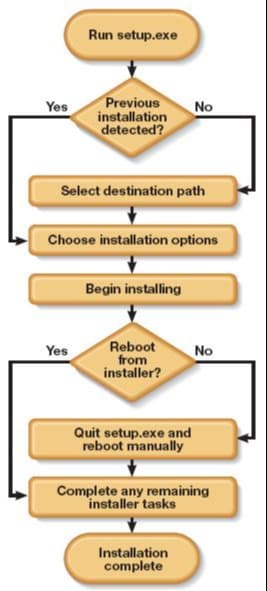
Installation Types
There are a few possible installation types:
-
Silent Installation: Software installation without any source of user interaction.
-
Attended Installation: Software installation with required user interaction at all times while the installation process is being executed.
-
Unattended Installation: Traditional method of Software installation. Previous Windows versions, especially Windows 2000, utilized this method of installation.
-
Network Installation: This installation shares the App studio on a single shared machine between the users. This shared machine contains the executed files so they can be accessed when needed.
-
Clean Installation: Software installation where all previous software versions are completely removed from the system.
-
Automated Installation: Installation of software Oracle Solaris OS on SPARC and x86 systems where installation is automated.
Uninstallation testing
Uninstallation testing verifies whether or not all the application components are removed after the software is uninstalled. All of the files related to the application and its folder structure must be removed upon successful uninstallation. Post uninstallation, the system should be able to go back to a stable state.
A successful uninstallation verifies that all created files and shortcuts of the application are completely eradicated from the system. A user can easily test uninstallation, even when the software is installed. In some cases, only the latest update of the software is removed and not the entire software itself.
Note: Uninstallation may prompt the user to reboot the computer to remove complete changes.
Free Resources