Setting Up On Educative!
To set up a Single Page Application (SPA) in Educative, you need to add the SPA widget to your lesson and import your project files, either from the filesystem or a GitHub repository. Note the 700KB limit on front-end files; exceeding this restricts application functionality. Additionally, be aware of a bug that may introduce unwanted characters in code files, which must be manually removed before saving. Once configured, your ASP.NET MVC application will be ready to run.
We'll cover the following...
Front-end Editor Setup
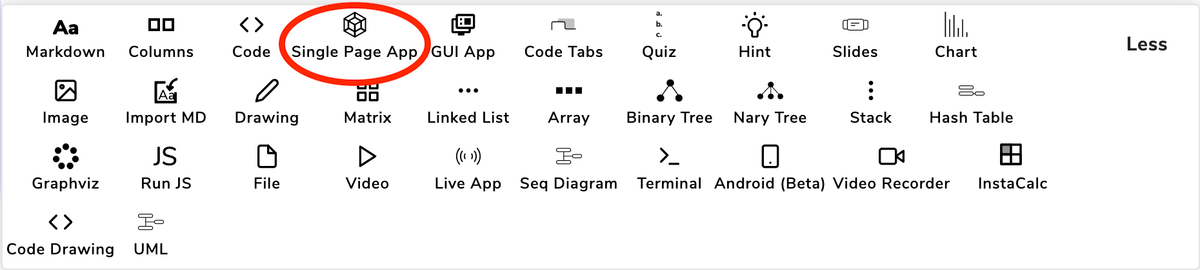
Now, we need to make use of the SPA (Single Page Application) widget for code execution. Go to a lesson in edit mode. Select the SPA widget to place it in the lesson.
Apart from setting up the files in usr/local/educative which can be accessed through the terminal, we also need to copy the files separately in the SPA widget.
If you have a GitHub repository, you can copy the files from the GitHub link.
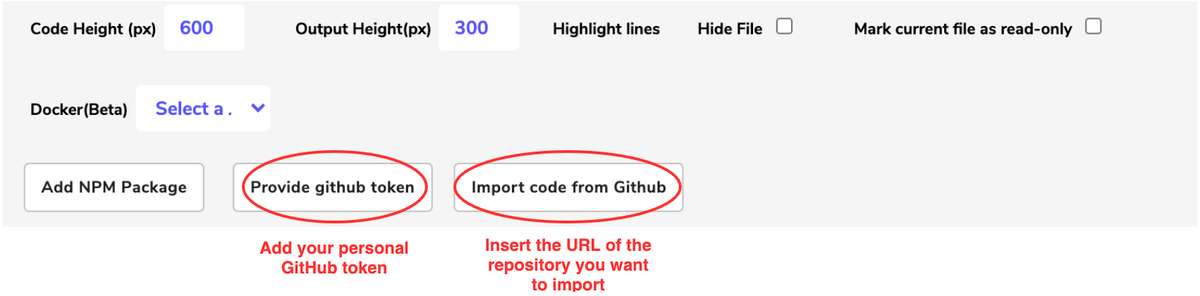
Now you have imported the code, select the appropriate Docker job and you are good to go!

Here are a couple of things to note:
Currently there is a limit of 700KB on the front-end files on the Educative platform so please make sure that the files that are kept on the front-end (visible on SPA widget) are less than 700 KB in total. Otherwise, the application won’t run as expected! In case your project files exceed this limit, you can remove the least used files (or non-code files) from front-end which should be enough for learning purposes.
There is a known bug in the SPA widget that adds a couple of garbage characters (such as  in the start of some code files on the front-end so please make sure to remove these manually from all code files before saving the course! This bug is reported and will be resolved soon.
The application is ready to run on the next lesson!
Achievement unlocked! 🎉
You have successfully set up ASP.NET MVC application on Educative!