Density Plots
Explore how to create and customize density plots in R using both base plot functions and ggplot2. Understand how to visualize the probability distribution of continuous variables, adjust plot aesthetics like line thickness, color, and smoothing, and interpret data skewness and trends for better data exploration.
We'll cover the following...
Features
We use density plots to visualize the distribution of a continuous variable. The plot displays the density or probability of occurrence of data points along the x-axis, with the y-axis representing the probability density. This plot provides a smooth estimate of the data distribution, which helps us identify patterns and trends in the data. It is a valuable tool for exploring data and comparing the distributions of different variables or datasets.

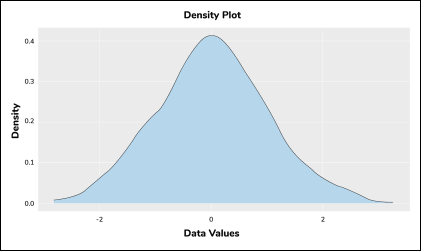
Density plot with plot()
We use two different built-in functions to create a density plot in R. We first process the data in the density() function, and we supply it to the plot() function. The syntax structure is as follows:
# Syntax structure
plot(density(<data>))
Now, we will create a basic density plot using the mtcars dataset.
- Line 3: We first process the
mpgcolumn of themtcarsdataset and then supply it to