Create the GitLab CI/CD Pipeline
Explore the process of setting up a GitLab CI/CD pipeline by importing your code, configuring the pipeline with Docker and AWS CLI tools, and automating deployments to AWS Elastic Beanstalk. This lesson guides you through merging repositories, handling authentication, verifying pipeline execution, and deploying code changes automatically, ensuring you understand continuous integration and delivery using GitLab.
We'll cover the following...
Import files into the GitLab repo
Let’s pull our GitLab repo and then merge our previous work from Bitbucket Pipelines into our GitLab repo.
In the terminal below, pull the GitLab repo. Find the HTTPS link in the SymfonyCICD GitLab repo as seen in the image below:

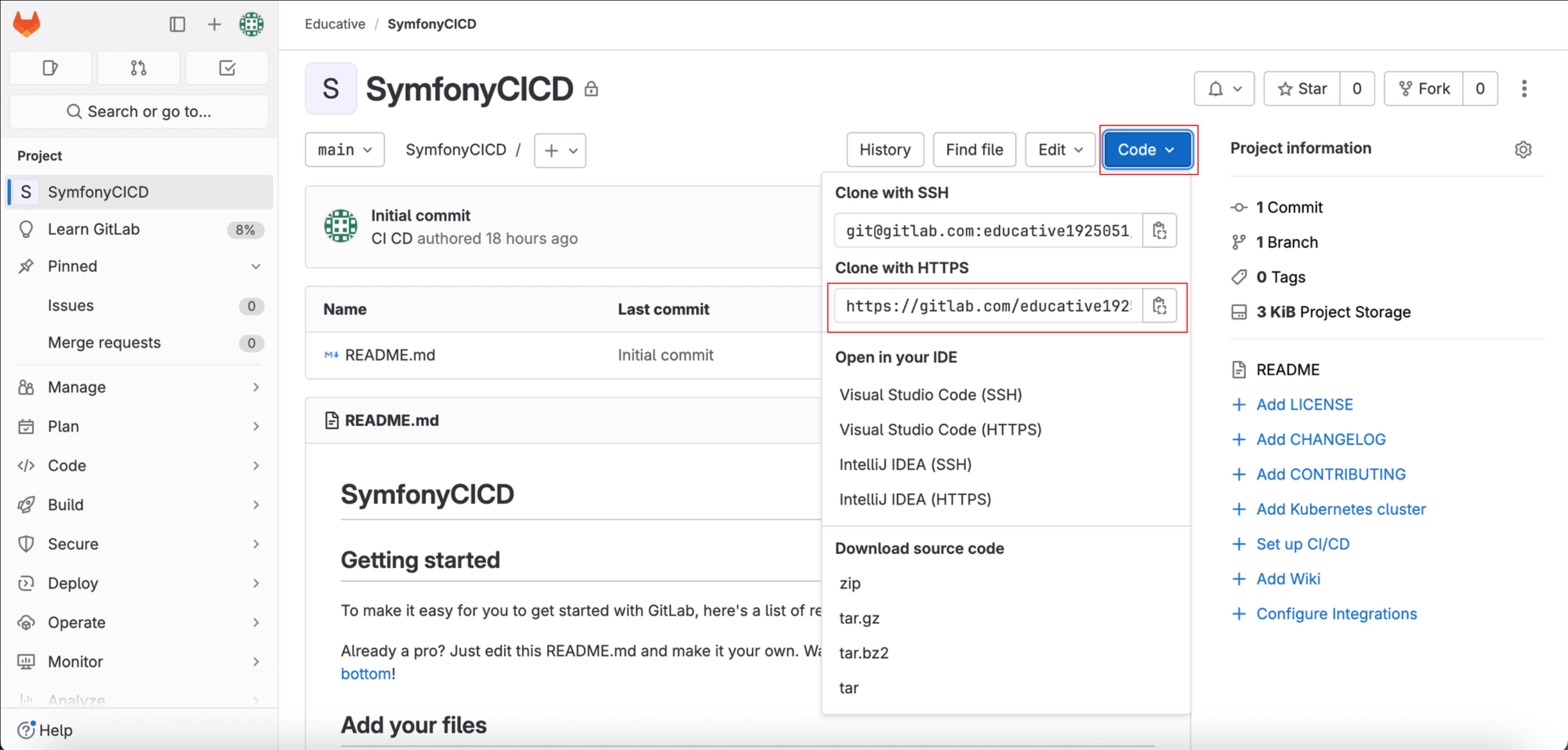
2. Add a Git clone to the HTTPS link before running it. The command will look like this:
git clone https://gitlab.com/educative2/SymfonyCiCD.git
• Your username is your GitLab access token username, which was set to “EducativeSymfonyCICDToken.” In the terminal below, enter $Gitlab_username when prompted for the username.
• Your password is the GitLab access token.
Now, bring the previous Bitbucket Pipelines work into ...