Choosing Colors
Understand how to use hue, saturation, and brightness to choose colors that enhance your Altair visualizations. Learn about different palettes like sequential, diverging, and qualitative to communicate data narratives clearly. Explore setting color scales, legends, and conditional colors to focus attention and create meaningful data stories.
In a chart, color helps to communicate a message by setting the scene and tone. It creates an emotional connection between the data and audience.
We can identify three main components in color:
Hue is the dominant color wavelength. Hue identifies color family or color name (such as red, green, purple, etc.).
Saturation describes the intensity of a color. Saturation defines how pure a color is.
Brightness is a measure of how light or dark a color appears.
Color palettes
Consider the following color palettes:
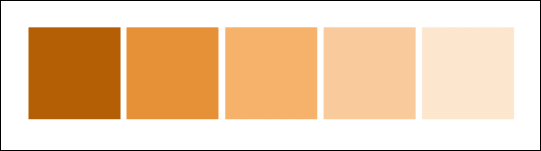
Sequential color palettes organize quantitative data from high to low using a single color in various gradients or saturations. We can use this type of palette to show a progression rather than a contrast.

Diverging color palettes highlight the ranges of quantitative data by using two contrasting hues on the extremes and a lighter-tinted mixture to highlight the middle range. A diverging palette shows where data is on a spectrum, such as cold to hot.