This device is not compatible.
PROJECT
Build an LLM-powered Chatbot with RAG using LlamaIndex
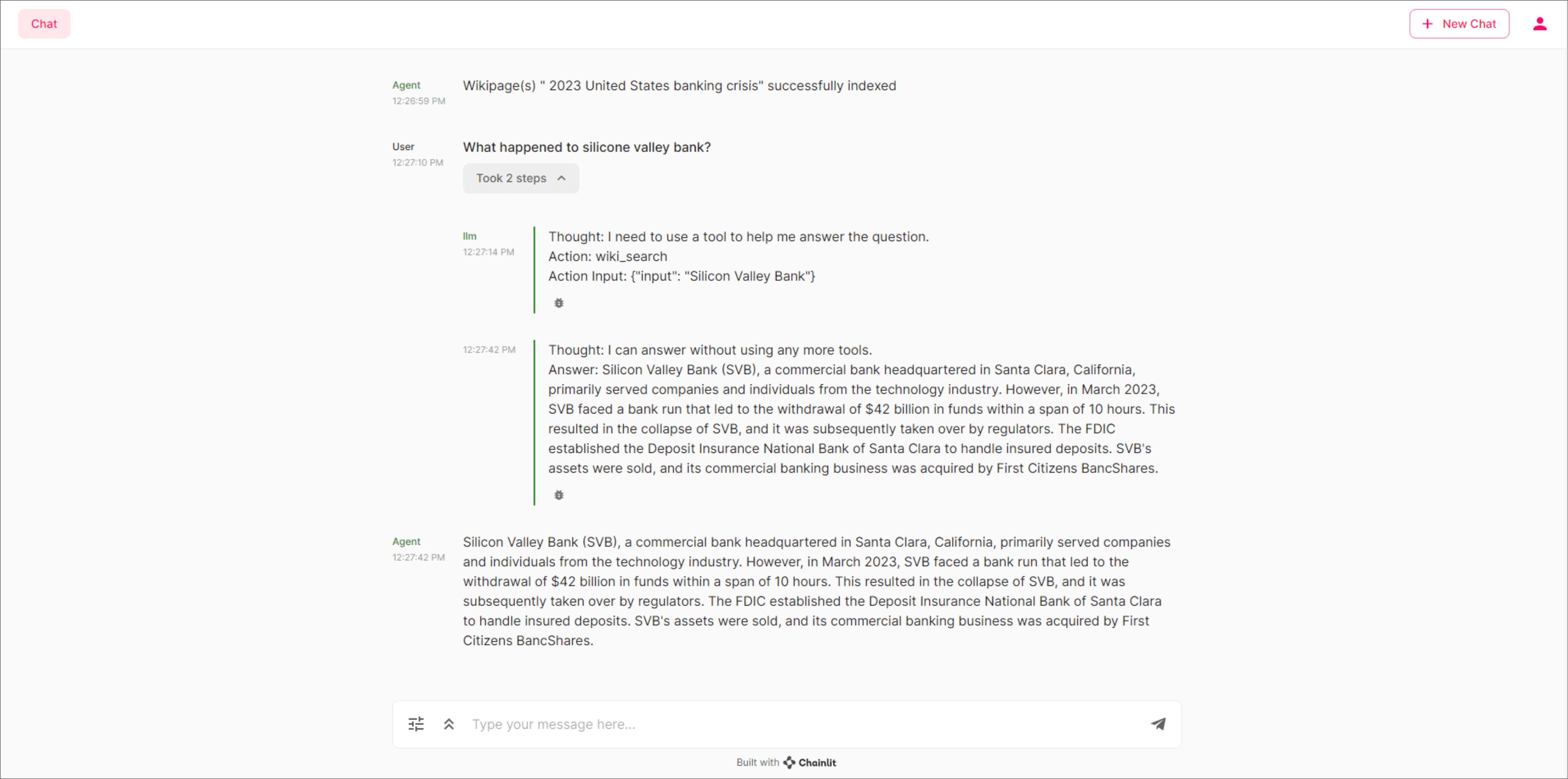
In this project, we’ll learn how to enhance large language model (LLM) applications with Retrieval Augmented Generation (RAG) using OpenAI, LlamaIndex, and Chainlit. We will develop an LLM-powered conversational assistant equipped with access to Wikipedia, allowing it to respond based on our chosen Wikipedia page(s).
You will learn to:
Create a script to index Wikipedia pages in vector stores.
Create a custom Wikipedia semantic search tool.
Develop an intelligent, LLM-powered, Reason and Act (ReAct) agent.
Build a conversational UI.
Test your chat agent on a live Wikipedia page.
Skills
Artificial Intelligence
Interactive Real-time Web Applications
API Integration
Front-end Development
Prerequisites
Intermediate knowledge of object-oriented programming in Python
An OpenAI access token (API Key)
Understanding of ChatGPT or any other conversational AI tool (Bard, Claude 2, etc.)
Familiarity with large language models
OpenAI API key
Technologies
OpenAI
Python
Pydantic

Chainlit

LlamaIndex
Project Description
In this project, we'll build an intelligent conversational AI chatbot using retrieval-augmented generation (RAG) to enhance large language model (LLM) responses with factual Wikipedia content. Unlike standard chatbots that rely solely on pre-trained knowledge, our RAG-powered agent will retrieve real-time information from Wikipedia pages, ground its answers in verified sources, and provide accurate, context-aware responses. We'll use LlamaIndex for document indexing and retrieval, OpenAI's GPT models for natural language generation, and Chainlit for the interactive chat interface.
We'll start by setting up OpenAI API authentication and importing necessary libraries including LlamaIndex and Pydantic for data validation. Next, we'll develop a Wikipedia indexing script that loads Wikipedia pages, chunks the content into searchable documents, and creates a vector index for efficient semantic search. Then we'll build the ReAct agent framework, which enables step-by-step reasoning where the agent analyzes questions, selects appropriate tools, reviews results, and iteratively refines its approach until reaching an answer. We'll initialize the Chainlit chat interface, configure the Wikipedia search engine as a retrievable tool, and script the conversation flow.
Finally, we'll launch the chatbot application and test it with real queries, demonstrating how retrieval-augmented generation improves response accuracy by grounding LLM outputs in factual knowledge bases. By the end, we'll have a production-ready RAG chatbot showcasing LlamaIndex vector indexing, OpenAI integration, conversational AI design, and knowledge retrieval techniques applicable to any question-answering system or AI assistant requiring factual accuracy.

Project Tasks
1
Get Started
Task 0: Introduction
Task 1: Read in the OpenAI API Key
2
Create the Wikipedia Index
Task 2: Import the Libraries
Task 3: Develop a Script to Index the Wikipedia Pages
Task 4: Create the Documents
Task 5: Creating the Index
3
Build the Chat Agent
Task 6: Import Libraries for the Chat Agent
Task 7: Initialize the Settings Menu
Task 8: Create the Wikipedia Search Engine
Task 9: Create the ReAct Agent
Task 10: Finalize the Settings Menu
Task 11: Script the Chat Interactions
4
Launch the Chat Agent
Task 12: Launch the Chat Agent
Task 13: Use your Chat Agent
Congratulations!
Subscribe to project updates
Atabek BEKENOV
Senior Software Engineer
Pradip Pariyar
Senior Software Engineer
Renzo Scriber
Senior Software Engineer
Vasiliki Nikolaidi
Senior Software Engineer
Juan Carlos Valerio Arrieta
Senior Software Engineer
Relevant Courses
Use the following content to review prerequisites or explore specific concepts in detail.