Building CRUD apps with Next.js
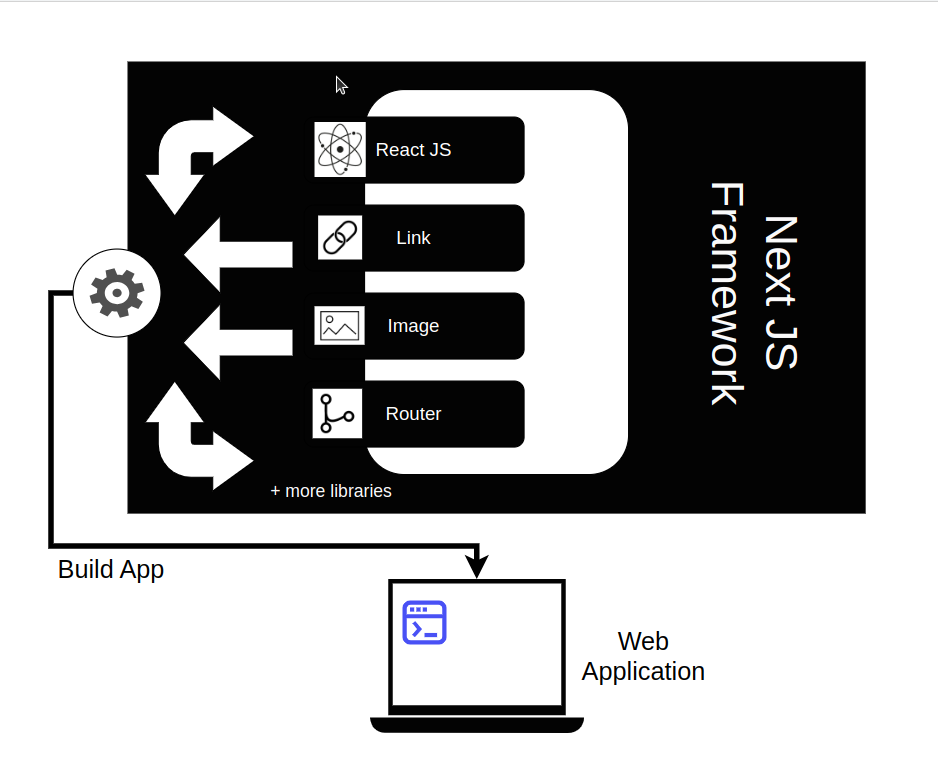
Next.js is a widely used and open-source framework in web development. It's a go-to framework in terms of both server-side and client-side rendering. Next.js provides configurations for React applications and adds its own features on top of the structure as well.
Note: Next.js offers vast features and can be learned through building applications here.

The keyword CRUD
CRUD is a highly popular term amongst developers.
It is an acronym for the following words:
Create
Read
Update
Delete
CRUD applications
The term CRUD is mainly used to define the functionalities of applications. CRUD applications refer to software applications that allow users to manage data by creating, reading, updating, and deleting records, usually through user interfaces.
A great way to start learning Next.js is to be able to build a fully functional CRUD application in it. Without further ado, let's get started!
Setting up a Next.js project
Before we move on to the code, let's learn how to get our project up and running first. The procedure for a Next.js project is quite similar to that of React in terms of both commands and syntax.
First, we're going to open up a directory and initialize our project in the same directory.
npx create-next-app .
Then, the terminal will prompt us with a few settings that we'll say either "Yes" or "No" to according to our project scope and requirements.


The project structure should be similar to the given structure.


We can now run our application using this command:
npm run dev
A full stack notes app
In today's Answer, we will be creating a notes app that allows users to see the listed notes, create new ones, and update or delete already existing ones.
Technologies used
Next.js will be used for the front end.
Express and some middleware libraries will be used for the back-end.


Next.js front-end
First and foremost, let's set up the front end for our code.
"use client";
We mention
"use clientat the top of the code to show that this code represents the client code.
const [notes, setNotes ] = useState([]);const [inputValue, setInputValue] = useState("");const [editIndex, setEditIndex] = useState(null);
We define the states needed for our interface. This includes the
notesthemselves, the inputinputValueof the user for the new note and aneditIndexwhich is used for conditional rendering. This means that if theeditIndexholds an index and an editable field opens up for updating the note's content.
const fetchNotes = async () => {try{const response = await fetch("http://localhost:4000/api/notes");const data = await response.json();setNotes(data);}catch(error){console.log("Error encountered: ", error);}}
A
useEffecthook can make use of the functionfetchNotesto retrieve the existing notes from the server side and display them to the user.
const addNote = async () => {if(inputValue !== ""){try{const response = await fetch("http://localhost:4000/api/notes", {method: 'POST',headers: {'Content-Type': 'application/json'},body: JSON.stringify({ content: inputValue })})const data = await response.json();setNotes([...notes, data]);setInputValue("");}catch(error){console.log("Error encountered: ", error);}}}
To add a note, we use the
addNotefunction that gets triggered once the user presses the button. If theinputValuei.e. the note content is not empty, a new note is added both through thesetNotes([...notes, data])call and on the backend.
const updateNote = async (index, updatedValue) => {const noteToUpdate = notes[index];try {await fetch(`http://localhost:4000/api/notes/${index}`, {method: 'PUT',headers: {'Content-Type': 'application/json'},body: JSON.stringify({ content: updatedValue })});noteToUpdate.content = updatedValue;setNotes([...notes]);} catch(error){console.log("Error encountered: ", error);}}
Next, we create the function
updateNotewhich takes theindexand new content i.e.updatedValueof the note. It updates the server and then uses the index of the note to access it usingnoteToUpdate = notes[index]and update its content usingnoteToUpdate.content = updatedValue;.
const deleteNote = async (index) => {const yesOrNo = window.confirm("Are you sure you want to delete this note?");if(yesOrNo){try {await fetch(`http://localhost:4000/api/notes/${index}`, {method: 'DELETE'})setNotes(notes.filter((_, i) => i !== index));} catch(error){console.log("Error encountered: ", error);}}};
Finally, we make the
deleteNotefunction. It simply takes theindexand filters out the note to be deleted through thefiltermethod. We also update the server. Prior to the deletion, it takes confirmation from the user.
const editNote = (index) => {const updatedNotes = [...notes];updatedNotes[index].editable = true;setNotes(updatedNotes);setEditIndex(index);};const saveNote = (index) => {const updatedNotes = [...notes];updatedNotes[index].editable = false;setNotes(updatedNotes);setEditIndex(null);};
The
editNotefunction allows us to set a specific note as editable by changing itseditableproperty totrue, while thesaveNotefunction saves the changes and sets itseditableproperty tofalse. This allows toggling of buttons.
Running the front-end


Express back-end
Having set up our front-end, let's now see where the server fetch requests actually go and how they're implemented.
const express = require('express');const bodyParser = require('body-parser');const cors = require('cors');const app = express();app.use(cors());app.use(bodyParser.json());const port = 4000;
We import
expressfor setting up our server,bodyParserto help extract the data sent in the request whilecorshelps enable cross-origin requests (different ports). We make our server listen on theport4000.
Note: Make sure to replace the port and endpoints when running it on your machine.
const notes = [];app.get('/api/notes', (req, res) => {res.json(notes);});
We keep an initially empty array
notesto keep track of the CRUD operations. The endpoint/api/notesis used as a GET request to retrieve the notes at any time.
app.post('/api/notes', (req, res) => {const { content } = req.body;const newNote = { content, editable: false };notes.push(newNote);res.json(newNote);});
To create new notes, we use the endpoint
/api/notesas a POST request and thecontentis sent in the body of the request.
app.put('/api/notes/:index', (req, res) => {const { index } = req.params;const { content } = req.body;if (index >= 0 && index < notes.length) {notes[index].content = content;res.sendStatus(200);} else {res.sendStatus(404);}});
To update a specific note, the
indexis sent in the URL of the request. We use thisindexto update ournotesarray by setting the newcontentsent in a PUT request's body.
app.delete('/api/notes/:index', (req, res) => {const { index } = req.params;if (index >= 0 && index < notes.length) {notes.splice(index, 1);res.sendStatus(200);} else {res.sendStatus(404);}});
We also send the
indexin the request URL for note deletion and use a DELETE request for this purpose. Using thisindexwe can usespliceto remove that note from thenotesarray accordingly.
Running the server


Complete code
Congratulations! We've set up the whole application in a few steps, and it can now be run and experimented with by simply clicking the "Run" button.
(F (n00 (-
¾F( $]ºº]$ òÿÿÿÿò 8àÿÿÿÿÿÿÿÿà8 âÿÿÿÿÿÿÿÿÿÿâ ¡ÿÿÿÿÿÿÿÿÿÿÿÿ¡#ôÿÿOOOÿ®®®ÿ«««ÿ«««ÿ«««ÿ«««ÿÿgggÿÿÿô#Yÿÿÿ ÿíííÿÿÿÿÿÿÿÿÿÿÿÿÿÿÿÿÿýýýÿ555ÿÿÿÿY»ÿÿÿÿkkkÿÿÿÿÿÿÿÿÿÿÿÿÿÿÿÿÿÿÿÿÿÿ»»ÿÿÿÿ ÿÍÍÍÿÿÿÿÿÿÿÿÿäääÿÿÿÿÿÿ»YÿÿÿÿÿJJJÿýýýÿÿÿÿÿkkkÿÿÿÿÿÿY#ôÿÿÿÿÿ¶¶¶ÿÕÕÕÿ ÿÿÿÿÿô#¡ÿÿÿÿÿ111ÿDDDÿÿÿÿÿÿ¡ âÿÿÿÿÿÿÿÿÿÿâ 8àÿÿÿÿÿÿÿÿà8 òÿÿÿÿò $]ºº]$( @ ,UèèU,*
ÒùÿÿÿÿÿÿùÒ
*
óÿÿÿÿÿÿÿÿÿÿÿÿó
QáÿÿÿÿÿÿÿÿÿÿÿÿÿÿÿÿáQrûÿÿÿÿÿÿÿÿÿÿÿÿÿÿÿÿÿÿûrrÿÿÿÿÿÿÿÿÿÿÿÿÿÿÿÿÿÿÿÿÿÿrOûÿÿÿÿÿÿÿÿÿÿÿÿÿÿÿÿÿÿÿÿÿÿûOäÿÿÿÿÿÿÿÿÿÿÿÿÿÿÿÿÿÿÿÿÿÿÿÿãÿÿÿÿÿÿÿÿÿÿÿÿÿÿÿÿÿÿÿÿÿÿÿÿÿÿ(õÿÿÿÿÿÿÿÿÿÿÿÿÿÿÿÿÿÿÿÿÿÿÿÿÿÿô'ÿÿÿÿÿÿ888ÿÿÿÿÿÿÿÿÿÿÿÿÿÿÿ___ÿÿÿÿÿÿÿÔÿÿÿÿÿÿ
ÿîîîÿÿÿÿÿÿÿÿÿÿÿÿÿÿÿÿÿÿÿÿÿÿÿÿÿÿÿÿÿÿÿÿÿÿÿÿÿÿÿÿÿÿÿÿÿÿÿÿÿÿÿÿÿSSSÿÿÿÿÿÿÿÔ+úÿÿÿÿÿÿÿhhhÿÿÿÿÿÿÿÿÿÿÿÿÿÿÿÿÿÿÿÿÿÿÿÿÿÿÿÿÿÿÿÿÿÿÿÿÿÿÿÿÿÿÿÿÿÿÿÿÿ®®®ÿÿÿÿÿÿÿÿú+TÿÿÿÿÿÿÿÿÿËËËÿÿÿÿÿÿÿÿÿÿÿÿÿÿÿÿÿÿÿÿÿÿÿÿÿÿÿÿÿÿÿÿÿÿÿÿÿÿÿÿÿôôôÿ,,,ÿÿÿÿÿÿÿÿÿTÿÿÿÿÿÿÿÿÿGGGÿýýýÿÿÿÿÿÿÿÿÿÿÿÿÿÿÿÿÿÿÿÿÿÿÿÿÿÿÿÿÿÿÿÿÿÿÿÿÿÿÿÿÿÿÿÿÿÿÿéÿÿÿÿÿÿÿÿÿÿÿÿÿÿÿÿÿÿÿÿÿÿÿÿÿÿÿÿÿÿÿÿÿÿÿÿÿÿÿÿÿÿÿäääÿÿÿÿÿÿÿÿÿÿÿééÿÿÿÿÿÿÿÿÿÿ+++ÿóóóÿÿÿÿÿÿÿÿÿÿÿÿÿÿÿÿÿÿÿÿÿÿÿÿÿÿÿÿÿjjjÿÿÿÿÿÿÿÿÿÿÿéÿÿÿÿÿÿÿÿÿÿÿÿÿÿÿÿÿÿÿÿÿÿÿÿÿÿÿÿÿÿÿÿÿÿÿÿÌÌÌÿÿÿÿÿÿÿÿÿÿÿÿTÿÿÿÿÿÿÿÿÿÿÿÿãããÿÿÿÿÿÿÿÿÿÿÿÿÿÿÿÿÿýýýÿIIIÿÿÿÿÿÿÿÿÿÿÿÿT+úÿÿÿÿÿÿÿÿÿÿÿhhhÿÿÿÿÿÿÿÿÿÿÿÿÿÿÿÿÿ¯¯¯ÿÿÿÿÿÿÿÿÿÿÿÿú+ÔÿÿÿÿÿÿÿÿÿÿÿÿËËËÿÿÿÿÿÿÿÿÿôôôÿ,,,ÿÿÿÿÿÿÿÿÿÿÿÿÔÿÿÿÿÿÿÿÿÿÿÿÿGGGÿýýýÿÿÿÿÿÿÿÿÿÿÿÿÿÿÿÿÿÿ'ôÿÿÿÿÿÿÿÿÿÿÿÿ±±±ÿìììÿÿÿÿÿÿÿÿÿÿÿÿÿõ(ÿÿÿÿÿÿÿÿÿÿÿÿ333ÿ___ÿÿÿÿÿÿÿÿÿÿÿÿÿãÿÿÿÿÿÿÿÿÿÿÿÿÿÿÿÿÿÿÿÿÿÿÿÿäOûÿÿÿÿÿÿÿÿÿÿÿÿÿÿÿÿÿÿÿÿÿÿûOrÿÿÿÿÿÿÿÿÿÿÿÿÿÿÿÿÿÿÿÿÿÿrrûÿÿÿÿÿÿÿÿÿÿÿÿÿÿÿÿÿÿûrQáÿÿÿÿÿÿÿÿÿÿÿÿÿÿÿÿáQ
óÿÿÿÿÿÿÿÿÿÿÿÿó
*
ÒùÿÿÿÿÿÿùÒ
*,UèèU,(0` - (Lj³ø÷³jK( V ØøÿÿÿÿÿÿÿÿøØ U%áÿÿÿÿÿÿÿÿÿÿÿÿÿÿÿÿá&ïÿÿÿÿÿÿÿÿÿÿÿÿÿÿÿÿÿÿÿÿïQÜÿÿÿÿÿÿÿÿÿÿÿÿÿÿÿÿÿÿÿÿÿÿÿÿÜRþÿÿÿÿÿÿÿÿÿÿÿÿÿÿÿÿÿÿÿÿÿÿÿÿÿÿþÿÿÿÿÿÿÿÿÿÿÿÿÿÿÿÿÿÿÿÿÿÿÿÿÿÿÿÿÿÿ¸ÿÿÿÿÿÿÿÿÿÿÿÿÿÿÿÿÿÿÿÿÿÿÿÿÿÿÿÿÿÿÿÿ¸®ÿÿÿÿÿÿÿÿÿÿÿÿÿÿÿÿÿÿÿÿÿÿÿÿÿÿÿÿÿÿÿÿÿÿ®ÿÿÿÿÿÿÿÿÿÿÿÿÿÿÿÿÿÿÿÿÿÿÿÿÿÿÿÿÿÿÿÿÿÿÿÿPýÿÿÿÿÿÿÿÿÿÿÿÿÿÿÿÿÿÿÿÿÿÿÿÿÿÿÿÿÿÿÿÿÿÿÿÿýOßÿÿÿÿÿÿÿÿÿÿÿÿÿÿÿÿÿÿÿÿÿÿÿÿÿÿÿÿÿÿÿÿÿÿÿÿÿÿßÿÿÿÿÿÿÿÿÿÿÿÿÿÿÿÿÿÿÿÿÿÿÿÿÿÿÿÿÿÿÿÿÿÿÿÿÿÿÿÿ#ñÿÿÿÿÿÿÿÿÿÿÿÿÿÿÿÿÿÿÿÿÿÿÿÿÿÿÿÿÿÿÿÿÿÿÿÿÿÿÿÿñ#ÿÿÿÿÿÿÿÿÿÿÿÿÿÿÿÿÿÿÿÿÿÿÿÿÿÿÿÿÿÿÿÿÿÿÿÿÿÿÿÿÿÿäÿÿÿÿÿÿÿÿÿ$$$ÿhhhÿeeeÿeeeÿeeeÿeeeÿeeeÿeeeÿeeeÿeeeÿeeeÿeeeÿeeeÿeeeÿeeeÿeeeÿeeeÿeeeÿeeeÿeeeÿeeeÿeeeÿeeeÿPPPÿÿÿÿÿÿÿÿÿÿäUÿÿÿÿÿÿÿÿÿÿ
ÿëëëÿÿÿÿÿÿÿÿÿÿÿÿÿÿÿÿÿÿÿÿÿÿÿÿÿÿÿÿÿÿÿÿÿÿÿÿÿÿÿÿÿÿÿÿÿÿÿÿÿÿÿÿÿÿÿÿÿÿÿÿÿÿÿÿÿÿÿÿÿÿÿÿÿÿÿÿÿÿÿÿÿÿÿÿÿsssÿÿÿÿÿÿÿÿÿÿÿU¡ÿÿÿÿÿÿÿÿÿÿÿeeeÿÿÿÿÿÿÿÿÿÿÿÿÿÿÿÿÿÿÿÿÿÿÿÿÿÿÿÿÿÿÿÿÿÿÿÿÿÿÿÿÿÿÿÿÿÿÿÿÿÿÿÿÿÿÿÿÿÿÿÿÿÿÿÿÿÿÿÿÿÿÿÿÿÿÿÿÿÿÿÿÿÌÌÌÿÿÿÿÿÿÿÿÿÿÿÿ¡ ÚÿÿÿÿÿÿÿÿÿÿÿÿÉÉÉÿÿÿÿÿÿÿÿÿÿÿÿÿÿÿÿÿÿÿÿÿÿÿÿÿÿÿÿÿÿÿÿÿÿÿÿÿÿÿÿÿÿÿÿÿÿÿÿÿÿÿÿÿÿÿÿÿÿÿÿÿÿÿÿÿÿÿÿÿÿÿÿÿýýýÿHHHÿÿÿÿÿÿÿÿÿÿÿÿÚ (ùÿÿÿÿÿÿÿÿÿÿÿÿEEEÿüüüÿÿÿÿÿÿÿÿÿÿÿÿÿÿÿÿÿÿÿÿÿÿÿÿÿÿÿÿÿÿÿÿÿÿÿÿÿÿÿÿÿÿÿÿÿÿÿÿÿÿÿÿÿÿÿÿÿÿÿÿÿÿÿÿÿÿÿÿÿ®®®ÿÿÿÿÿÿÿÿÿÿÿÿÿø(Kÿÿÿÿÿÿÿÿÿÿÿÿÿÿªªªÿÿÿÿÿÿÿÿÿÿÿÿÿÿÿÿÿÿÿÿÿÿÿÿÿÿÿÿÿÿÿÿÿÿÿÿÿÿÿÿÿÿÿÿÿÿÿÿÿÿÿÿÿÿÿÿÿÿÿÿÿÿÿÿÿôôôÿ,,,ÿÿÿÿÿÿÿÿÿÿÿÿÿÿLjÿÿÿÿÿÿÿÿÿÿÿÿÿÿ)))ÿòòòÿÿÿÿÿÿÿÿÿÿÿÿÿÿÿÿÿÿÿÿÿÿÿÿÿÿÿÿÿÿÿÿÿÿÿÿÿÿÿÿÿÿÿÿÿÿÿÿÿÿÿÿÿÿÿÿÿÿÿÿÿÿÿÿÿÿÿÿÿÿÿÿÿÿÿÿj´ÿÿÿÿÿÿÿÿÿÿÿÿÿÿÿÿÿÿÿÿÿÿÿÿÿÿÿÿÿÿÿÿÿÿÿÿÿÿÿÿÿÿÿÿÿÿÿÿÿÿÿÿÿÿÿÿÿÿÿÿÿÿÿÿÿÿÿÿÿÿÿÿãããÿÿÿÿÿÿÿÿÿÿÿÿÿÿÿÿ³øÿÿÿÿÿÿÿÿÿÿÿÿÿÿÿÿáááÿÿÿÿÿÿÿÿÿÿÿÿÿÿÿÿÿÿÿÿÿÿÿÿÿÿÿÿÿÿÿÿÿÿÿÿÿÿÿÿÿÿÿÿÿÿÿÿÿÿÿÿÿiiiÿÿÿÿÿÿÿÿÿÿÿÿÿÿÿÿøøÿÿÿÿÿÿÿÿÿÿÿÿÿÿÿÿeeeÿÿÿÿÿÿÿÿÿÿÿÿÿÿÿÿÿÿÿÿÿÿÿÿÿÿÿÿÿÿÿÿÿÿÿÿÿÿÿÿÿÿÿÿÿÿÿÿÿËËËÿÿÿÿÿÿÿÿÿÿÿÿÿÿÿÿÿø³ÿÿÿÿÿÿÿÿÿÿÿÿÿÿÿÿÿÉÉÉÿÿÿÿÿÿÿÿÿÿÿÿÿÿÿÿÿÿÿÿÿÿÿÿÿÿÿÿÿÿÿÿÿÿÿÿÿÿÿÿÿýýýÿHHHÿÿÿÿÿÿÿÿÿÿÿÿÿÿÿÿÿ´jÿÿÿÿÿÿÿÿÿÿÿÿÿÿÿÿÿEEEÿüüüÿÿÿÿÿÿÿÿÿÿÿÿÿÿÿÿÿÿÿÿÿÿÿÿÿÿÿÿÿÿÿÿÿÿÿÿÿ®®®ÿÿÿÿÿÿÿÿÿÿÿÿÿÿÿÿÿÿjLÿÿÿÿÿÿÿÿÿÿÿÿÿÿÿÿÿÿªªªÿÿÿÿÿÿÿÿÿÿÿÿÿÿÿÿÿÿÿÿÿÿÿÿÿÿÿÿÿÿÿÿÿôôôÿ,,,ÿÿÿÿÿÿÿÿÿÿÿÿÿÿÿÿÿÿK(øÿÿÿÿÿÿÿÿÿÿÿÿÿÿÿÿÿ)))ÿòòòÿÿÿÿÿÿÿÿÿÿÿÿÿÿÿÿÿÿÿÿÿÿÿÿÿÿÿÿÿÿÿÿÿÿÿÿÿÿÿÿÿÿÿÿÿÿÿù( ÚÿÿÿÿÿÿÿÿÿÿÿÿÿÿÿÿÿÿÿÿÿÿÿÿÿÿÿÿÿÿÿÿÿÿÿÿÿÿÿÿÿÿÿãããÿÿÿÿÿÿÿÿÿÿÿÿÿÿÿÿÿÿÿÚ ¡ÿÿÿÿÿÿÿÿÿÿÿÿÿÿÿÿÿÿÿáááÿÿÿÿÿÿÿÿÿÿÿÿÿÿÿÿÿÿÿÿÿiiiÿÿÿÿÿÿÿÿÿÿÿÿÿÿÿÿÿÿÿ¡UÿÿÿÿÿÿÿÿÿÿÿÿÿÿÿÿÿÿÿeeeÿÿÿÿÿÿÿÿÿÿÿÿÿÿÿÿÿÌÌÌÿÿÿÿÿÿÿÿÿÿÿÿÿÿÿÿÿÿÿÿUäÿÿÿÿÿÿÿÿÿÿÿÿÿÿÿÿÿÿÿÉÉÉÿÿÿÿÿÿÿÿÿýýýÿHHHÿÿÿÿÿÿÿÿÿÿÿÿÿÿÿÿÿÿÿäÿÿÿÿÿÿÿÿÿÿÿÿÿÿÿÿÿÿÿEEEÿüüüÿÿÿÿÿ®®®ÿÿÿÿÿÿÿÿÿÿÿÿÿÿÿÿÿÿÿÿ#ñÿÿÿÿÿÿÿÿÿÿÿÿÿÿÿÿÿÿÿ¬¬¬ÿûûûÿ,,,ÿÿÿÿÿÿÿÿÿÿÿÿÿÿÿÿÿÿÿñ#ÿÿÿÿÿÿÿÿÿÿÿÿÿÿÿÿÿÿÿ222ÿ}}}ÿÿÿÿÿÿÿÿÿÿÿÿÿÿÿÿÿÿÿÿßÿÿÿÿÿÿÿÿÿÿÿÿÿÿÿÿÿÿÿÿÿÿÿÿÿÿÿÿÿÿÿÿÿÿÿÿÿÿßOýÿÿÿÿÿÿÿÿÿÿÿÿÿÿÿÿÿÿÿÿÿÿÿÿÿÿÿÿÿÿÿÿÿÿÿÿýPÿÿÿÿÿÿÿÿÿÿÿÿÿÿÿÿÿÿÿÿÿÿÿÿÿÿÿÿÿÿÿÿÿÿÿÿ®ÿÿÿÿÿÿÿÿÿÿÿÿÿÿÿÿÿÿÿÿÿÿÿÿÿÿÿÿÿÿÿÿÿÿ®¸ÿÿÿÿÿÿÿÿÿÿÿÿÿÿÿÿÿÿÿÿÿÿÿÿÿÿÿÿÿÿÿÿ¸ÿÿÿÿÿÿÿÿÿÿÿÿÿÿÿÿÿÿÿÿÿÿÿÿÿÿÿÿÿÿþÿÿÿÿÿÿÿÿÿÿÿÿÿÿÿÿÿÿÿÿÿÿÿÿÿÿþRÜÿÿÿÿÿÿÿÿÿÿÿÿÿÿÿÿÿÿÿÿÿÿÿÿÜQïÿÿÿÿÿÿÿÿÿÿÿÿÿÿÿÿÿÿÿÿï&áÿÿÿÿÿÿÿÿÿÿÿÿÿÿÿÿá%U ØøÿÿÿÿÿÿÿÿøØ V (Kj³÷ø³jL( PNG
IHDR\r¨fsRGB®Î
é8eXIfMM*i D"8s
IDATxí] °Õn]<QVAèÄh$ ÊN13*q°ÂdªÄ©I¡DL2ª(Î(Ô2ÖÄÑG Áq_@å±àxÈï»Ð¾{o÷½½ÓýýUß{}»Oå;çÿûôùÏ9ÝÂd®(Dg Ð8 èôNº]î@
hx¥?v
ÀNà3à=`;ð6ð.ð&°
àuâà ±6
P©Ð½Á@ÿà RÓPùiZqÊ^DNãàwp¼
Ø
¼ÐXÐhÐH
g@ÀÌ
:Ùâ|ð5` p"@À'¼É²s{
ëpü*ð2ÀÞ
Ä dÒ¯È|(0ø
0à>Kò
³x
X¬6IJ
ȤC|?$KE
NØ}Ï|Âòµáàöh $ 2
Ù|/§Â.Nz#
¼ÃWeÀ
à5ã
ܶú
à;Ày¾ ñgàs©
h^IÄ
ÈDL(¢;¸8 Ò
Hjgc
H|x 1 ËR"aïôÓGÁÙ@
è9`/`%0è
HÄ@j
ð½~,° ÛK
,t).ÎèIDèT¦Oû)~º
°Vìu$b èª
ÐU%¥7¨ù_É$b 8Aç×ÀßøJö3` 510wQñ?¤øvrðÑá:ü2þKÄ@ ¤øv*{%#íAZå^(õÏ=ñ³g\ãÀWÛÉ!:àß,`à6ýÏ643:@c.FÙ¤ðùäu?Ð<'áÝ_
Üvp: É8
Q¾
IñÅ·
p{3ÎóÐkHÈ¢G¡¼®cñѼ
<62&
×2uCÁÿàÚòæßâ¤Tø3Ú
½ê
;d/~m½.øXÆ@{äw.°ð«d]GÚ{lKÜàEbÿý(P©RuMüTÛ
CÒÚÃ
Àdäï])¿_Lmà=Äû=@bÍ÷KÛGUkÙ^UÓØÆØÖø)1È»gÕT¢Â¯°m`9Ú\Ú®³ÀQþÍ@ØÊÔýâ°6ð:ÚÕ^w¬òï¸ED
¤Áç ü5°àºëÄFÐ,ßÜ
ðX"Òdmð<nB~òì
@´¸÷µt×tx»
ü;ÚfÞ>ñª
íI8µ»¿8Ó¸C1Ûª$B¸§e©Ý+þjl«ÜEZÃÇ& ©ÊS:â:6°möë´ÿ\G1¥ç`¢¨Å!
nl»lÃÆÉ^Q`í·@OcÙSÆÄ@e¸Í·º¹ç¤qbªpÿãSÄ@u
pº±FÀD@å¿Ð¿º¦Ðæ2@#À¹ÆõL3£A $H2Ç_h¶FH
#rq(
íÿOàDò¤¬¨àrunGOWaêb&SgDñ3ÀEDçto§*Ǥú¡Ä9kÝ~)¿¡,$ x¿R1vàK áÀ9D
äU(ðw®&LEÒ
äê©»
S)¹é3ÐY8x8$.i(íÄK¬ÅY
ìðaÈ]´
À4ôÇ c®Å@3¸fàó4ÆÆ¢ÿ
Ð/*bàüþÇþ$!I~
Ø7ÉB*-1` o º $»àÇ¡D¾LûàòßêJ"äÀOQ¢Ë)ö2@#Ðx4"$e¨ø·Iö8àOi8ø"ݼGäÞ8[xÄt<ñ.´´7&m&ØR^³tq÷Øá.¾§ÅYÅ-2Ƚd§ûã*_Üà&d|j\W¼b ã
ôGùö«â*g¯£éÄF4ã"IñØ´/b1qNÈðãÀYD
p
¼Û9îãpÑ
}w\¯óÔ¤£Ó1 j`è
OûîxK
=ÑHñ÷÷A1
#¾
D:U8jÀõýtù©ë$b bA||Ø
U¼Q¿ü26%ªÌ)
1 è
_
Àꢳ!~DÙàºæ¿à+b
>A´Ü:]Ñ E$£50òGDhRÑtèÐÁéÝ»wRÉ)ð
PÇèn$ 3ÜÖë@bS§Nu,Yâ´jÕʲç:»¡ôÜ;ÀáÀßó@£`Ç |ã-[)'OVýÙÕ©sFxÚ®âÛ¥øn}Í7¯ üü³~ýúƺº:»ÀQ©J_¤ÎUKj8q0xðàÆ
;v4
Ì=[õhW=¾ Ýë ¤&·!e5Ë8hÑ¢EãÝwß]¤üüñá 6öïß_õiW}þSZÚ? ¿/`
;vlã¾}û2<±hÑ"»
À§ÐAÜÕX,ã mÛ¶+V¬(©ü<¹wïÞÆ#F¨^íª×;ÖþaHðcû
à)SÊ*¿{aùòåp
ÊØc89(Ñ^þö4&E¦ÛoÃ
®Wü/· uÆ=±^þ*?{k^·_EíÇÅúúz¹íªgöUI-è{
WU*
:pû9
.tÚ·o (/ݺus>ûì3ç'^RgßäÚGâÌI_D®»
åÜ~~½¹{
øúÙ?N0 7½SêØ.Æ׸ÿ~?}/y]nA;êØ£³ã2]ñFOB2C?·_I÷[Ð:°:Ú=#ÀOzKé-ã ÛÏ£ï%å´®Ý?jÐþIÀ®PÛ¯¤æ{NÊ-hUÝÿ t:øõ,â ·G×K
Ê-hUÛç¢chP7 ÿÎ
¡ÂÁ@µn?¿\Ó-¸k×.¹ý2ã:õú ð`ÙáFÛ=ý-á V·_ÉG¿ç¤ÜVéÝõ}¢0WIùªøFºýÊöóèsMr
ZÕ8p J¸QÜ*@OK8ëöó³
r
Z¥
ÔÝa,ßûwËØSéW^y¥¾.· 5íat7ÔØݤüÖTv#Ý~7n
àA"¸üòËÕ+´£WøèpMÂÅ/ªhK8Òíçgä´F/^·«ÅÀM{eì¨èR|ú)qØë7Ýt
æ?
8'ൠKùíP~ºýî¹ç°ú\õýr
ÚÑ> Ç·UkØeP÷ß|ë^xÇéöó³
/V/Àüvòô¯ôå
ä¢*×pâvûù¹Ð¾Ê]JûË}ók8(ÎÅÇÀÄÑ£GÇOÌmÚ´q,X o
úðòe.
â^ ¡Qx
ÐÓßptûùõä4^_
N{à¾øÅyÄ2s¤ÛÏÏÐ-عsgµsÛÌÐiêvZ
8
!~PJ?c«ýîºë®À|Æ]®Ü½{·³zõê¸Rüµ1p
nãÔàzïí¥º¼tl
pû9³fÍrºvíjT殿þzß4*OÊLã~øÑçÔ34Ý~~¯r
;ÔmêxY+üÀ
¡
¤íöó3r
;Ômêx4à÷Å:7]Õq
L4)U· !r
ú1êuê6¿ìÕ$Í
À7®èÀ8ºwïîÌ3Ǹ|5Ï>?î\zé¥ÍOë·
ëÍ×ðø,ïE
ÅÀ3©2¹¹å[ººº2Wu:E¾´¼^p.
H1cJºtû]}õÕBuéÔSOu®º»ÉI
cO¥òÄ%
ÆAZ«ýüüü®kµ ºD
?Ç5Þ
@Q×À
ÿé3Àwê+®¸"ýTÎSÀUÞ¥à13Àî?û
â5M'Ýú>pûþZµj~fjÈ
×סÔn©¦±>×ðÿi5D¤[bf íÕ~a'·`Xc¹ã-¼1ók¢½ÿÄI«ýüÞ÷ý®kµ QºÅ¯|ókßMËé(92È@t°ÉíçÇÝX-èL×aúN4qÜ'$f0@·
@VnAÜYá½L9:â|/^sÇú ¨Ó)0`êj¿°T\wÝuZ-Äèî ¨\ @Ñ:¦±cítûù{È-èÇRb×û1%×ôI,Y%TÛÝ~
r
ú1ØõÂC ,¼$´*Ëé«ýÊf<à¹0zþ¥èhÕFüû¦·«ý|
â¯8Z-èCRü¹Tg×ÐHRfglYíª¹sçÊ-Äp÷Ó'+Ãèî¶mµ_ØgÍÍîçC¿{ô òÃȪÛÏÎ3gÊ-èGR|×¹7`GÞñ¥¡0U·_ÙµZСدD )À±ó\>¬»ýÊüйýõz N¤Ä@ÖÝ~~´Ê-èÇP¬×{rs¿´@¬<|.]ºÔ¸|Îm|gûõëç¬_¿ÞyåWâKD1bàM½¢%¡s\
· ¥r
ú1Ëõnì\
Æ"-ÉÝ`
.4æÛ~%3àI}[0A²$µ=-Ò>BH"G®Û^r<ÂEBGÝiÚ%9Ì@^Ý~~
@«ýüú1Üì
@tû-[¶ÌèÏ{%@CÙ$ðmAgüøñÎ5kÊÑ
Èø/åOÿlßäÓ¿áBÐ@.X°À±uäp¥Oüî6
x²9MPn¿`ß·o_§¾¾^nÁ`t
¥§(úª»\rûùsÆAÒyóæéÛþT
¡
@h
E0lØ0çÎ;ïtÚµÓkƸN ¡¡ÁYµjUà
S#ì|^㽺- |¢ÝpÃ
N.
ØÞ¥`×^{zLñ64Äbç¨öe]&"ªdsÎ9UÞ¥àU0ð!
ÀÁ*nPÐ*`ÿæoÖ¨v¼¹Ái8GåþÔÿhh ØmÍËÀäÉsÏ=×{JÇU0ÀÕóçÏwZ·æþøìö8bEzôèá,Y²Dïþ![C>}7:k×®
noÆÀfö>jvR?#bX
(¶üFÃAT¾FÕÕióê[Á{ì°zvÄç>º¡CÊía+[0B2Dµ=íG~ë(
øĺñÆÕõLO
×\sÜ
>"8|`[)
&Lp8ø'öäÓí4oGeÎ#£Û ÀlÙ_\DÍÜ2ZØl¢Üi´9
täÈ9f Þ¢Ë-¿¼=YÌyn?uQã¯}Xͬ
ÍsAïi>=Ð1æ=RÉí+à +
Ü¡¸.2
Kì«·ßôéÓCÆ¢Û20hÐ Ë«%53À5@
MA¹%¦×Ì£ãÈí¼·j[õä9Î;¸û_(¯ ú§¿µ0ÀÕ~rûÕÂ\¸{ômÁPüÜÿ®x#TT9¾n?¾ÊíN# á×¥&î
}׬¯)
ÝTVL¯!¸ßÔjÁªë`
ïp
ß8 @RrûUAVAå¬Ü=¸ã-Þå÷pLHª`@n¿*È1¨ÜUËõ?}w
]ìH2@·ß´iÓV°¸ [˯%àôÿëß58±)Ð
T`|rZbZ-¸.Ö!da+@×ðÎçßóZígf[0p½¼æôä¤ I´Égr
¸$· o%PÇ_rCy
ÀV|ß½ ÿ¥à"mòYÎÊ-è[
lÚÄkxAãøÛ¯9]¢[pÒ¤IåȨ¬pPÇÏkºFeÙÌÈígHEødnAm"Z$õ5}
zå8üéô2røX| ÅàS
Ü»w¯³råJsJÖ~Tfþz{ÌÍ«÷xÐj?
jµàQEÝnòðjsÀùÁ|Gxзý<dXt(·àQEÝ.¬p¯47Üð)÷¢þ;
Ïysµ_«VD
È-XTiÔí¢ý?~¼èÿÛÏî ·`Qý=Vô
?òú^à
¹ºý.]ª|XÞ
ômÁB~¿?ÆøJõÞD
·äüÜ~Ùhr
êóÿ©ÛERªÀ
AÝóBæìÝ~wÜqÓ¾}û<Å[й5ûdóÚ-Õ`5?
KqÝ~l4ì0@·à)§/I®(¼àØü
¥nÎê9¹ý²Y³4è!CÙ2×*w9ÀÀGKÝõsî&rûe³¦súé¶? 6Ù
8JÊ|(ò
uwOä´d°&K)nA¾Ê?RÒn@7,·
º8Á=õÿrûe½nÁM69k×òM7óÂéý·J´R]e¥nÊê9¹ý²Z³Ååâ /?áo
>Òó¾¤rzrÒÀ óó`åöóV{ö»uëæ4448«VÊra÷ p³îõQRZ<{ädK
.F
9½#~Tâ¾ûîs.¾øâìN%*Ë
ÀðáÃuë8G&²¥ì/W:*x%á{Ã}@¦
»lõõõNc#çAIòÀÀ±Ç
õiÞ÷£
Ë*?ëدÀ0}gãùC"Ä
pÛ¯³ßû¨4èÒ(bÀ
8_QùY áîr7'
`·ÿî ùj¸6à
*©3ÀWögä"¨àl¢
¡Â1:ì±Sg}%È ¹¥P?÷þ1`
£¯ ÉYÐ
ãâ"Dª0b@
¤ÆÝö9¬¦Àðý¾[táF1Àôp`kÐ\UÓ`ÜRø·A#W81 e`)RÛZMÕö÷[
uæF0ð rq.ÀÕ¥Ú
#^ð=C"Ä9
P'«R~f½
ï
pnzdC"Òe ¦§?³\K÷½¨@&$b }jzú3Ûµöx/{
èÄ 1 Ra#ÿ|÷çÆUK=&Ä^æTM¹n2À9ÿ5)?s¦Àû{O'óD
Dàßo[kMÕoK0¿xÿÜTd_@]b ræ ÆGÃĶÀ´;«¯òD
DàêÜ1ÀgaR
Û`ÚÜ'`0Â >
\ë/ùñ½
fÐùøñ÷Åß!fn÷
Z¢|bÜðU .t®åà¤ÑÀÚrª9 Å+
ý±î ýb rnEDk=æé8àÀÙü!b RClãPÞ
EÙ`¼ÜK'~ß
@ Ë}*°!`ø@Á¢6Lô
;À $b@
DÃÀ?#ÈgÞFý
àµ
V
1výÇ;ÃEsôÝQ¹ÇÌ=É®ö4¿ ßb@
TÅÀnþ!¹ò3q¼0^ÊVãcµ1ðܶ´¶[ýïëÀM¹=8IÝÕ1@Ú
@Cu·
·`N¸oÀãWJÄÆWúÑåÇe÷±I¯n¦¹Nàm௸Æ
Ü´ô_
d(Ä4`EÜ
I°
¯"̵Ë1 *3ð+\þEå Ñ\MâÀÍ)g rÁ¦
»è¿8>õ¿pô?vIÒ°0Ç~ü!b øÅ$'Ó%"I¿¿Rý
Ài1 0°
?S~&ÔÓr
äÆ
¤{ n
ô_
ÄÀÈÌLà?ÎTeäÔÆÀ7ùC"rÎÀOQ~"qIË° O
8?$b §
Ürÿ#@×_âv¼JÌ£/¹é3ð'dá/ÈÖ÷W[¤¤ço'Nü
ðló
ú-2ÎÛüå@jÊO~Óî0À2`HÄ@ÆØòÐ+ª¤Ýp
OB®ÞuOè¿È(lãSÔü¦9Èô½ò~ðcß:x/èX
d.ðù
°ÆòdÈÉVày@F$H2Åïü+M*iÜl8O@F$H2Áå®24&r´
POÀ´Ö¢üÔÂûä7NùYS
ó¶ øÀY1`
ðã;ÿJS3n² g['@W@"la`32Ên?'ûHB2p
îhÄmmu ×j@F@
ÜV ²Z!¦¿xIäÉÿH®yѱ)
üù>ÀåZ!6ºàaÎ`äþ¦ÌdDV$9fëù pM¿6»I¨!LG:\LdrwPyË~ýPá§%ÔæL3Æá7çTKÑÄAmmo|³6© 3Ð é-ÒhJ3¿¼?67 á¶
yr¶"û
þàgÈÎ4.$±1À÷ý_¼ [*¸&¸¤S/õdq´Îìãä
Á
CÞ
âh3¿¼>6Ŷ%±¶Èã\#´RZq¦
ð
=lK|ÅXÆÀXäWSej5/¡ýÐÓ$±:äýv@½ Î8Ð×
d1(z2~Fà)´ùö3¢ôÍÁÞÀl®C¿ ëùâè#´í=².\Lt? %Ñ
N$9b %Ê:àþ2ùäu É1|- ldòÁ÷t$b À@?ü¥·@ »FàcÔïÏ^D
d[9ýà zÙàÏ:
HÄ@ ¾P2v)~ ¦®@àüïz5°Ç|úÒ¿R«ÖµªàÁ|`# W39غá<î"-±0Àï\<ìd
ÒåuÀoGLz1Gp°àeå¯d.øj
HÄ@j
ôFÊ3@ c{s<
ÿùJ& É@÷ëöb¸
ÙÀw ²§ ©nÁµàvð²û< ,M;û*p>p!0hHüà{=»ðü
xà]IÄ
ÈDLhèÚâ<'¡h8Ç@V Á#ïãJÿ°àf
ûI
ÈÄHn
¨ûãW}
àNÆt[uò$¢°§åþ
@ 2 ]&)
#3, =%¯TôÕÀkÀ&à I÷I¶®Ó³ðÙ[8 è ´L]È
]tïTðgõÀ6à-@b2UOVºã:
A?¯
}
.iî| àxCÂ÷rvßw ;ÎÀ#ê>éi8_b82WPìÑõè{'n¯á
Ó8ðz;ƤyÝsÃ@¥¦¼P¡·o|ÂSùih$3ðÿ@ß¹jìáIEND®B`Application demo run
This is what the empty notes application looks like.


Let's assume a few notes were already set up. To add a new note, we write the input in the box above and simply click "Add Note".

The note appears at the end of the existing notes.


To edit the note, we click on "Edit", which enables the conditional rendering of the "Save" button. After we've changed the input, we can click on "Save" to update the content.

The note has been updated in the list.

Upon clicking delete, we first have to click "Ok" on the alert to delete the note successfully.


Pros of using Next.js
We can think of Next.js as a game changer when paired with React in a few areas.
Superior search engine optimization
Shorter load times
Support for TypeScript and CSS
More accessible URLs
Prerendering and image optimization
What functionality of CRUD does the filter keyword help in?
Free Resources