Environment Variables
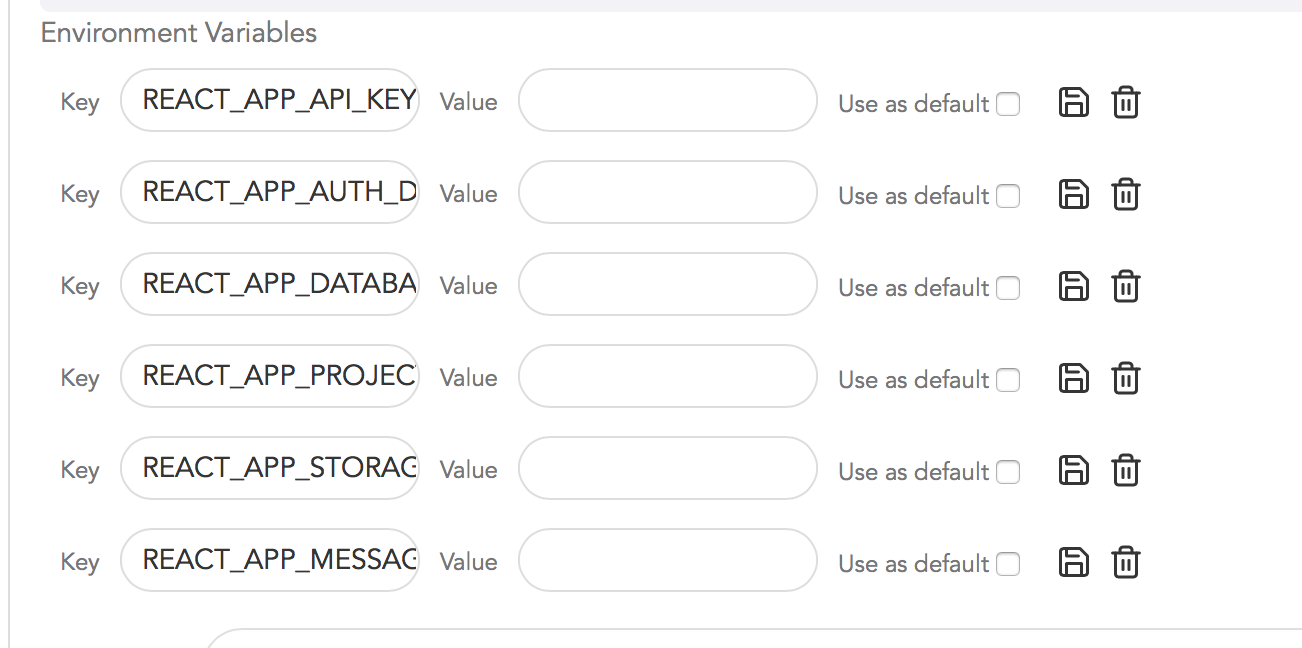
Incorporating environment variables into applications on Educative can be easily managed through .env files, which store configuration credentials, such as those for Firebase. A practical example can be found in the project "Integrating Firebase with React," where the setup process is straightforward. Detailed guidance is available in the Author's Guide for adding these variables to ensure a smooth integration.
We'll cover the following...
Now you might have .env files in your projects such as configuration credentials for a Firebase app and you may be wondering how to incorporate that onto applications on Educative. Don’t worry as we have got you covered.
Read up the information on “Adding Environment Variables” in Author’s Guide.
Here is an example of a project “Integrating Firebase with React” that we set up on Educative:
GitHub Link
Dockerfile
Dockerjob
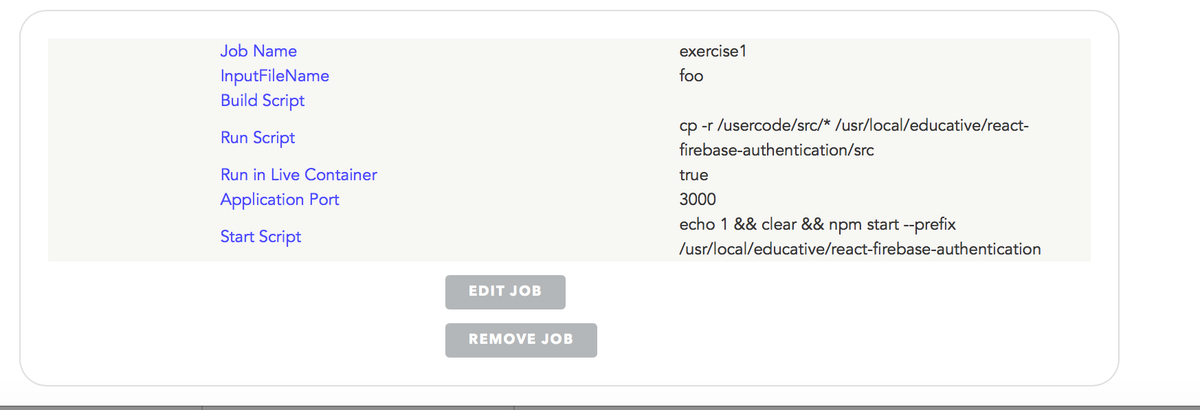
Environment Variables
As you can see, the above application was very simple to set up on Educative. I hope the same is the case with your application. Good Luck!