Build Our First AR Scene
Explore how to set up your Unity environment for AR development on Android, configure player settings, and understand AR scene components such as AR Session Origin and AR Camera. Learn to add and manipulate 3D objects in your AR scene to build a foundational AR application ready for testing on compatible devices.
Create our first AR application
To start with AR scene creation, we need to set up the Unity platform for AR-compatible development. Follow the instructions below to set up the platform for AR development.
Platform setup
To create an AR application, we have to set up our platform settings. Both iOS and Android can be used to create an AR application, but in our case, we’re developing applications for the Android platform. To do that, follow the steps below.
Android platform setup
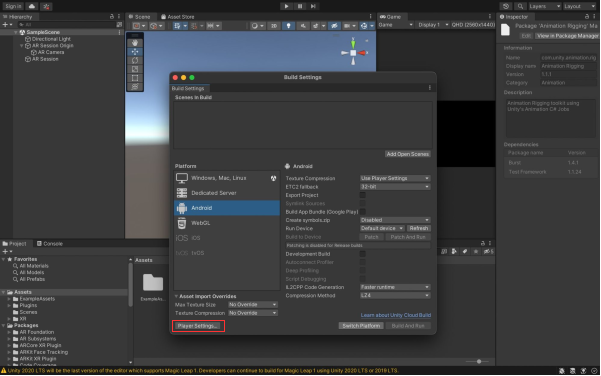
The steps to set up a Unity project platform for Android to build Android applications are shown in the slides below.
Now that we have completed switching the platform, let’s move on to the player settings section.
Update player settings for the AR application
Now let’s change the player settings for the AR app to create an Android application.