Making It Real-Time: Triggers and Webhooks
Explore how to transform manual workflows into autonomous, event-driven services in n8n. This lesson covers the essentials of trigger nodes, compares polling and webhook models, and demonstrates setting up a GitHub trigger for real-time issue tracking.
In our previous lesson, we successfully built the MVP of our GitHub Issue Triage Agent. We have a functional, three-node workflow that can fetch issues and post a notification to Slack. This is a significant first step, but the agent still relies on a manual command from Alex to run. The true power of automation lies in autonomy.
The goal of this lesson is to elevate our MVP from a simple, on-demand script into a fully autonomous, event-driven service. To do this, we will replace the manual trigger with a GitHub trigger. This change will allow our workflow to execute automatically and in real time, the moment a new issue is created in our repository.
An introduction to triggers
An automated service is only as good as its ability to start reliably. In n8n, the component responsible for this is the trigger node. A trigger node is the exclusive entry point for any automated workflow execution. You can think of it as an event listener in an application or the entry point of a service that waits for an incoming request.
Trigger nodes are visually distinct on the canvas: they have an output connector but no input connector and are marked with an orange lightning bolt icon. A key rule to remember is that a workflow must be active for its triggers to function automatically.
Every workflow that runs automatically must begin with a trigger node. While a workflow can technically contain multiple trigger nodes, it’s a key concept to understand that only one trigger can cause any single execution. The trigger that receives the event is the one that starts the workflow run.
Polling vs. webhooks
There are two primary mechanisms a trigger can use to learn about an event from an external service. It can either repeatedly ask for updates or it can be told about them directly. Let’s explore these two models.
The polling model
Polling triggers are nodes that check for new data on a set schedule. The developer-focused analogy is this: a polling trigger is like a script running a GET request in a cron job every minute to see if anything has changed. It is a “pull” model of data retrieval.


Polling has several advantages:
It is simple to set up.
It works with almost any API that allows you to fetch data.
However, it also has notable disadvantages:
It is not real-time. A delay always exists between when an event happens and when the trigger detects it.
It can be inefficient, making many API calls that return no new data.
It can lead to hitting API rate limits if the polling frequency is too high.
The webhook model
Webhook triggers take a different approach. They provide a unique URL that “listens” for incoming data pushed from an external service. The analogy here is a push notification or a dedicated API endpoint. The service tells you an event has happened the instant it occurs. This is a “push” model.


The advantages of webhooks are significant:
They are real-time, executing workflows with minimal delay.
They are highly efficient, as the workflow only runs when there is new data.
The main disadvantage is that the external service must support webhooks to use this method. For our Triage Agent, we need real-time execution. A webhook is the ideal solution.
A closer look at trigger types
n8n provides a range of triggers, each suited for a different activation scenario. Let’s review the main categories:
Manual triggers: As we saw in our first lesson, these triggers start a workflow on demand. The manual trigger node is your primary tool for building, testing, and debugging workflows before you automate their execution.
Scheduled triggers: These triggers run a workflow at specific, predetermined intervals. You can configure them to execute every minute, daily at 8 a.m., or once a month at 4 p.m. The schedule trigger node allows you to define these intervals with simple settings or with a standard
cronexpression for more complex schedules.Application-linked and webhook triggers: This is a broad and powerful category of triggers that launch a workflow in real time in response to events from external applications. This is the category our
GitHub Triggerbelongs to. Examples include the following:Receiving a generic HTTP request using the Webhook node, turning your workflow into an API endpoint.
Responding to a user submitting a form with the native n8n Form Trigger.
Initiating a conversation based on a new message using the Chat Trigger.
Monitoring for new or modified files with the Local File trigger.
Processing incoming emails with the Email Trigger (IMAP).
Consuming messages from a queue with the
MQTT MQTT (Message Queuing Telemetry Transport) is a lightweight publish/subscribe protocol commonly used for IoT and edge devices. Typical uses: device telemetry, sensor events, remote control messages, and any low-bandwidth, low-latency device-to-cloud messaging. Reacting to events in specific services like the Google Calendar Trigger, Telegram Trigger, or Slack Trigger.
Sub-workflow triggers: These triggers allow one workflow to be called and executed by another. This is a powerful feature for creating modular, reusable automations, similar to writing a function that can be called from multiple places in your code. The execute workflow trigger node is the entry point for such workflows.
Specialized triggers: n8n also includes triggers for specific operational purposes:
Error triggers: The error trigger node is designed to start a dedicated error-handling workflow the moment any other workflow in your instance fails.
Evaluation triggers: The evaluation trigger node is used to validate AI workflows by processing a test dataset from a Google Sheet.
Understanding these categories helps you select the right tool for the job. For our Triage Agent, we need real-time responsiveness, which places us squarely in the realm of webhook triggers.
Note on testing: We use a personal/test repository rather than the n8n repo for the hands-on steps because real-time GitHub triggers require a repository where you have the necessary privileges (for example, the ability to create webhooks or push settings). Using a repo you control lets you reliably create issues, push commits, and trigger events on demand. If you prefer, you can also fork the n8n repo or create a small test repository where you have owner or admin access.
Implementing the GitHub Trigger for real-time events
Let’s upgrade our workflow to use the GitHub Trigger. For now, we will be using two triggers. We can delete the manual trigger later on.
Use the “+” button to open the nodes panel and choose the “Add another trigger” option.
Search for and select the “GitHub Trigger.”
From the sub-menu, search for “issues” and choose the “On issues” trigger.
In the configuration panel of the node, set its parameters as follows:
Credential for GitHub: Select the GitHub credential we created in the previous lesson. This should be auto-selected for you.
Repository Owner: Enter the name or URL of the repository owner.
Repository Name: Enter the name or URL of a repository for which you have owner privileges.
Events (
Issues): This tells the trigger to fire only when a new issue is opened, ignoring other events like comments or closures.
Exit out of the configuration panel and connect the output of the new GitHub trigger to the input of the Slack node.

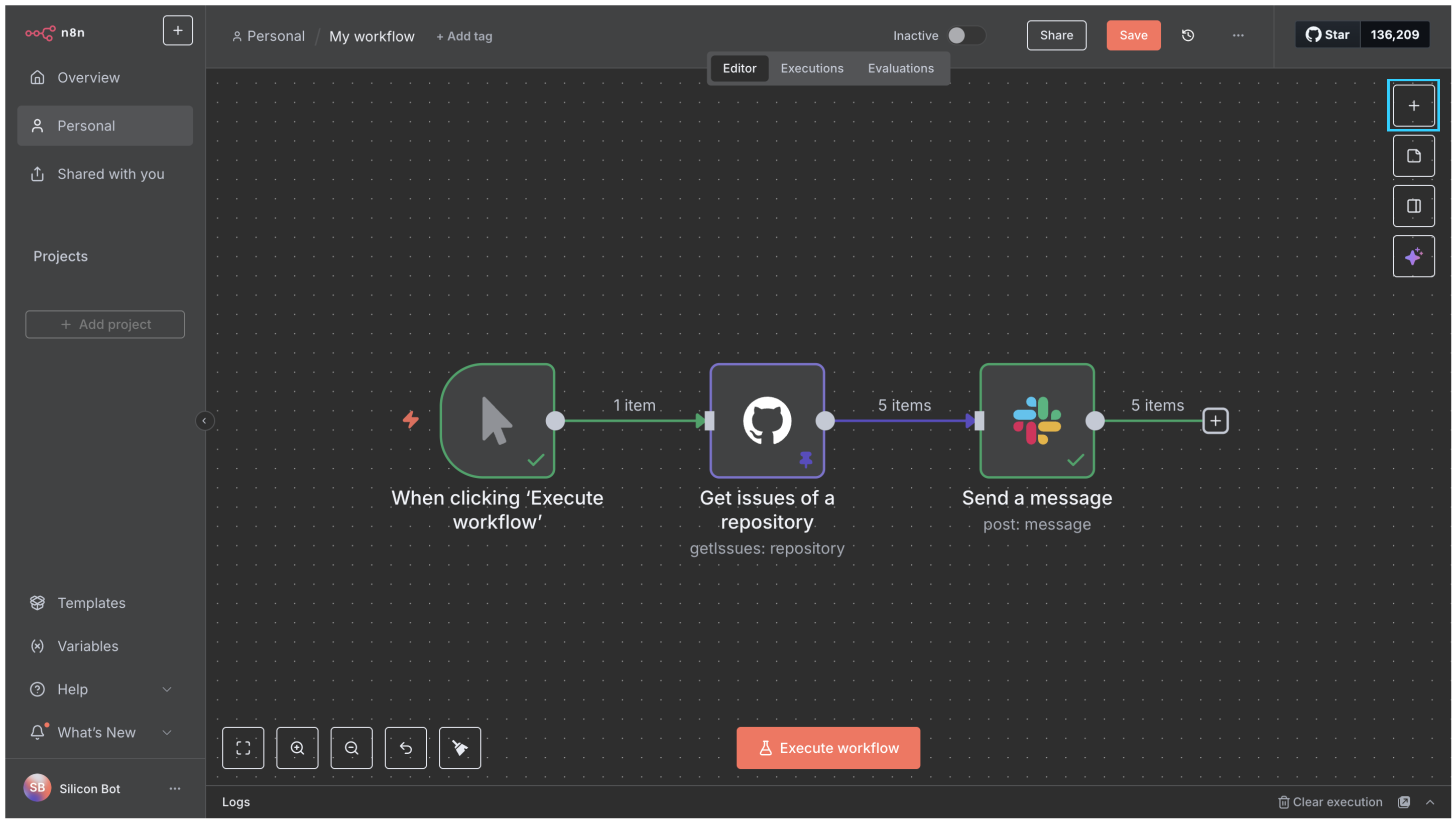
Our workflow is now structurally ready to receive real-time events. Before we test it, we need to understand an important feature of all webhook-based nodes in n8n.
Understanding test vs. production webhook URLs
All webhook-based trigger nodes in n8n have two distinct modes of operation, each with its own URL. You can view these URLs on webhook-based trigger-based nodes in the parameters section under the “Webhook URLs” drop-down.
The test URL is for development. When you select “Listen for Test Event” in a trigger node, n8n generates a temporary, single-use URL. Its purpose is to capture one sample payload from the external service and display it directly on the canvas. This allows you to see the exact data structure you’re working with, which is invaluable for building and debugging the rest of your workflow.
The production URL is the permanent endpoint used when your workflow is active. When an event is sent to this URL, the workflow executes in the background. You can view the history of these executions in the executions list, but the data will not appear on the canvas in real time.
A key rule to remember is that a workflow can only be listening on either its test URL or its production URL at any given moment, never both. Activating the workflow registers the production URL and deactivates the test URL, while starting a test listen session deactivates the production URL.
Connecting GitHub to n8n and testing the trigger
Let’s connect the dots and see our real-time agent in action.
Listen for a test event: Open the GitHub Trigger node. On the left panel, you will see an “Execute step” button. Select it. The button will change to a “Listening…” state, and n8n will now start listening for events.
Trigger the event: Now, navigate to the “Issues” tab of your GitHub repository and create a new, sample issue. Give it a title and some body text, and submit it.
Verify the connection: Back in your n8n canvas, you will see that the “Listening…” message has disappeared. The GitHub Trigger node now displays the data from the new issue you just created. This payload contains all the information about the event, including the issue’s title, body, labels, and the user who created it.
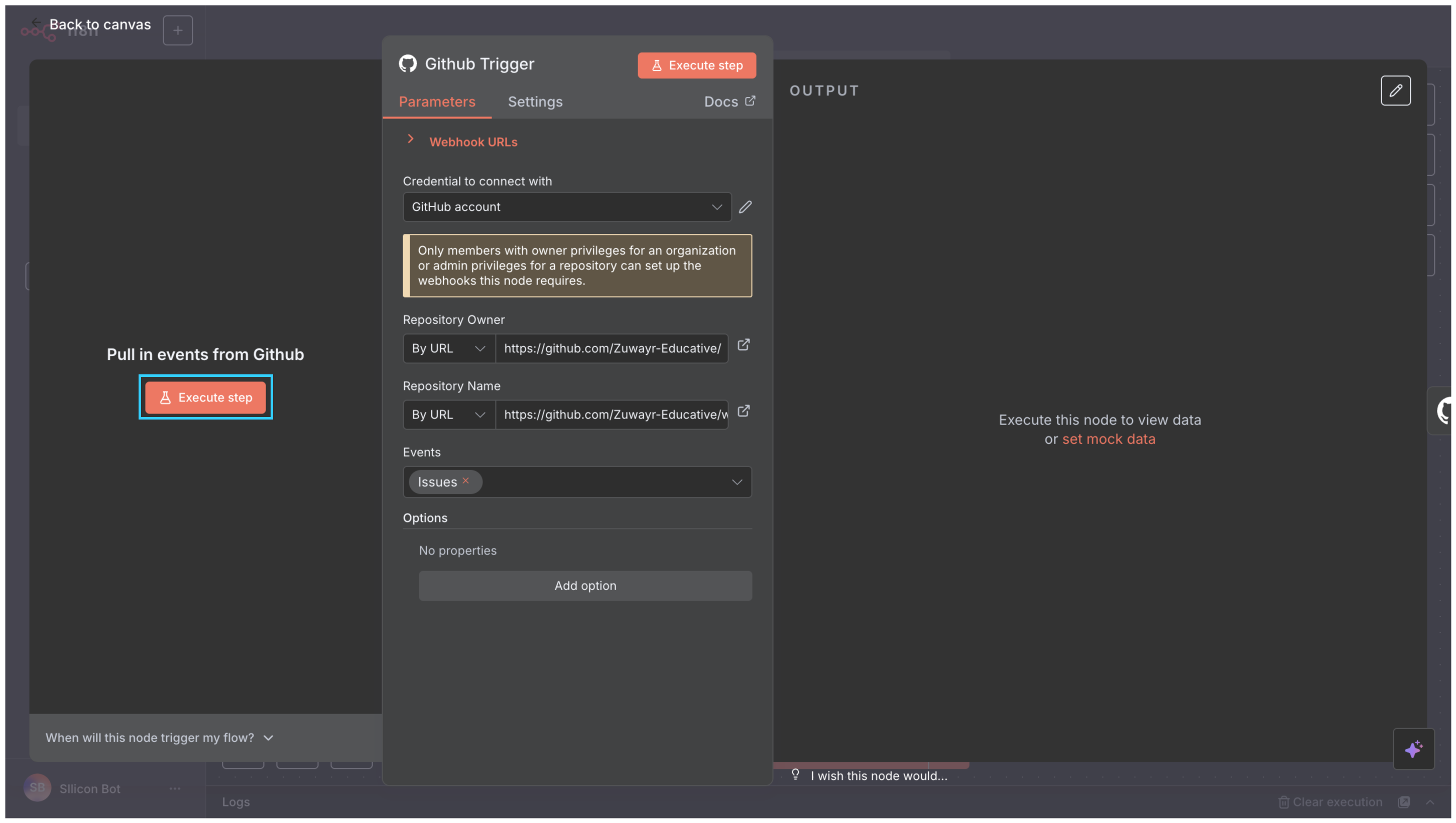
This confirms that our webhook is configured correctly. Our n8n instance is now ready to receive real-time events from GitHub.
Here’s the workflow file we have so far. You can also visualize it in the widget below:
What’s next?
And with that, our Triage Agent is officially autonomous. What started as a manual script is now a proper event-driven service. It no longer needs Alex to click “run”; it can listen and react on its own.
But our agent still has one major limitation. It knows that an issue was created, but it doesn’t know anything about it. The Slack message is the same generic alert every time, which isn’t much more helpful than a simple notification. The trigger is passing a rich payload of JSON data with every execution, full of useful details like the issue’s title, the author’s username, and its labels. Right now, we’re ignoring all of it.
In our next lesson, we’ll change that. We’ll dive into expressions, n8n’s system for accessing and manipulating data dynamically. You’ll learn how to reach into that JSON payload and craft rich, context-aware messages that tell the team exactly what they need to know, the moment they need to know it.