Chat Completions
Explore how to use the OpenAI chat completions endpoint to perform various NLP tasks including text generation, classification, and completion. Understand request and response parameters, prompt design principles, and practical API call examples to effectively harness GPT-3.5-Turbo for dynamic text processing in JavaScript applications.
The chat completions endpoint
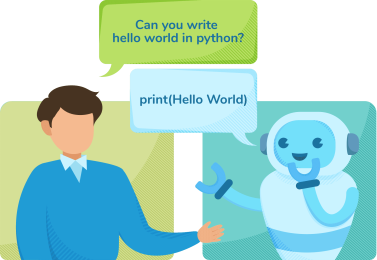
The chat completions endpoint can be used to perform many tasks on a text, including classification, generation, transformation, completion of incomplete text, factual responses, and others. The endpoint takes an input message from the user and the role assigned to it and returns a JSON object.

The following URL uses the POST method which can be used to call the completions endpoint:
https://api.openai.com/v1/chat/completions
Understanding the chat completions endpoint
Let's look at the chat completions endpoint in more detail, reviewing, the request parameters, and the response parameters.
Request parameters
Let’s see some essential request parameters for this endpoint in the table below:
Fields | Format | Type | Description |
| Array | Required | This is a list of messages comprising the conversation as of yet. |
| String | Required | This is the ID of the model that the chat completions endpoint will use. |
| Integer | Optional | This is the maximum number of tokens to generate in the chat completion. |
| Float | Optional | Which sampling temperature should be employed, ranging from |
| Float | Optional | Nucleus sampling is an alternative to temperature sampling in which the model evaluates the outcomes of tokens with top p probability mass. So, 0.1 indicates that only the top 10% probability mass tokens will be evaluated. Default value: |
| object | Optional | This is an object that specifies the format of the output. This parameter is compatible with the newer models. Setting to |
| Integer | Optional | It indicates the number of chat completions to generate. Default value: |
| Integer | Optional | This value decides whether to return the log probabilities of output tokens. This option is not available on the Default value: |
| String/array | Optional | This allows you to provide four sequences where the API will stop generating further tokens. Default value: |
| Float | Optional | A value range between -2.0 to 2.0. The positive value penalizes the new tokens if they exist in the text, increasing the possibility of generating new things. Default value: |
| Float | Optional | A value range between -2.0 to 2.0. The positive value penalizes the new tokens concerning their existing frequency in the text, decreasing the possibility of repeating the same words. Default value: |
Note: You can learn more about the
modelargument in this lesson.
Response fields
The response is a JSON object. Some essential attributes are given below:
Fields | Format | Description |
| String | This is a unique ID for the chat completion. |
| Array | This is an array of objects. Every object contains valuable information about the response. The size of the array will be equal to the n parameter that we provided in the request parameters. |
| String | This is the Unix timestamp (in seconds) of when the chat completions was created. |
| Object | These usage statistics specify the |
From these response parameters, the parameter choices contains the output response from the API. Let's look at the choices array in more detail.
Fields | Format | Description |
| String | This provides the reason the model stopped generating tokens. Here are the reasons sent:
|
| Integer | This gives the index of the choice in a list of choices. |
| Object | This is the chat completion response message generated by the model. |
| Object | This is the log probability of the response choice. |
The input to this endpoint is an array that contains the request text message and role for the system. The output is also an array that contains a role and the text message response.


Prompt design
The chat completions endpoint is an array-in and array-out endpoint. We can instruct it on what to do by providing the relevant texts in the array. A well-written prompt will result in good output.


Basics of prompt design
OpenAI can perform many simple and complex tasks in text analysis. To get the most out of it, we have to be very specific about our prompt. We must take particular care about the following points:
Proofread the prompt for spelling and grammatical mistakes because that can affect the output.
Check for setting parameters such as
temperatureandtop_p.Ensure clarity about the intended generation of the text.
Provide one or more examples. (We’ll see this prompt design in the next lessons.)
Let’s look at a few examples by executing various prompts.
Using the chat completions endpoint
Let’s use the chat completions endpoint to write something about artificial intelligence. In the code widget below, we use the GPT-3.5-Turbo model for the chat completions task. The temperature value used is 0.9. Make sure you’ve added your SECRET_KEY. Press the "Run" button to see the response for our prompt.
The following prompt exhibits the generation use case by generating some text corresponding to the provided prompt:
Write a tagline about artificial intelligence.
We may get the following output:
Unlocking the potential of artificial intelligence, one innovation at a time.
Note: The output can be different for each run.
Let’s try out the prompt provided above.
We have imported the node-fetch library to make an API call in the above code. Let’s see some code details:
Line 2: We define the endpoint URL.
Line 5–8: We define the header, which includes the authorization token and content type.
Line 11–15: We define the request parameters required to make the API call.
Line 19–23: We set options by specifying the
header,bodyparameters, and the request method asPOST.Line 26–35: We create a function
createCompletionto make an API call usingfetchand handle any exception if it occurs. TheprintResponseandprintErrorare the custom functions to print the respective objects.Line 37: We invoke the
createCompletionfunction.
Try out different prompts and examine the varying responses. Here are some examples:
"Suggest one name for a cat."
"Suggest two names for a cat."
"Suggest names for a cat."
In the first example, the API will return only one name. In the second example, it will return two names. For the third example, it will return multiple names. We’ll see that the model is great at understanding the context of the sentences, and the messages input plays an important role in this regard. It understands what and how many names are required.