Introduction
Explore the fundamentals of HTTPS and how it secures web traffic to protect Node.js applications from session hijacking and man-in-the-middle attacks. Understand the role of SSL certificates, encryption, and how HTTPS ensures data privacy in network communications.
We'll cover the following...
Storytime
Once again, it’s time for a story. In October 2010, Eric Butler released a Firefox extension named Firesheep to highlight a huge, but under-recognized, problem. Firesheep allowed any user to watch the non-encrypted traffic on their local network, even hijack another user’s session. Firesheep exploited a type of man-in-the-middle attack: sidejacking. Sound scary? It should because it is. Let’s walk through an illustration to make a point.
Firesheep was an extension for the Firefox web browser that used a packet sniffer to intercept unencrypted session cookies from websites.
Take a second and think of the trouble Jane can cause John. She has access to many private things and could cause chaos by messing with his emails.
This is sidejacking. This type of exploit, session hijacking via unencrypted network traffic, has always been possible by skilled users. With the release of Firesheep, anyone had the ability to sidejack with just the click of a button.
While you go download Firesheep, ( yeah, that’s right, I know what you’re doing 😈 ), you might be thinking that this is a horrible thing to happen. However, Firesheep caused web companies to finally take HTTPS seriously. Gmail, Facebook, and Twitter now all default to using HTTPS throughout their entire site. Previously, the standard was to encrypt only login pages. This secured the user’s login credentials but left their current session open to hijacking, as in our example above.
What is HTTPS?
Regular web traffic is transferred over HTTP. When you type “http://www.google.com” into your browser, you use HTTP! Notice the “http://” at the beginning of the URL. Regular HTTP traffic uses port 80. HTTPS, on the other hand, uses port 443. HTTP is not secure; everything you do can be seen by others. HTTPS is “HTTP Secure” or “HTTP on SSL.” HTTP needs SSL to be secure.
For the purposes of this course, I’m going to cover HTTPS functions at a very high level.
Consider a diplomatic suitcase as a real-life example to understand how SSL works. The secured contents can only be opened by the person with the proper credentials. The suitcase is secured by international law and physical means, just as a strong algorithm and keys protect the SSL-encrypted message body.
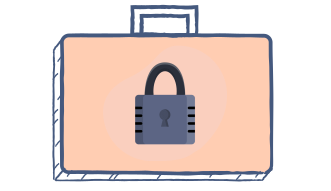
A certificate authority will sign your website’s certificate to prove that it is valid and secure. The user’s web browser, knowing the major certificate authorities, will verify the site certificate against the root certificate provided by that authority. The traffic is then encrypted with this key on both ends. The only traffic going across the network is encrypted traffic. If you’ve ever used SSH with public keys for authentication, you are familiar with the process. You used public and private keys to verify your identity with a remote server.
If websites are encrypted with HTTPS, they will be protected from man-in-the-middle attacks, including the session hijacking mentioned above.