Sub-Agents and Internal Agent Orchestration
Explore the role of sub-agents in Claude Code to improve development workflows. Understand how to create, manage, and invoke these focused AI assistants for specialized tasks, enabling automation and clear task delegation. This lesson guides you through best practices for designing sub-agents, their scopes, and tools to boost your coding efficiency.
Claude Code’s capabilities extend beyond single-agent interactions. In this lesson, we introduce sub-agents, specialized AI assistants within Claude Code, and explain how they enable internal orchestration of complex tasks. You will learn to create sub-agents for task-specific logic with dedicated context, manage them in the interactive interface, and invoke them explicitly or automatically. By the end, you will understand when to use sub-agents at the project level vs. the user level, how to design effective sub-agents, and how to chain multiple sub-agents or integrate external tools.
Let’s explore sub-agents and see how they can become focused, reusable “team members” in your development workflow.
What are sub-agents?
Sub-agents are preconfigured AI “mini-agents” that Claude Code can delegate specific tasks to for clear, focused purposes. Each sub-agent acts like a specialized AI with its own persona and sandbox. Its key characteristics are mentioned below.
Dedicated purpose and expertise: Each sub-agent is created for a specific role or domain (for example, code review, testing, debugging), with clear instructions that guide its behavior.
Independent context window: A sub-agent runs in its own context, separate from the main conversation. This fresh slate keeps its work from polluting the main chat history. The main agent can focus on high-level coordination while sub-agents handle detailed tasks.
Custom system prompt: Every sub-agent has a customized system prompt (defined in a Markdown file) that establishes its personality, rules, and approach to solving problems. This “persona” ensures the sub-agent follows domain-specific best practices.
Tool permissions: You can restrict or grant each sub-agent access to specific tools. For example, a “code-reviewer” sub-agent might only need read and search tools, while a “test runner” might also need Bash to execute tests. If you omit tool restrictions, the sub-agent inherits all tools available to the main agent.
Orchestration by the main agent: Claude Code (the main agent) can delegate tasks to a sub-agent when it detects a match with that sub-agent’s specialty. In practice, the main agent may automatically spin up a sub-agent to run tests or review code, then return the results to you.

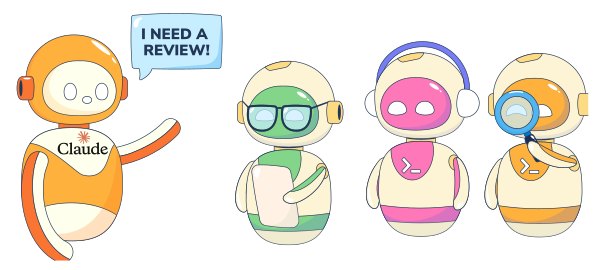
In essence, sub-agents function as internal copilots focused on specific tasks. This specialization can make them more effective at those tasks than the general main agent because they operate with a tailored context and instructions.
How are sub-agents created in Claude Code?
Claude Code provides an interactive interface to create and manage sub-agents easily. The /agents slash command launches a sub-agent management menu right inside Claude Code. To open it, simply run the command in the chat or terminal:
/agents
This brings up an interactive menu (in the Claude Code terminal) where you can ...