Color
Explore how to apply a broad range of colors in CSS by using RGB, RGBA, Hexadecimal, HSL, and HSLA color codes. Understand the basics of color representation including opacity and how to enhance web page styling with these techniques.
We'll cover the following...
Apart from green or black, we sometimes want to use a wider palette of colors. How can we do that?
We can expand the range of colors that we can use to style HTML elements by using RGB, Hex, and HSL values.

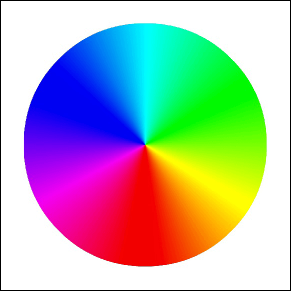
rgb and rgba values
rgb values refer to using red, green, and blue parameters to define a color. You can specify a color by indicating the intensity of each color attribute from a range of 0 to 255. Click the sliders below to see the range of colors you can specify using RGB values:
As you can see, using rgb values gives access to a much wider selection of color values. Let’s use an RGB color value to make a border:
rgba values are very similar to rgb values, except they have an additional alpha property that specifies the opacity of the color. The alpha property has a range of 0 to 1, with 0 being fully transparent and 1 being fully opaque. Click the sliders below to see how to make colors more transparent using rgba values:
Let’s give the div from the example above a slightly transparent magenta background color using a rgba value.
Hex values
Hex values are specified using a color code that consists of a # followed by six hexadecimal digits. The color black would be specified using the code #000000 and white would be specified using the code #FFFFFF.
What are hexadecimal digits?
Hexadecimal refers to using base 16 as a numbering system. What exactly does this mean? The most common numbering system uses base of 10. This means that for each digit, there are 10 possible values:
with one digit, 10 possible values can be represented (
0–9)with two digits, 100 (10*10) possible values can be represented (
0–99)
In a hexadecimal system, one digit represents 16 possible values. Hexadecimal notation represents the first 10 digits using 0–9, and the remaining 6 digits using A–F. Since each hexadecimal digit can represent 16 possible values, two digits can represent 16*16 values, for a total of 256.
Using hexadecimal color values
In the hexadecimal color code, the first two digits represent red, the third and fourth represent green, and the final two represent blue. This matches up exactly with rgb values as there are 256 possible values for each color (0-255):
hsl and hsla values
hsl values are represented by three different parameters: hue, saturation, and lightness. Hue values are given in terms of an angle from 0 to 360 degrees. The numbers should be written without units. Saturation and lightness are both given as percentages from 0% to 100%.
Additionally, if you want to define an opacity for the color, an additional alpha attribute can be added using the hsla value.