The Event Loop
Understand the role of the Node.js event loop in managing asynchronous tasks efficiently on a single thread. Learn how the event queue and API pool work together to handle background processes without blocking, and discover the limitations of Node.js for compute-intensive tasks.
We'll cover the following...
Concurrency
While we have praised Node.js for running applications on a single thread, there is more to it. When we ask the OS to read a file for us, we use the file system API. Node.js provides us with several APIs that allow us to make
How does it work?
Let’s take a look at the components that make all of this possible.
Event loop
The

Event queue
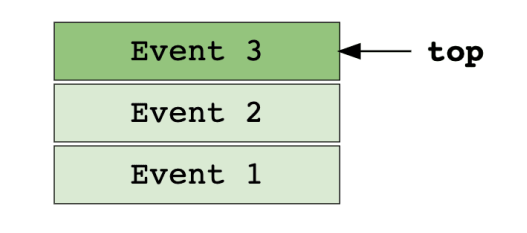
The event queue stores incoming events in an orderly fashion. It then passes those events one-by-one to the event loop.
API pool
The API pool consists of all the APIs that Node.js provides to execute blocking events asynchronously.

In action
Let’s see how Node.js handles functions that take time to process, like setTimeout. setTimeout is used to execute a function after a set amount of time. The first argument is the function, which, in our case, is the lateFunc. The second argument is the time in milliseconds. If lateFunc were to take arguments, they would then be passed after the second argument. Here is an example:
function lateFunc() {
    console.log('This was done asynchronously!');
}

console.log('This is the first log');

setTimeout(lateFunc, 5000);

console.log('This is the second log');Try changing the timeout duration of the setTimeout function to see how the output changes.
Let’s see what Node.js is doing behind the screen.
All that glitters isn’t gold
The event loop is a fundamental part of Node.js and is the secret to its efficiency. However, Node.js is still limited by the amount of processing power it can harness. Complex programs that require a lot of processing significantly can slow things down. While Node.js can handle asynchronous