DevTools Demo
Explore the use of NgRx DevTools to inspect and debug application states and actions within Angular. Learn to navigate the Redux DevTools interface, view action logs, analyze state changes, and apply time travel debugging for troubleshooting. This lesson equips you with practical skills to efficiently debug NgRx-powered Angular applications.
We'll cover the following...
We'll cover the following...
Launch DevTools
To open the browser developer tool, right-click the browser window and choose the “Inspect” option. Next, select the “Redux” tab to launch the Redux DevTools.

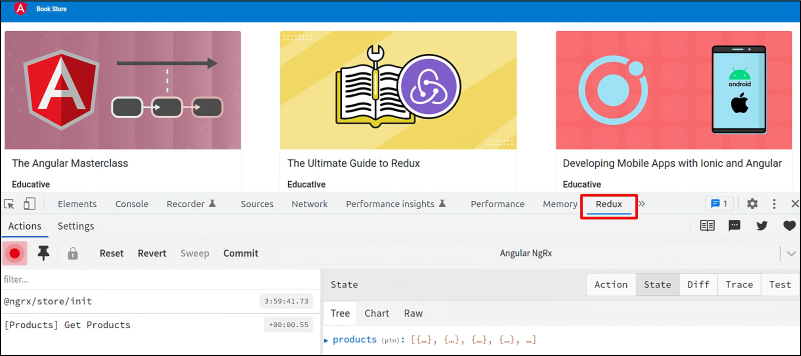
Redux DevTools tab in the browser
Inspect dispatched actions
The list of actions dispatched from our application is displayed on the left side ...