Generating Embeddings for Audio Files and Metadata of Songs
Explore how to generate embeddings for both audio files and song metadata using BERT and OpenL3 deep learning models. This lesson guides you through converting song attributes to text, applying special tokens, and extracting audio embeddings, preparing you to build a vector database for music recommendations.
We'll cover the following...
Metadata embeddings with BERT embedding model
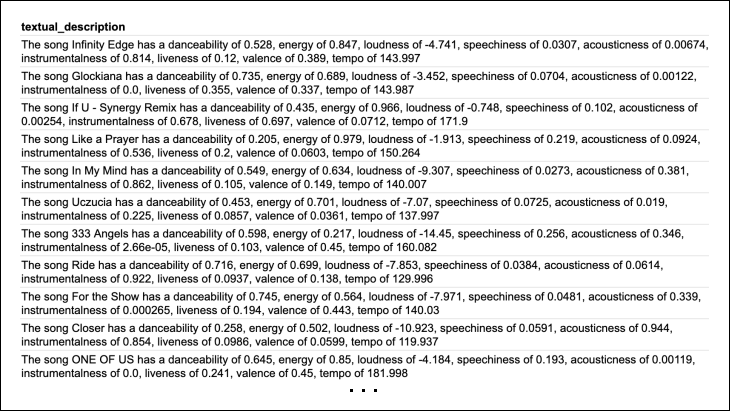
To use BERT for generating metadata embedding, we need to convert the tabular metadata information (attributes and values) of a song into a string, which we call the textual_description of the song. For example:
"The song Infinity Edge has a danceability of 0.528, energy of 0.847, loudness of -4.741, speechiness of 0.0307, acousticness of 0.00674, instrumentalness of 0.814, liveness of 0.12, valence of 0.389, tempo of 143.997."
To do this, we read the CSV file containing metadata about songs and create descriptive text for each song using its attributes and values. We add this text to the DataFrame and then save the updated DataFrame back to the CSV file.
The textual_description column added to the metadata_song.csv file is shown in the illustration below: