CI/CD Integration and Automation with Cursor AI
Explore how to use Cursor AI to create and automate CI/CD pipelines in GitHub Actions. Learn to generate workflow files, handle complex configuration in YAML, troubleshoot errors, and refine pipeline performance to boost development speed and reliability.
In modern software development, a robust CI/CD pipeline is essential. It automates the process of testing our code and deploying it to production, allowing teams to ship features faster and with greater confidence. However, writing the configuration files for these pipelines, often in YAML, can be complex and error-prone. This is complicated by the fact that the syntax varies significantly between providers like GitHub Actions, GitLab CI, and Jenkins.

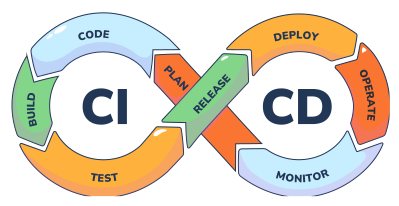
Cursor can act as a powerful DevOps assistant, helping us bootstrap these configurations and troubleshoot them when they fail. By translating our high-level goals into precise pipeline syntax, the AI can save us hours of manual configuration and debugging. In this lesson, we will learn how to use Cursor to generate a complete GitHub Actions workflow for our Markdown Notes App.
Generating a CI/CD pipeline for GitHub Actions
Our first goal is to create a GitHub Actions workflow that automatically runs our pytest test suite every time a developer pushes code to the main branch, or creates a pull request. This ...