Managing Data in S3
Explore how to manage data in AWS S3 by understanding bucket policies, access control lists, Object Lock features, and CloudTrail data events. Learn how these tools enable secure access control, data retention, and activity tracking for your S3 buckets.
We'll cover the following...
To ease the process of managing resources like objects and buckets, AWS has provided various facilities. Some of them have been discussed below.
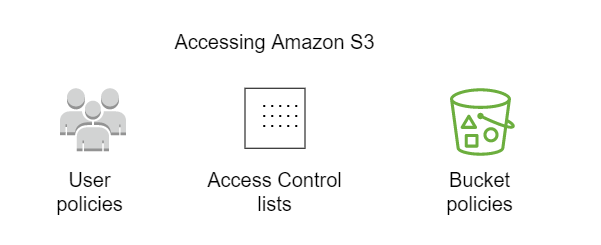
Bucket policies
Some characteristics of bucket policies are listed below:
- Bucket policies provide access control to buckets and objects.
- Bucket policies are based on S3 operations, requesters, resources, and aspects of the request.
- Bucket policies are written in JSON format.
- Bucket policies are limited to 20 KB in size.
- Bucket policies are directly attached to a bucket to grant and restrict access control.
- Bucket policies do not exist by default when a new bucket is created.
- Bucket policies are used to impose and set access controls within a specific bucket.

Access control lists (ACLs)
Some characteristics of access control lists (ACLs) are listed below:
- ACLs are lists of grants identifying grantees and permissions granted.
- ACLs are not written in JSON format.
- ACLs use S3-specific XML schema.
- ACL permissions for buckets include “List,” “Write,” “Bucket ACL Read,” and “Bucket ACL Write.”
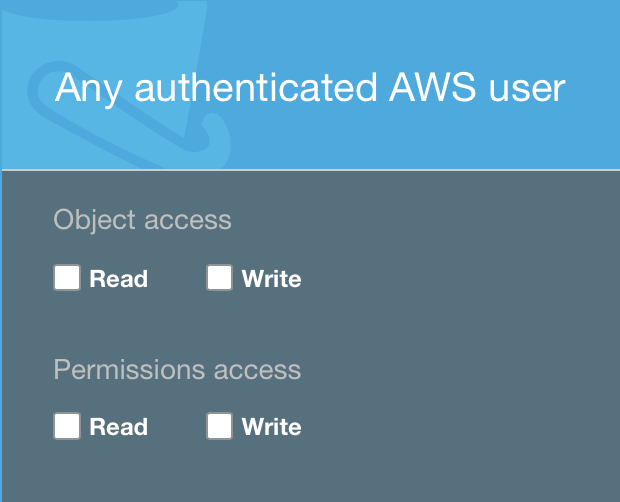
Permissions are given to enable the grantees’ access to either “Read” or “Write” against the bucket ACL.
- Bucket owner: The bucket owner is the AWS account admin. The bucket owner has full control over all objects and the bucket itself.
- Everyone (public access): Anyone can access using the permissions applied, provided that the object has been made public. The requests can be signed (authenticated) or unsigned (unauthenticated).
- Authenticated users: This option allows IAM users from any AWS account to access the object via signed requests (authenticated).
- S3 log delivery group: This group is used to deliver log files when the server access logs have been configured and the bucket is used to store and write log files.
ObjectLock
Some characteristics of Object Lock are listed below:
- ObjectLock is an advanced property in the S3 bucket.
- Object Lock can be used to store data using the write-once-read-many (WORM) model.
- Object Lock prevents objects from being deleted for a fixed or indefinite amount of time.
- Object Lock can be enabled successfully only at the time of bucket creation.
- If Object Lock is enabled after the bucket has been created, an error message is displayed.
Two retention modes are displayed when a bucket is created with Object Lock enabled.
- Governance mode: This mode requires the retention period to be specified in days. Once the retention period is finished, the object will be deleted.
- Compliance mode: Any user including the root user does not have permission to delete the object before the retention period is completed. This mode also requires the retention period to be specified in days.
Apart from the default retention period, a per object retention period can be set. We can do this in the object properties.
AWS CloudTrail data events
Some characteristics of AWS CloudTrail data events are listed below:
- They retrieve information about a bucket and object-level requests in Amazon S3.
- To enable this feature, a trail must be manually created in CloudTrail.
- AWS CloudTrail stores Amazon S3 data event logs in a preconfigured bucket.
- AWS CloudTrail logs Amazon S3 object-level API operations in the CloudTrail console.