Find a Playlist ID
Discover how to find the playlist ID from your YouTube channel using YouTube Studio. This lesson guides you through navigating playlists, selecting the desired list, and locating the playlist ID in the URL, enabling you to manage and use playlist data effectively.
How to find a playlist’s ID
You can find the playlist ID of any YouTube playlist by following a few simple steps. Read the instructions below to find the playlist ID of a playlist created on your account.
Step 1: Navigating to YouTube studio
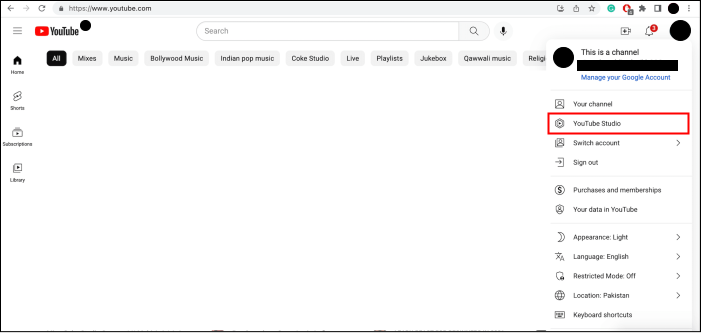
Go to the YouTube website and click on “YouTube Studio” under your profile. You have to be logged in to YouTube to find this option.

Step 2: Navigating to Playlists
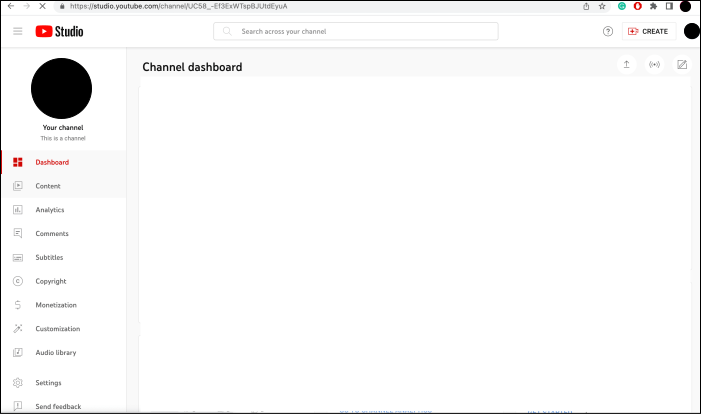
Click the “Content” option in the left panel to find the list of playlists on the channel.

Step 3: Selecting the playlist
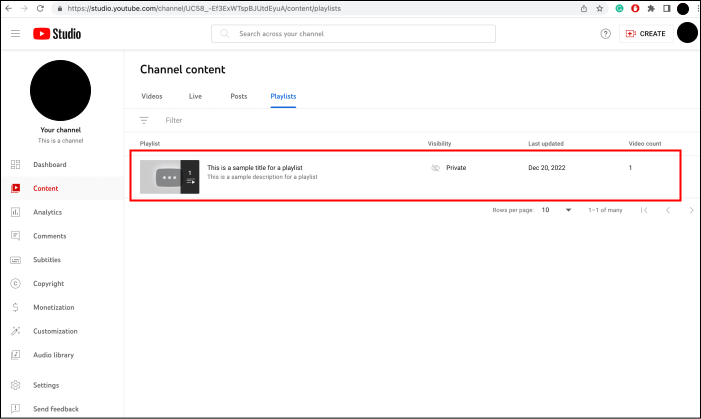
From the list of playlists that appear, click the one whose ID you want to find.

Step 4: Locating the playlist ID
On the playlist page, go to the playlist URL. The playlist ID will be the value after the list parameter.

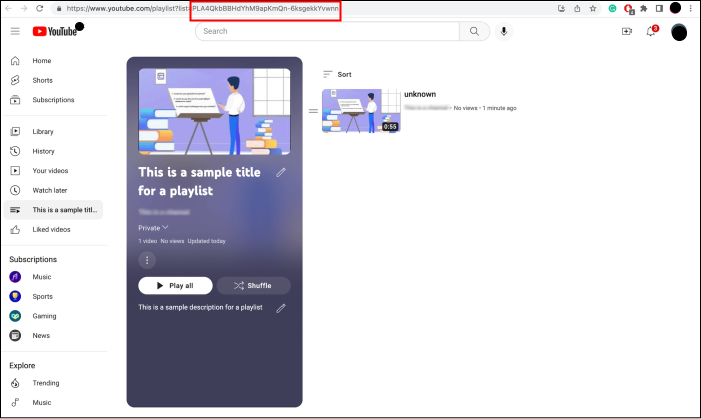
Copy this ID and use it anywhere you want in the course. Follow the same steps if you want to find the playlist ID of any other YouTube playlist.