Navigating in Hugging Face
Explore the process of navigating and filtering machine learning models on Hugging Face. Understand how to select appropriate models based on tasks, licenses, languages, documentation, and popularity to integrate them effectively with your Gradio applications.
We'll cover the following...
We'll cover the following...
Model navigation
In this lesson, we will have a look at how we can filter to models that we are interested in, and what to look for.
Filtering models
When viewing the model page on Hugging Face, we will see a page that looks similar to ...

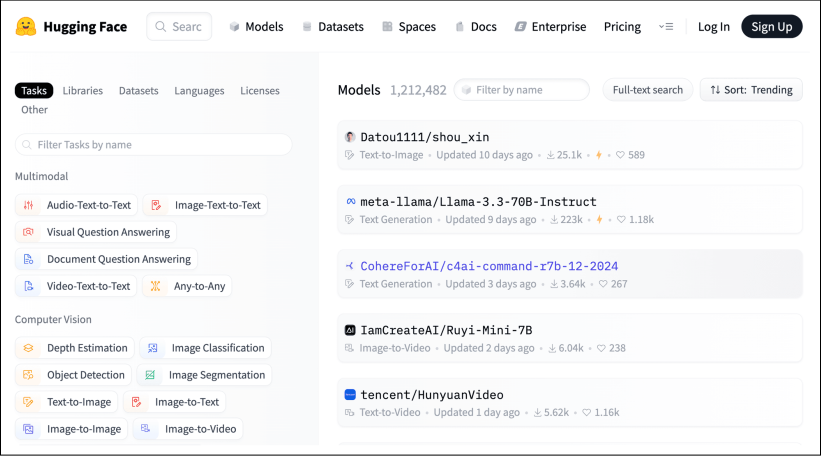
Example of model page in Hugging Face
...