Using Remix
Explore using the Remix IDE to compile, deploy, and interact with your first Solidity smart contract. This lesson guides you through setting up projects, compiling code, and testing contracts in Remix's built-in test environment, helping you gain hands-on experience in Ethereum smart contract development.
We'll cover the following...
In this lesson, we'll go from theory to practice, and learn how to deploy and interact with our smart contract. One of the easiest ways to do this is to use the Remix IDE, which provides a development environment for Solidity. We'll see how to use this IDE to develop and test smart contracts.
The Remix IDE
Remix is a free Ethereum IDE. It's available online, but it also has a desktop application version that we can use.
To use Remix, we need to go to its official website.

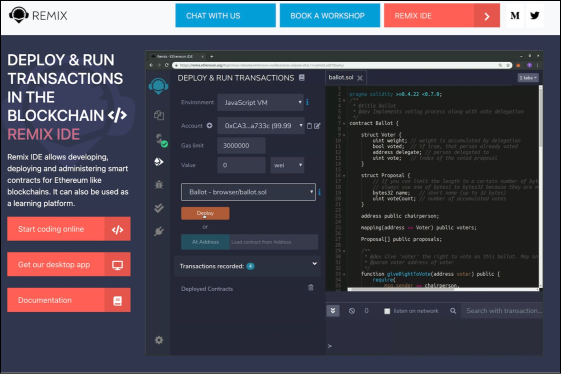
To go to the Remix IDE, we need to click the “Remix IDE” button at the top-right corner of the page above. We should then see the IDE interface, as in the image below:

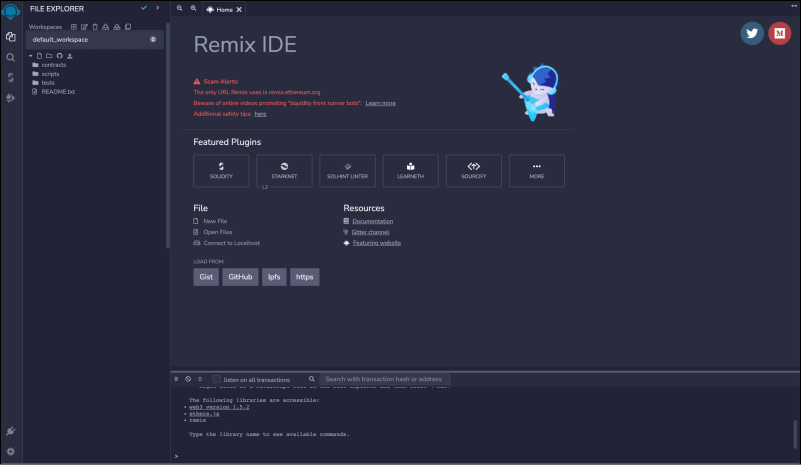
On the left, there's a folder structure of a demo Solidity project. We can explore it, but we'll create a new project to test the smart contract we wrote in the previous lessons.
Remix has several tabs in the bar on the left of the screen:
Folder structure: This allows exploring the files and folders of our project.
Search: This allows searching for text in the project files.
...