Linking Existing DevPath Content in a Path
Explore how to link existing DevPath content, including courses and paths, into your Skill Paths using the Path Editor. Learn to search, filter, and incorporate internal and external materials efficiently, and understand editing limitations when handling linked content.
We'll cover the following...
DevPath Catalog
DevPath has several Courses and Paths for its learners that cover a range of technologies, and this catalog grows daily.
Rather than creating all your content from scratch, you can use the existing knowledge on the platform and easily make DevPath content part of your Paths, or you can use content created by individuals from your organization on DevPath.
Note: The DevPath catalog comprises content created by DevPath and external authors.
How to link existing Content
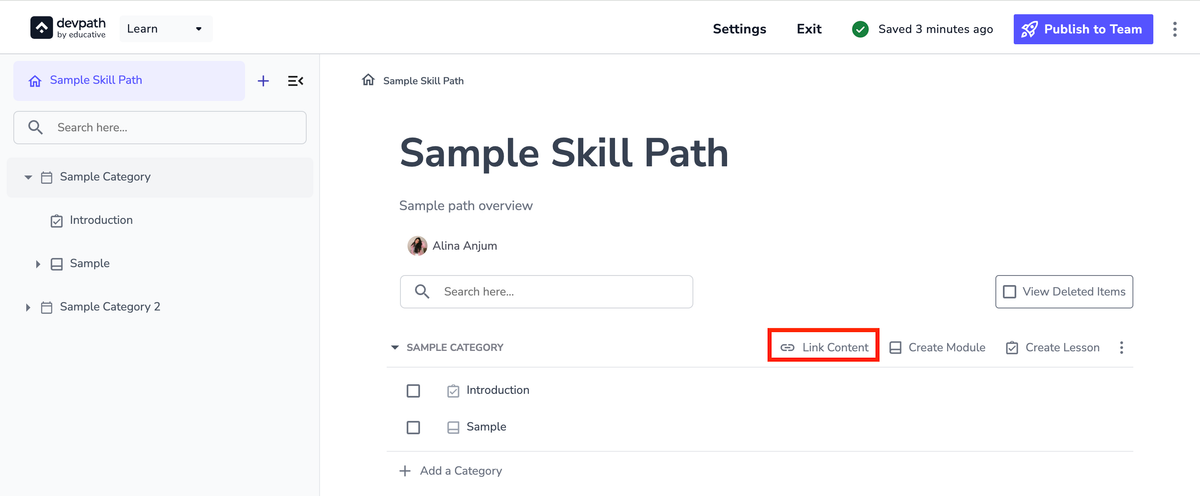
In the Path Editor, click the “Link Content” button.
Start typing to search content or paste a URL to directly link content.
You can use the filters on the left to specify your search.
Internal content is content created by your organization.
DevPath content is content created by DevPath and its external authors.

Note: You cannot edit linked DevPath content and linked internal Modules that you are not a collaborator or author of.
If you link a Course, you can click it to start editing its structure, including:
Delete Lessons.
Create new Lessons.
Add new categories.