Creating Categories in a Path
Explore how to create and manage categories within Skill Paths to organize related content effectively. This lesson helps you understand the concept of categories as subfolders and guides you in adding and naming them to build clear and structured learning paths.
We'll cover the following...
We'll cover the following...
What are Categories?
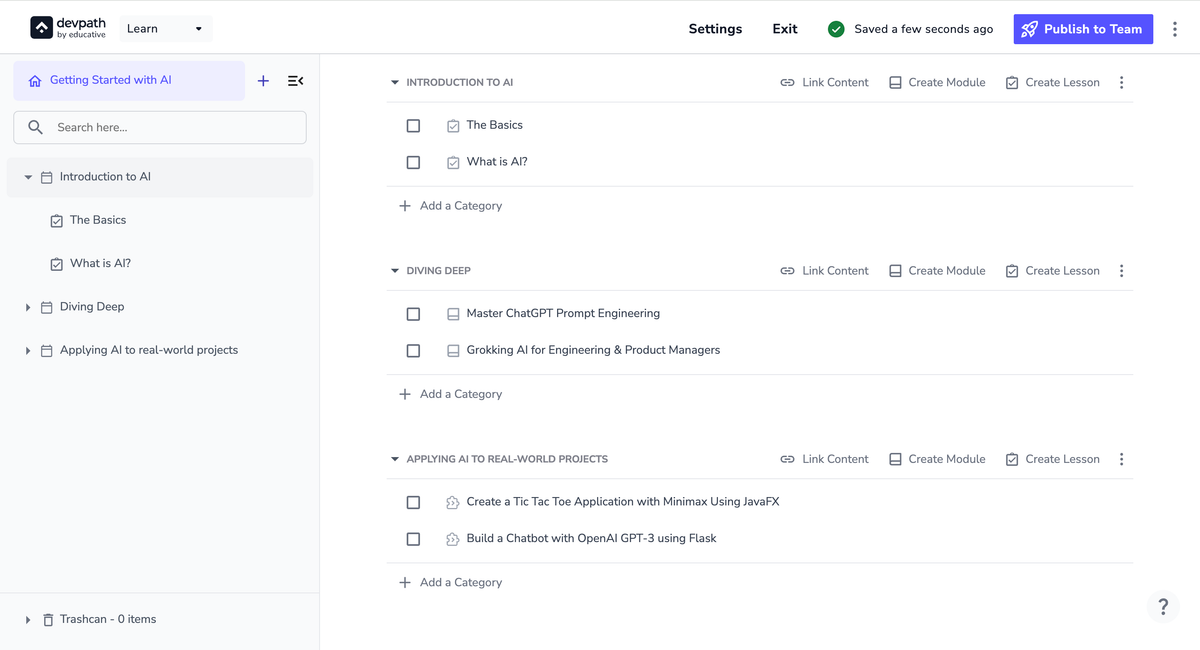
Think of categories as subfolders you can house different content into. These help create a more structured Path where you can combine similar content.
For example, a Skill Path might look like as follows:
How to create a Category
You can add a new Category by clicking the “Add a Category” button.
The Category can be given a title by simply clicking the Category name—this can potentially be the theme that the Category will follow.