Building the Basic Structure
Explore how to build the foundational structure of an Azure event-driven architecture. Understand how to use event grid to capture VM creation events, manage message workflows with storage queues, and implement Azure Functions for validation, retry logic, and API triggers. This lesson helps you design, deploy, and monitor event-driven solutions using core Azure components.
We'll cover the following...
Architecture
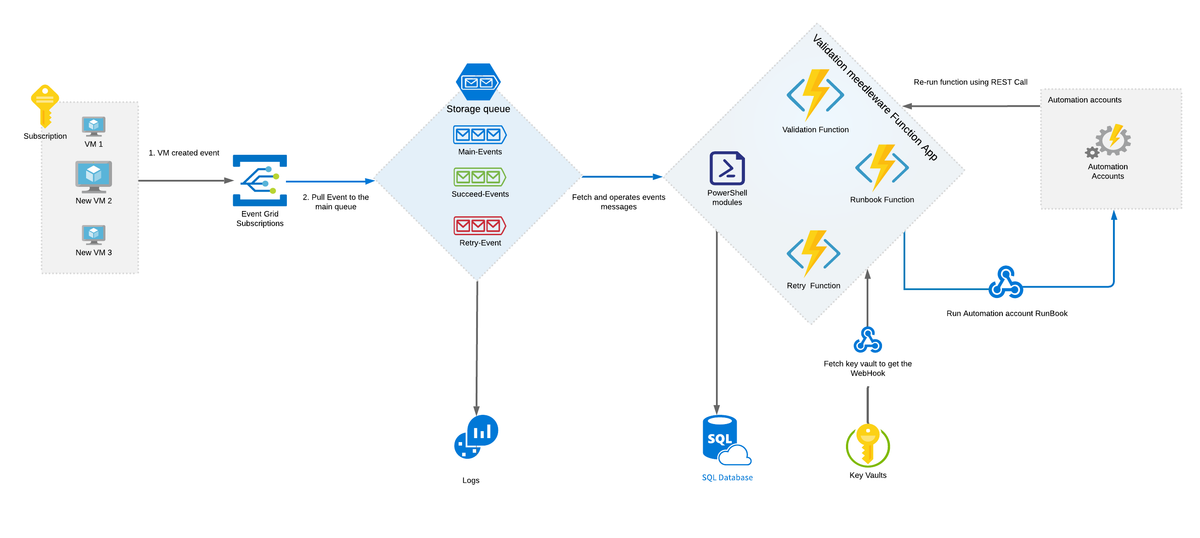
Let’s begin by looking at the architecture diagram below.
Event grid
An event grid is linked with a subscription listening to the events related to new virtual machine creation. It is necessary to add filtering here. Otherwise, the event grid will generate messages whenever any resource is created in a subscription or in the target resource group. All events are then delivered to the storage queue.
Queues
In the project above, we are using three queues:
- Main queue is a destination for all messages from the event grid.
- Retry queue receives all messages which failed during the first steps of validation and were scheduled for a future retry.
- Succeeded queue is used for all successfully processed messages. In this project, we have used this queue for statistics and reporting.
A storage account is also linked to Azure Log Analytics to synchronize all logs and alerts. For example, if the number of messages in the retry queue is more than the expected number, log analytics will log this as an error alert to the administrator.
Function app
The next component is the Azure Function app that contains several Azure functions. These functions perform validation, process messages, and contain logic to trigger the runbook.
A Validation Function is linked with the main event queue. When the Event Grid sends a message to the main queue, this function is automatically triggered.
A Retry Function is based on a timer trigger and will run to check for failed messages which were in the retry event queue waiting to be sent again.
The Validation and Retry function workflow is demonstrated below.

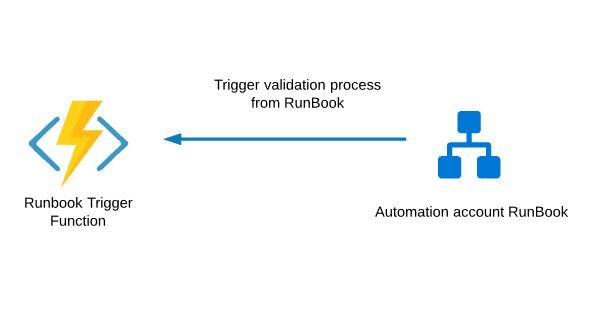
A RESTful API Function (HTTP trigger) is intended to trigger (re-run) the whole process from a runbook or the Admin UI. For example, the runbook may contain some validation logic that requires restarting the whole process.