An Introduction to the :has() Selector
Explore how the CSS :has() selector works to apply styles conditionally based on the presence of child or sibling elements. Understand its use as a parent selector, how to create complex queries with AND and OR conditions, and leverage it to design dynamic and reusable components in your web layouts.
We'll cover the following...
Working of the :has() selector
To get a feel for how :has() works, let’s look at an example of how to apply it. In the following selector, we’re testing if an <article> element has an <img> element as a child:
The image below shows a possible result of this selector. Three article elements are shown, two of which contain images, both with a pale green background and different padding from the one without an image.

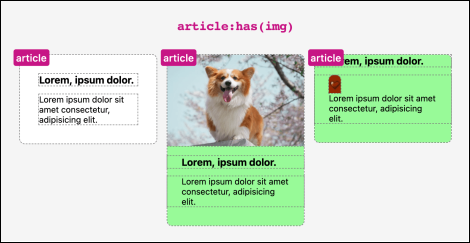
The selector above will apply as long as an <img> element exists anywhere with the <article> element—whether as a direct child or as a descendant of other nested elements.
If we want to make sure the rule applies only if <img> is a direct (unnested) child of the <article> element, we can also include the child combinator: